pedzsan
Inspiring
July 7, 2021
Answered

How to make a “shimmer”?

  • July 7, 2021
  • 3 replies
  • 2387 views

I have a still image of a cheetah eating an antelope.  I'd like to make the raw red meat part shimmer and oozing with blood.  All of my attempts to use CC Light Sweep are not getting what I want.  I've tried Liquidfy.  Of course, when I say "try", it could easily be that if I had other options, it would be better.  I've also searched a bit for third party plugins but none seem to be what I'm wanting.


How would you go about making red meat ooze with blood.  The objective is to have a somewhat subtle effect but have that effect be rather gruesome.
 

This topic has been closed for replies.
Correct answer Rick Gerard

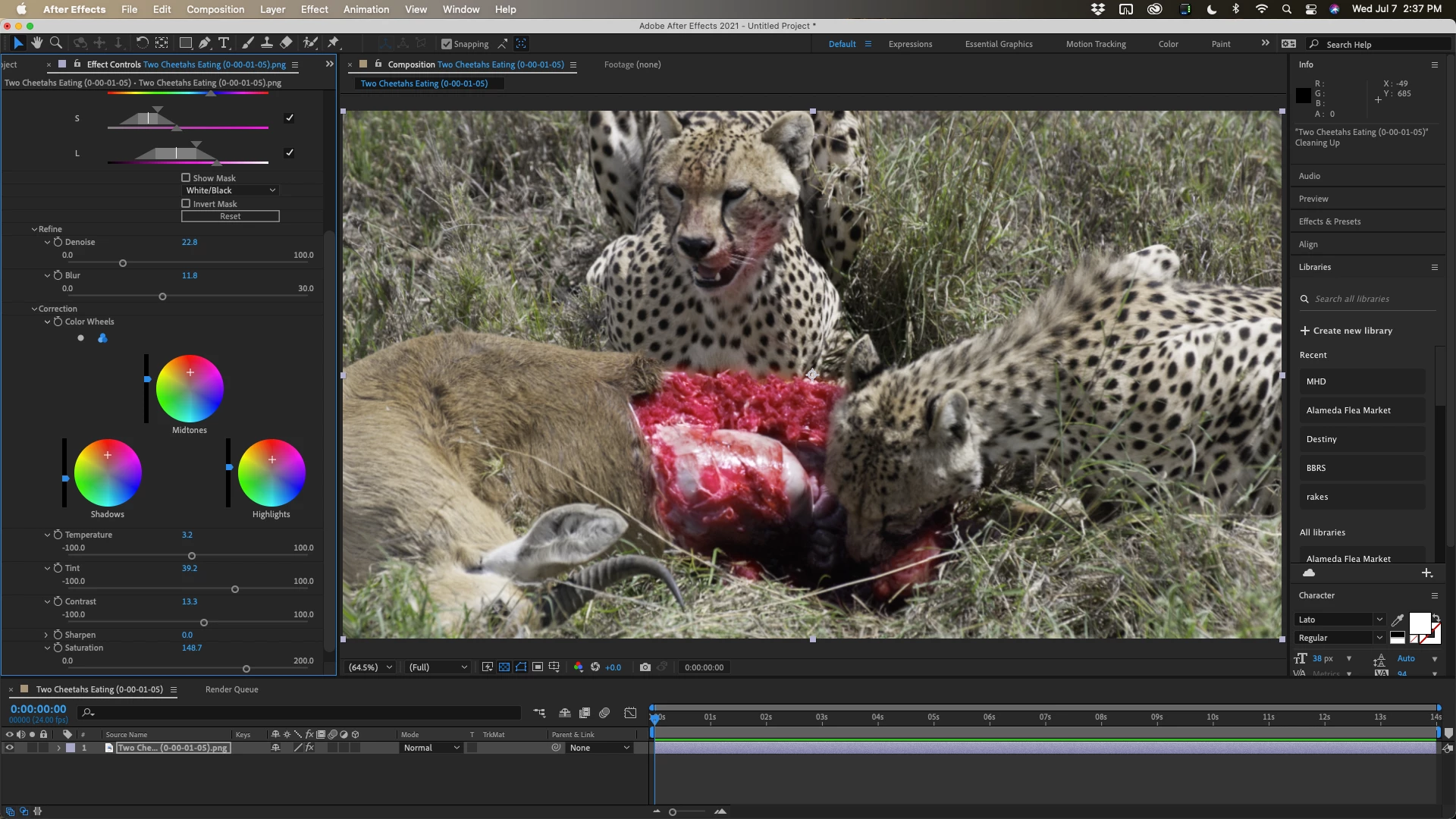
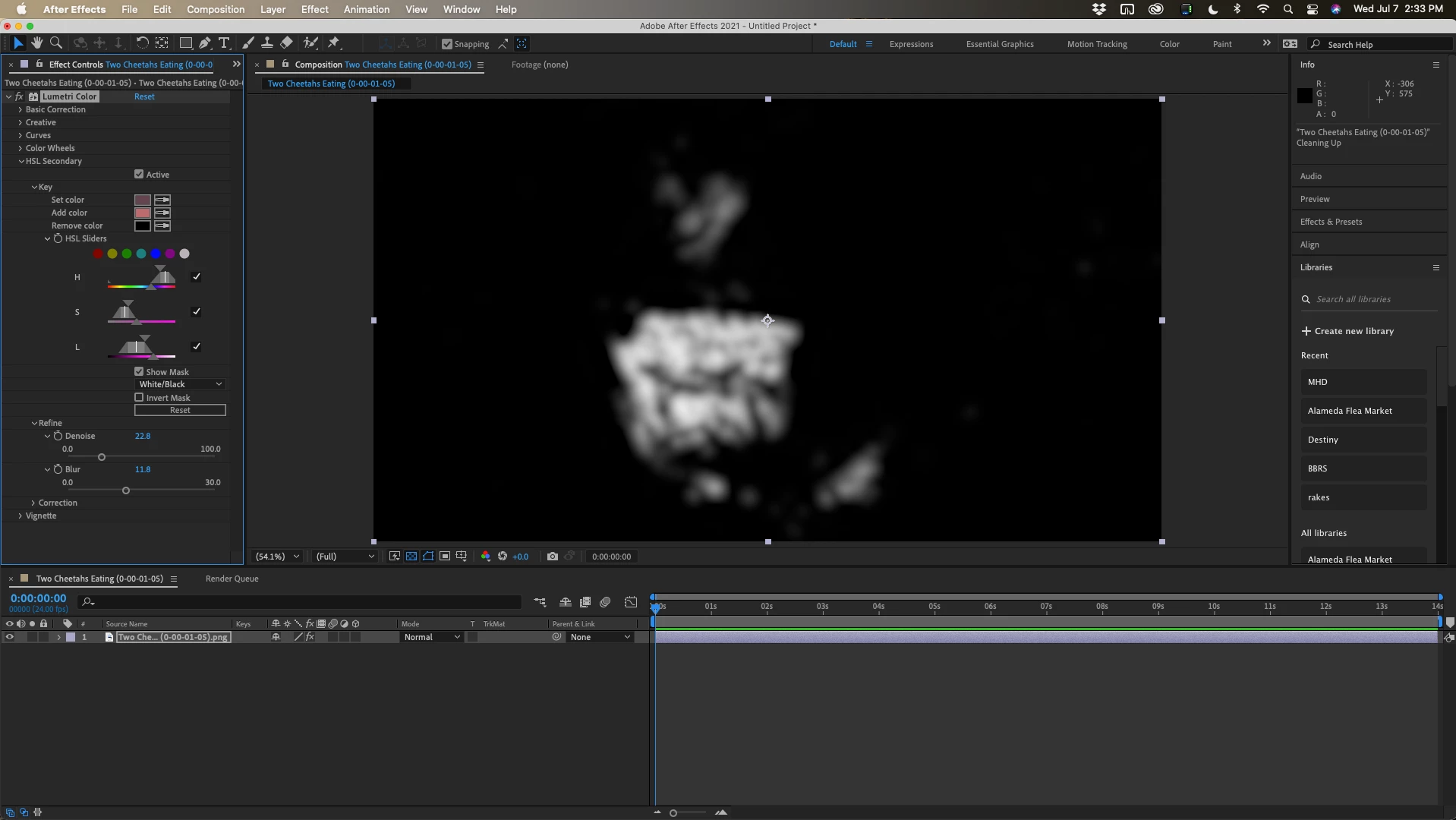
Personally, I would use Lumetri and to isolate the red color, enhance it, and then create a matte to isolate just the meat. Then I would animate the color correction a bit and add a couple of other effects. You should be able to create a track matte. Here are a couple of screenshots. The first one is setting up volumetric to enhance the red color using HSL secondary:

The second is the adjustments using the color wheels:

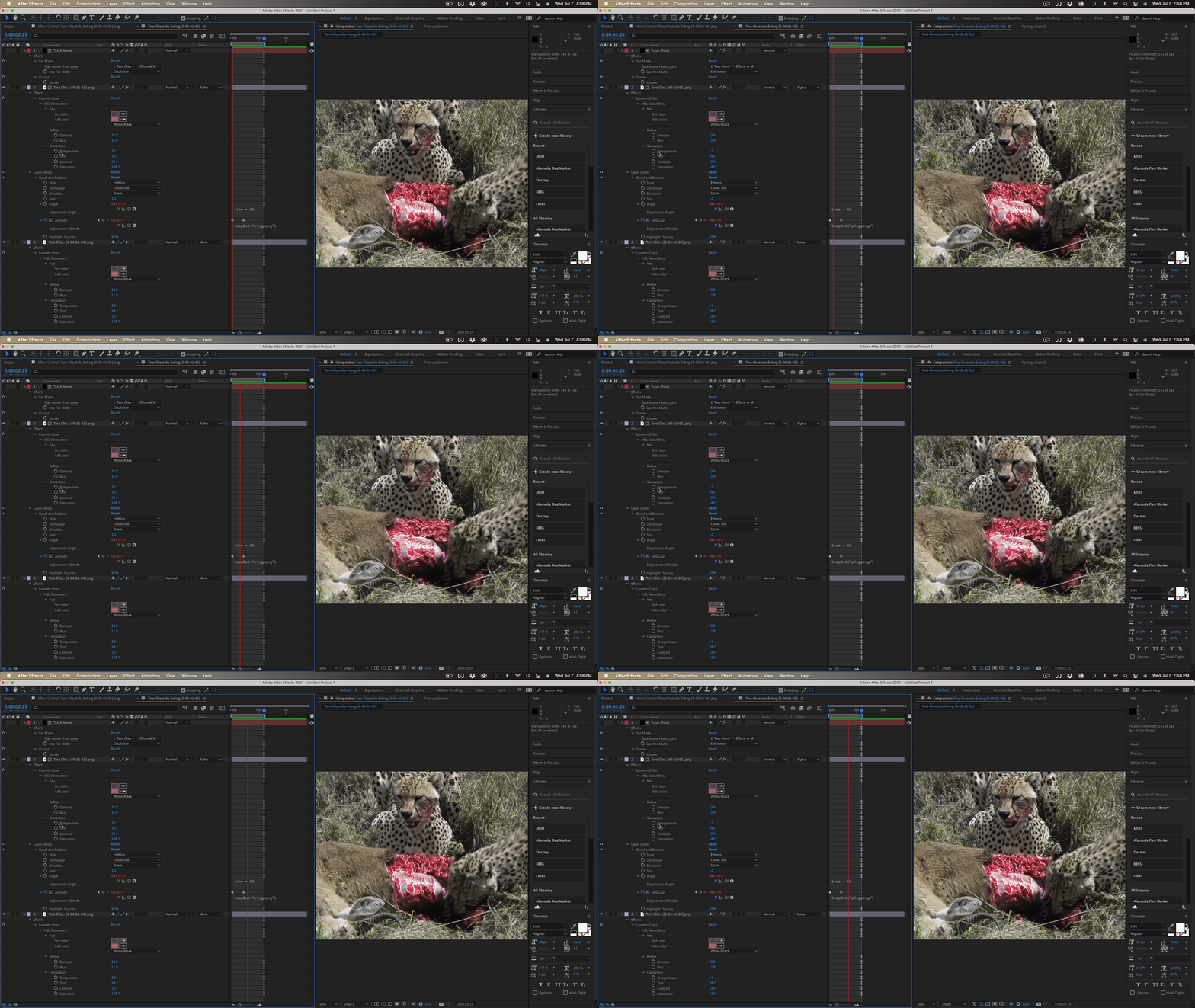
The last is the final product using Set Matte to create a matte for a copy of the footage with Bevel and Emboss layer styles set to animate with expressions. 

That's just one idea. There are a dozen ways to do something similar, but they all involve creating a matte.


3 replies

Mylenium
Legend
July 8, 2021

I agree with Rick. A slightly more intense color correction is pretty much all I would add here. If at all a slight pumping effect could perhaps be added as well with a Displacment Map effect, but I wouldn't go too crazy.


Mylenium

Rick GerardCommunity ExpertCorrect answer
Community Expert
July 8, 2021

Personally, I would use Lumetri and to isolate the red color, enhance it, and then create a matte to isolate just the meat. Then I would animate the color correction a bit and add a couple of other effects. You should be able to create a track matte. Here are a couple of screenshots. The first one is setting up volumetric to enhance the red color using HSL secondary:

The second is the adjustments using the color wheels:

The last is the final product using Set Matte to create a matte for a copy of the footage with Bevel and Emboss layer styles set to animate with expressions. 

That's just one idea. There are a dozen ways to do something similar, but they all involve creating a matte.


pedzsan
pedzsanAuthor
Inspiring
July 9, 2021

Thank you!!  I will try this out.  It will probably take me a few days.  I only get to do this for 'fun' and I have much to learn.  But your final results is exactly what I was hoping for.

Mylenium
Legend
July 7, 2021

A screenshot/ reference frame of the image you work with might help as might a similar screenshot of your current results.


Mylenium

pedzsan
pedzsanAuthor
Inspiring
July 7, 2021

This is the original image and then the second is masked around the meat with a CC Light Sweep.  I thought maybe if I had 3 of them dancing and moving it would work but it just doesn't.


Thank you very much for all your help


ShiveringCactus
Community Expert
Community Expert
July 7, 2021

Try Turbulent Displace and/or Vector Blur.  You should be able to get some subtle movement with those effects.