
Participating Frequently
September 3, 2021
Question

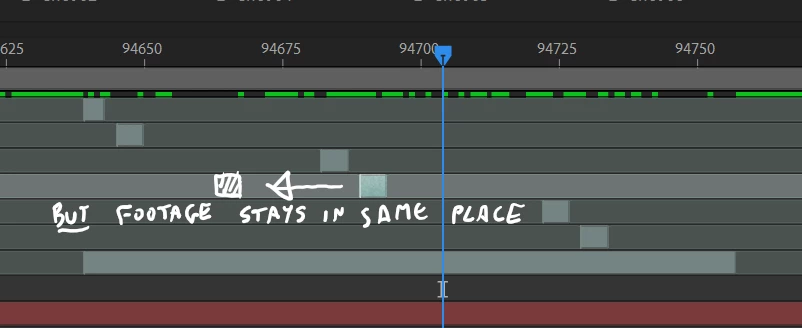
How to move a trimmed area along timeline without moving the footage

  • September 3, 2021
  • 2 replies
  • 909 views

Hi


There's the pan behind tool for shifting video along a timeline without moving the trimmed area but how do I do the opposite


ie move the trimmed area without moving the video along the timeline?


This topic has been closed for replies.

2 replies

Mylenium
Legend
September 3, 2021

Hold down the Shift key while using the tool. Sorry, forgot about it.


Mylenium

Participating Frequently
September 3, 2021

That doesn't seem to work for me? It's still the underlying footage that moves, not the trimmed section


Jose Panadero
Community Expert
Community Expert
September 3, 2021


If you only want to move the layer select the Selection Tool and move the layer. I think there is a little confussion on what you are trying to tell us. I think is a combination of Sliding (pan Behind tool) and moving (selection tool). AE doesn't have a tool to do this automatically.


You can also use the ALT+[ and ALT+] commands (option key if you are on a mac) to set the new start and end point of your layer without moving or sliding the layer's position.

Mylenium
Legend
September 3, 2021

Use the pan behind tool.


Mylenium

Participating Frequently
September 3, 2021

Hi Mylenium


That moves the actual footage, not the trimmed area.  I want to move the trimmed area long the footage if you see what I mean?

Participating Frequently
September 3, 2021

'along'