
Participant
February 3, 2021
Question

How to play AE across 3 projectors

  • February 3, 2021
  • 4 replies
  • 1029 views

Hi am new to AE. I am treating myself, I have gotten the basics for projection mapping and 3d layering, big thanks to utube. Below is the image I am working with. I will need three projectors to cover the house, frist one on the side, second on the side by the pourch. and the third in the front at an angle facing the house. My question is when I am dont with the comp, can I play it as one across all three projectors or do I need to some how break it up into mini comps to play across them. If so do I re-map the house the house per what the projector would see and work it as three mini comps under one main comp? Also how do I set up the projectors to work with this?
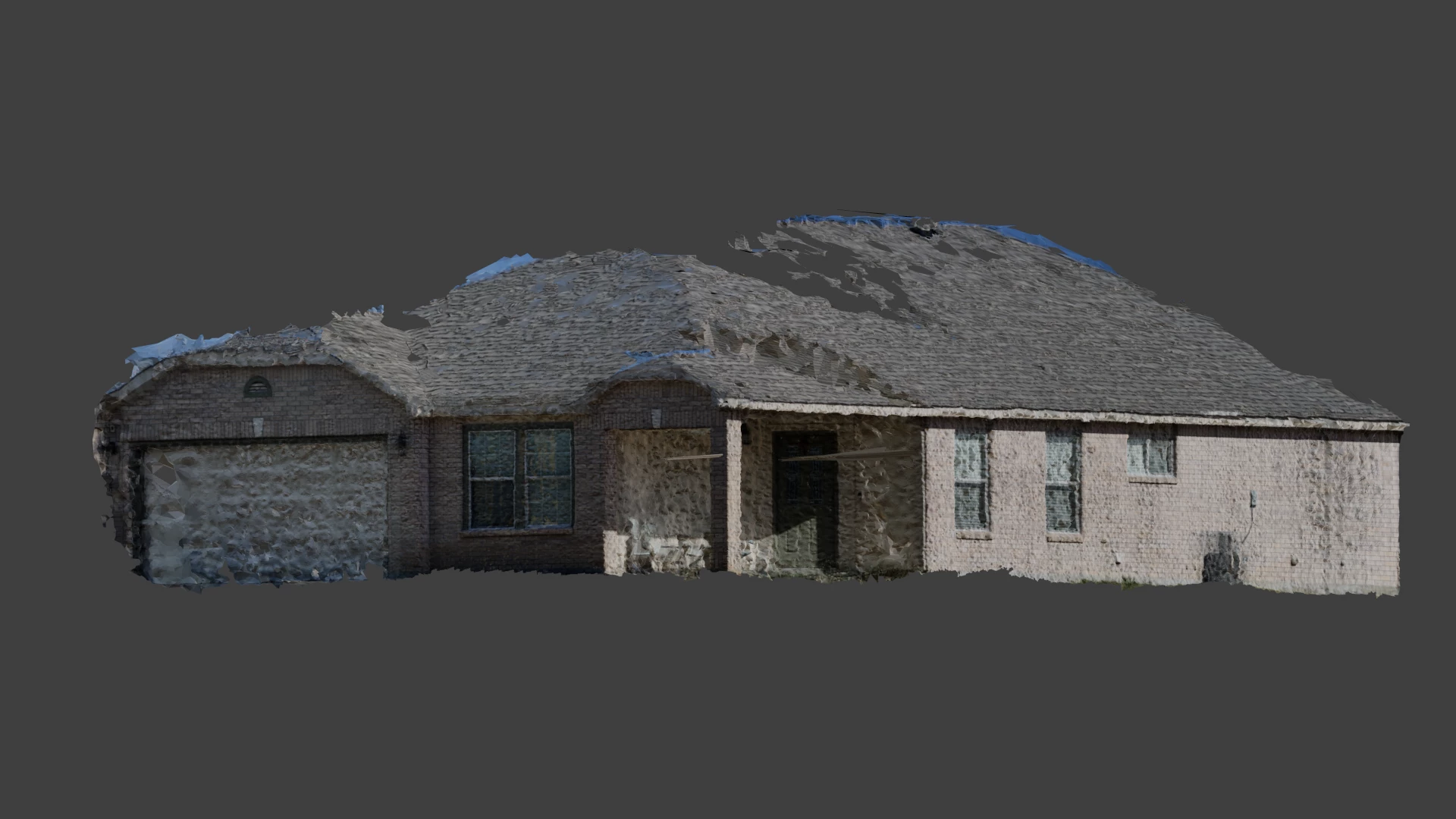


Sorry for the long list questions, but I could not find anything that applied and thank you to all who might be able to offer some guidance.


Drew 

This topic has been closed for replies.

4 replies

Participant
December 28, 2021

Although the answers below seem great, I don't think they understood what you were trying to do.

i am on this same journey path as you and just hit the same questions 😂


it would be interesting to see what you did? Did you split it as 3 compositions? If so, how?

did you have to use other software like mad mapper? I worry that 3 projectors, all at different angles and distances, that my little character that walks around will jump or shrink in size as he crosses over into another projector.

Community Expert
February 4, 2021

You have given us very little to go on. I am assuming that the image you shared is one view of a fairly low poly model of a house created by some kind of software or website that creates 3D models from a bunch of overlapping still images. 


I am also guessing that you have some other video that you want to project on this 3D model so as you move the model around in AE's 3D space it will look like something is projected on the surface of the house.


The After Effects 3D world is NOT true 3D. You get flat planes you can arrange in 3D space using the Classic 3D rendering engine. You get shape layers and text layers you can extrude and all other layers that you can only bend in the X Z axis if you are using the C4D rendering engine.


In order to texturize a 3D model, you will have to either purchase a third-party plugin like Video Copilot's Element 3D or you will have to try and use Cinema 4D Lite that comes with After Effects. Neither of these solutions will allow you to add an image in front of an After Effects light and project it onto the surface of the model. The best you can hope for is to project an image onto a flat surface or a surface distorted by a 3rd party plugin like Forge Freeform.


If you wanted to simulate projection in Element 3D or in Cinema 4D lite you would simply texture the surfaces in those apps/effects. 


Please explain in detail what you are trying to do. Include screenshots of your project so far showing us what you are doing to the layers you are having problems with by selecting layers and pressing the 'u' key twice. We will probably need to see more than one screenshot. There are dozens of ways to fake a projection and I'm not going to waste my time and yours by guessing what you are trying to do or what resources you have to work with. Give us something to go in and maybe someone can help.

Community Expert
February 3, 2021

You may want to look at the 3D camera tracker effect. You could place a solid on each part of the house and then replace the solid with the videos. Might be helpful if I'm understanding your question correctly.

Drew78154Author
Participant
February 3, 2021

I don't think that will work. The video will have video playing on the whole house at one time in the background with objects moving across the house from left to right or right to left and so on. I must say that I am sorry for all the type-o in the main post it has been a long day. 

Drew78154Author
Participant
February 3, 2021

sorry for the typ-o, it should be "teaching" no treating.