
Participant
February 6, 2018
Answered

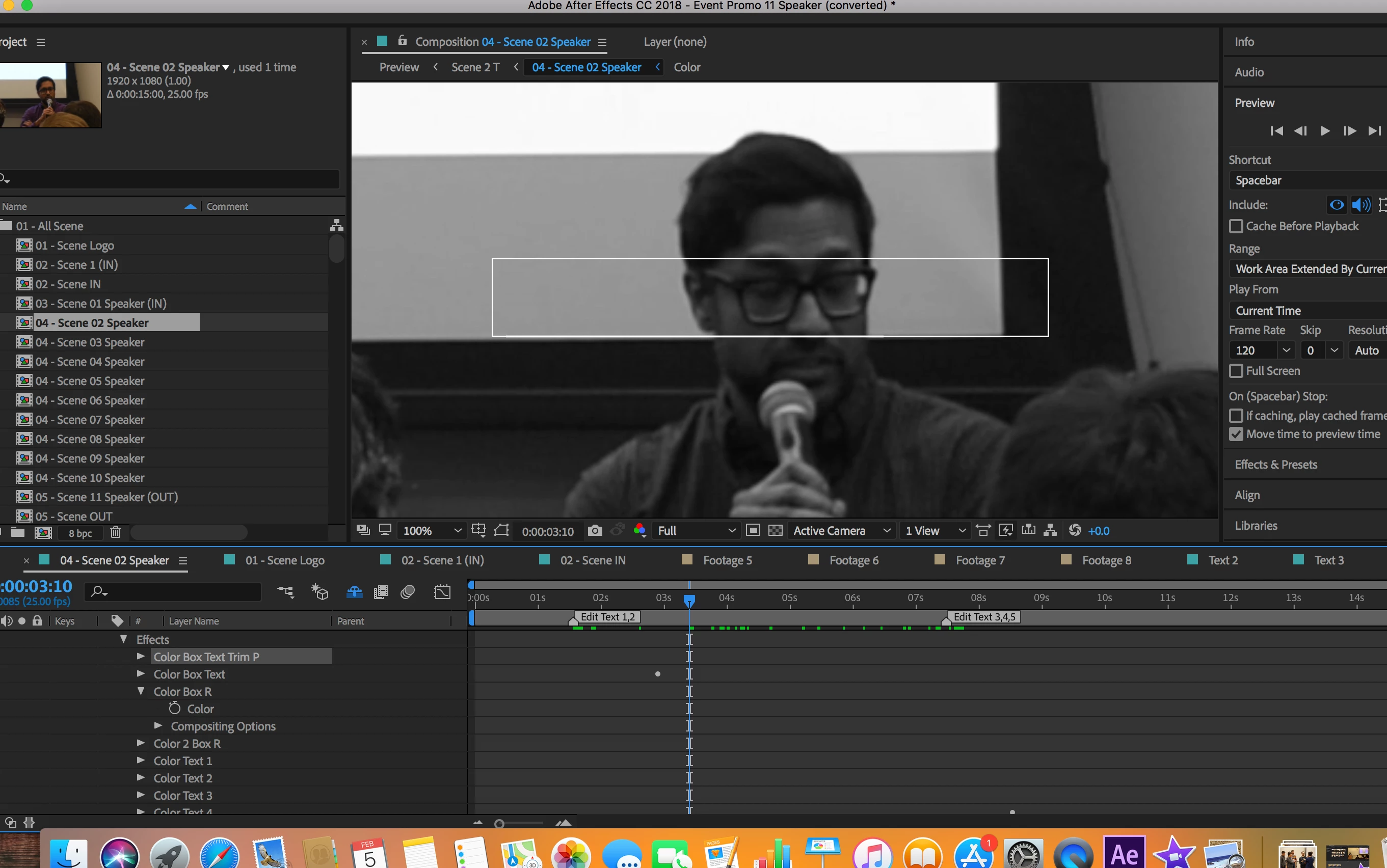
How to remove the animated box in the center

  • February 6, 2018
  • 1 reply
  • 282 views

Hey everyone, I recently bought this template from a website and did my best to fit the elements into the template but can't get rid of the white animated box from every scene.

When I delete it from color control panel, it turns red from white and can't find its location to delete it. Can someone help me delete this box. I just started with After Effects.

Thank you.

Best,

Joy
This topic has been closed for replies.
Correct answer Roei Tzoref

you would need to find that layer which contains it and remove it or remove it's visibility icon. unshy your layers to see all of them

and seek and destroy that layer.

1 reply

Roei Tzoref
Roei TzorefCorrect answer
Legend
February 6, 2018

you would need to find that layer which contains it and remove it or remove it's visibility icon. unshy your layers to see all of them

and seek and destroy that layer.

Participant
February 6, 2018

Thank you so much Roei.