

How to stop a mask from existing during entire clip.
Hi everyone,
I'm fairly new to AE and trying to take a person out of a video. I have it working with content-aware, mask tracks, all that. Seems to be okay.
The issue I am having is the mask from the pen tool is continuing throughout the entire sequence in AE. I have a 2 minute video sequence from Premiere that I imported. I have the work area starting where it needs to be and ending where it needs to be to get rid of the person. Keyframes are only on the 3 second part with the person and the Range under Content-Aware is set to Work Area, which I have selected and it only rendered that area.
This is correct.
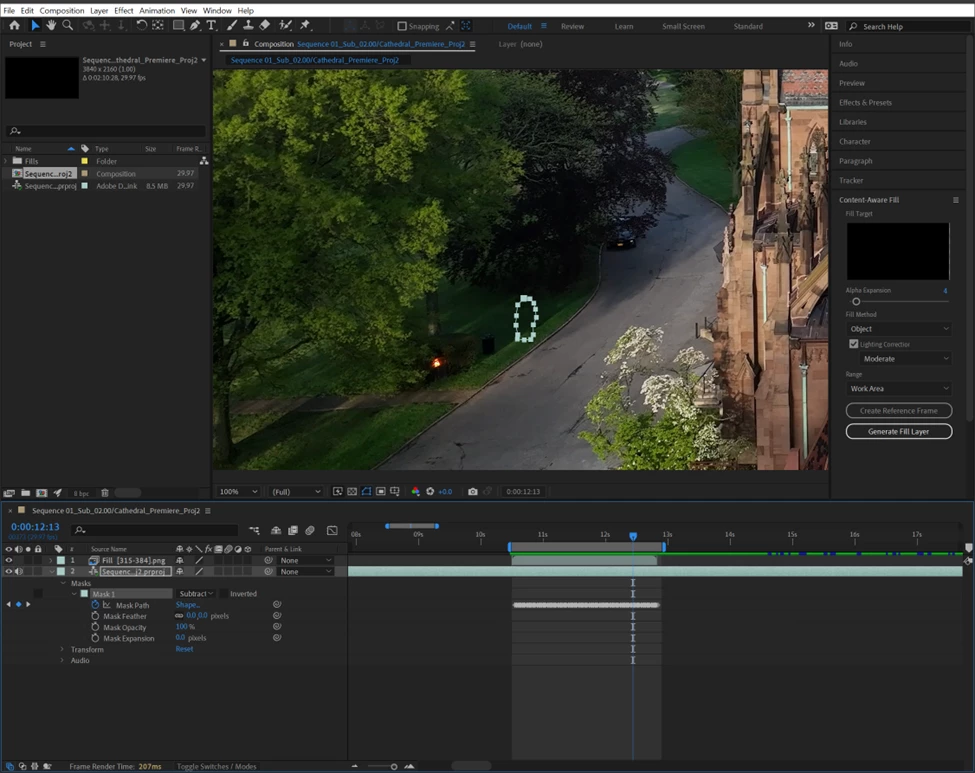
This is well after the spot where the mask should have ended. How can I end it and start it only on the parts of the video where I need it?
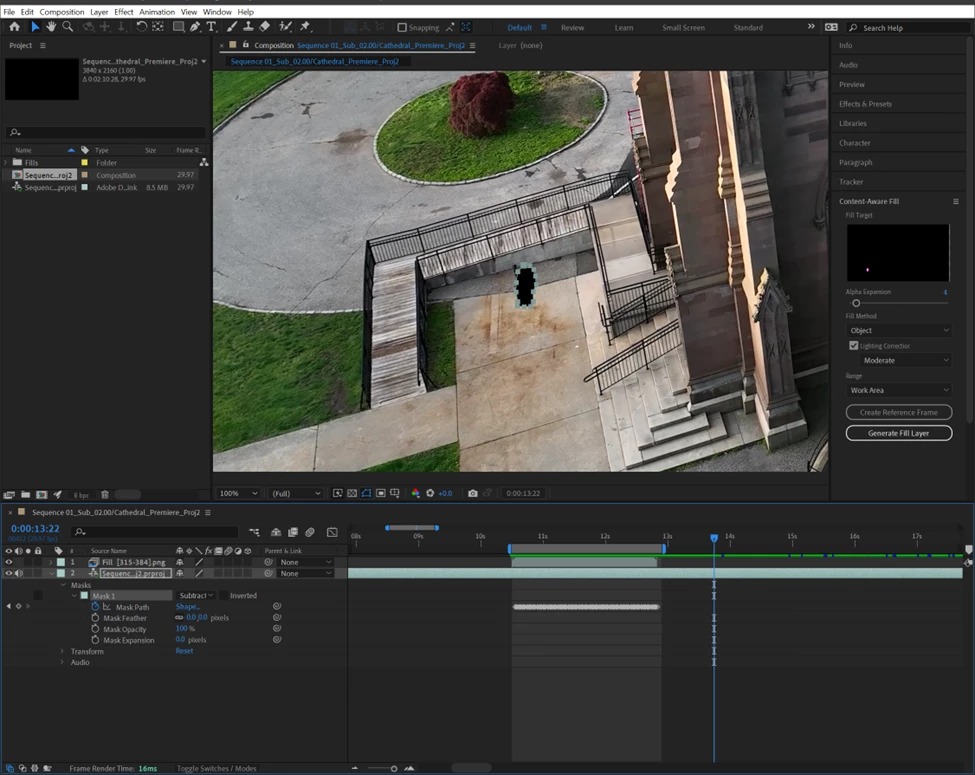
Also, after starting AE, I opened the project file from Premiere and chose the sequence. It showed up in AE (as you can see above) but it is not updating the Premiere project live (Premiere is open and same versions of course). How do you sync it up or make it take the new edits in AE and show them through Dynamic Link in Premiere?
Thanks for the help with everything.
 AdChoices