

S_ A
Inspiring
July 8, 2024
Answered

how to write expression in such case-4

  • July 8, 2024
  • 1 reply
  • 1532 views

Hi, 


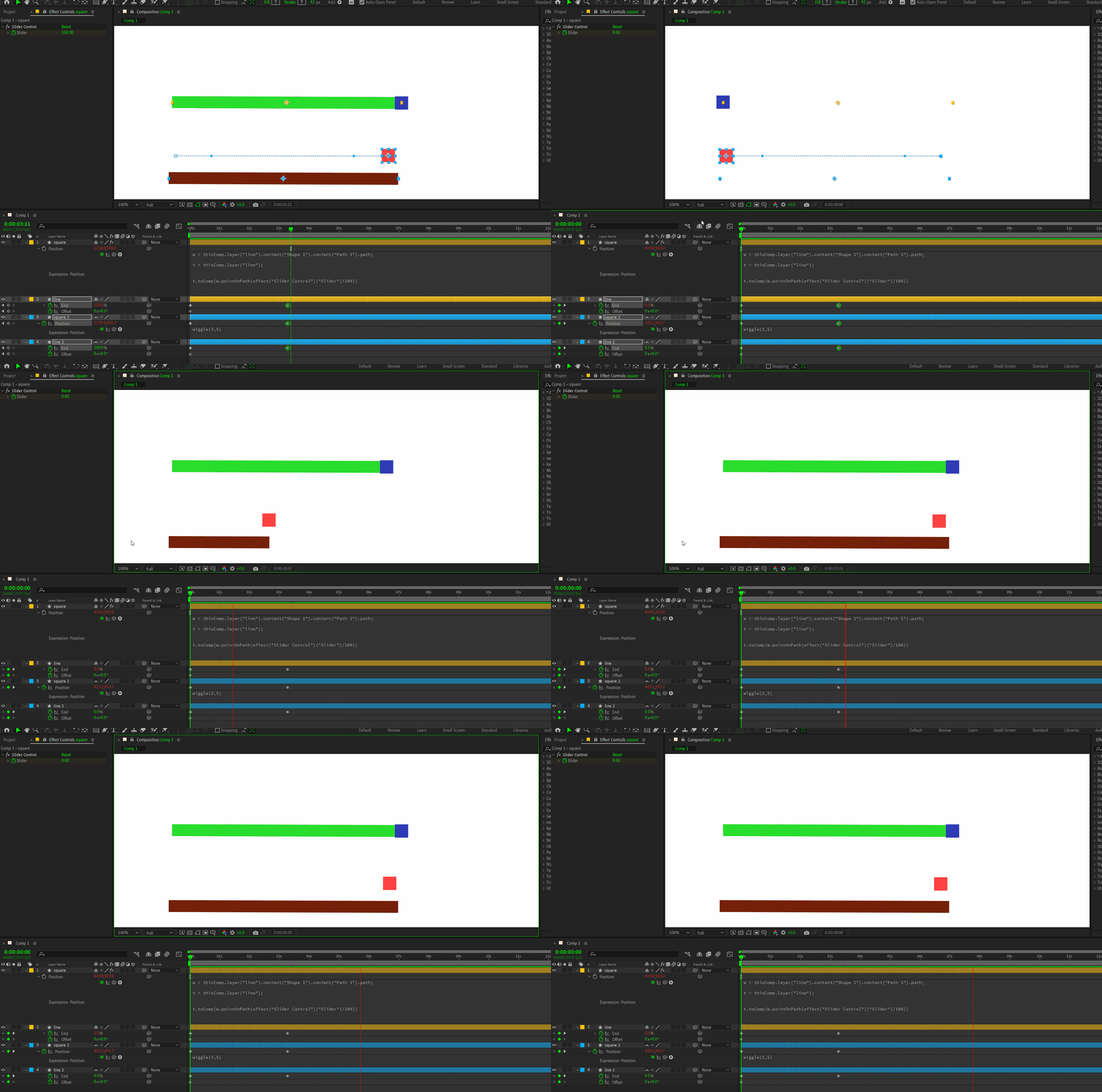
I want to animate somthing. but dnt know how can I do that. I want to take value for position a to b from a trim path animation. but also I want the postion to be above the trim path. I want to make it look like it's floating. wiggle I applied. but I dnt understand how to write the expression. please help. 


in blue box green bar animation, I applied the expression. but the box is not above the bar, like the second sceneario. How can I make the box take its position value from trim path and also remain to be above. thank you. 


This topic has been closed for replies.
Correct answer Dan Ebberts

I think I try something like this:

yOffset = -100;
L = thisComp.layer("Line");
p = L.content("Shape 1").content("Path 1").path;
w = wiggle(3,5) - value;
L.toComp(p.pointOnPath(L.content("Shape 1").content("Trim Paths 1").end/100)) + [0,yOffset] + w

You could certainly replacye the Trim Paths End point with a slider if you want to.

1 reply

Dan Ebberts
Community Expert
Dan EbbertsCommunity ExpertCorrect answer
Community Expert
July 8, 2024

I think I try something like this:

yOffset = -100;
L = thisComp.layer("Line");
p = L.content("Shape 1").content("Path 1").path;
w = wiggle(3,5) - value;
L.toComp(p.pointOnPath(L.content("Shape 1").content("Trim Paths 1").end/100)) + [0,yOffset] + w

You could certainly replacye the Trim Paths End point with a slider if you want to.

S_ A
S_ AAuthor
Inspiring
July 8, 2024

Hi Dan,


am experimenting. why the expression is not working now?


S_ A
S_ AAuthor
Inspiring
July 10, 2024

You need to change the first line of the expression to be:

offset = 100;

😮😮now it works!!! 😮 😮 THANK YOU SO MUCH. 😮 😮 😮