
Kingdome
Inspiring
December 11, 2018
Answered

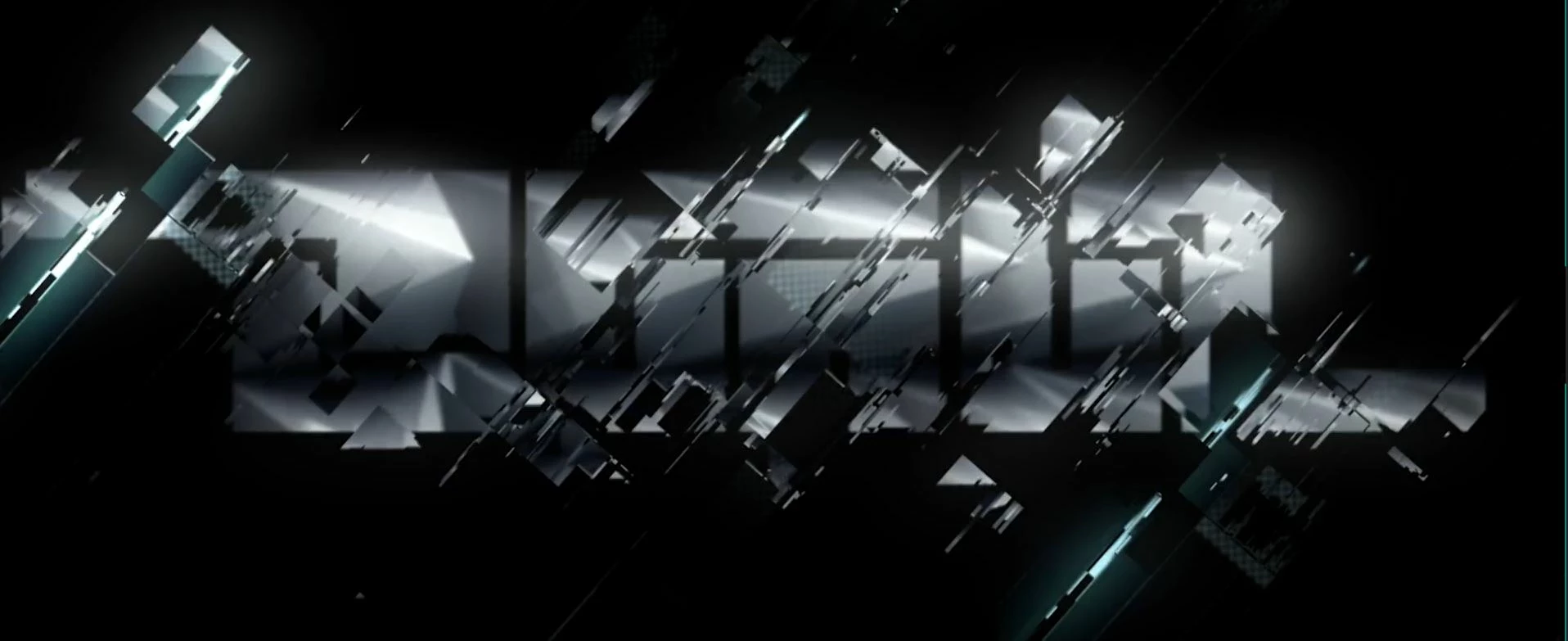
How was this glitch effect made?

  • December 11, 2018
  • 1 reply
  • 491 views

Hi Adobe AE forum:

Was wondering if anyone had any ideas on how the Glitch effects in the attached image/video link was created.

I'm thinking it was some sort or Displacement map.

Any Ideas?

Video link with specific time bellow.

Thanks in advance!
https://vmeo.com/303446713#t=53s

This topic has been closed for replies.
Correct answer Kingdome

It's hard to say - I'd have to eyeball it really well and also step through each frame, graciously but that's work you'll have to do. ;-)

Displacement + Transform will get you there or very close. Then I suggest you commit to some experimentation with whatever you think will make it look better - this way, it'll be closer to YOUR effect as opposed to trying to commit to a full-on copycat session which isn't ideal in the vast majority of cases.


Thanks again Roland!

1 reply

Roland Kahlenberg
Legend
December 11, 2018

Definitely Displacement Map but of course there are a couple of Transform props being manipulated too - Position and Scale.

Very Advanced After Effects Training | Adaptive & Responsive Toolkits | Intelligent Design Assets (IDAs) | MoGraph Design System DEV
Kingdome
KingdomeAuthor
Inspiring
December 11, 2018

Thanks Roland, Do you think there are there any other effects being used on this? or do you think it's just Displacement with a couple of different fractal noises?

Kingdome
KingdomeAuthorCorrect answer
Inspiring
December 11, 2018

It's hard to say - I'd have to eyeball it really well and also step through each frame, graciously but that's work you'll have to do. ;-)

Displacement + Transform will get you there or very close. Then I suggest you commit to some experimentation with whatever you think will make it look better - this way, it'll be closer to YOUR effect as opposed to trying to commit to a full-on copycat session which isn't ideal in the vast majority of cases.


Thanks again Roland!