
SpaceCherryFilms
Inspiring
July 3, 2020
Answered

I can not draw a perfect circle in after effect composition

  • July 3, 2020
  • 3 replies
  • 4090 views

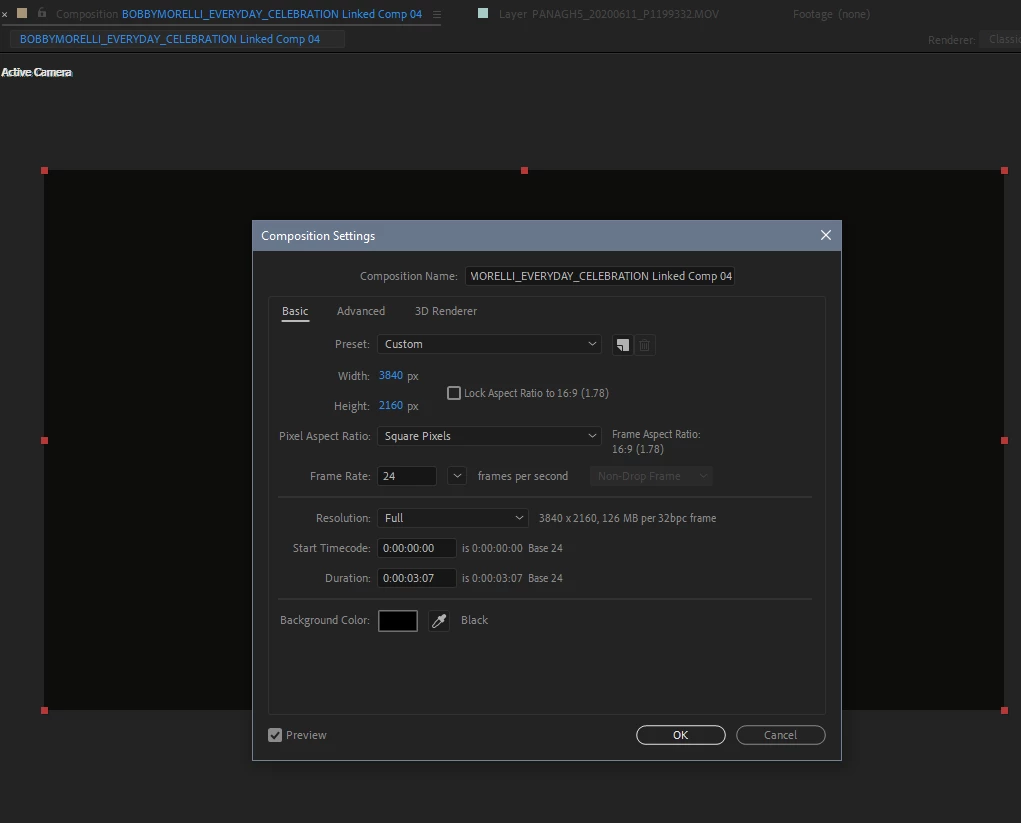
I tried holding shift, it's still an oval, I checked the comp settting its set to square pixel.  Everytime I try to draw it, it looks like this. Im using stroke with no fill.
This topic has been closed for replies.
Correct answer RobShultz

At the bottom of the comp window please click on the rectangle icon with the horizontal arrow with two points (Toggle pixel aspect ratio correction) and see if it helps.

3 replies

SpaceCherryFilms
Inspiring
July 4, 2020

This is was the answer,  thanks!

Community Expert
July 4, 2020

If turning on Pixel Aspect Ratio correction make the ellipse look round then your comp is not set to Square Pixels and your render will be fouled up if you use any of the standard H.264 presets or publish the final video to YouTube. Nobody uses nonsquare pixels for delivery anymore. They have not done so since HD became the video standard for broadcast and cameras stopped using videotape.

Community Expert
July 4, 2020

Your cropped screenshot does not give us any useful information. Try this: Select the comp in the Project panel so we can see the comp properties, select the shape layer with the ellipse. Press the U key twice to reveal all modified properties of the ellipse shape layer. Take a screenshot of the whole thing and embed it in the forum. Your screenshot should look something like this:

RobShultzCommunity ExpertCorrect answer
Community Expert
July 3, 2020

At the bottom of the comp window please click on the rectangle icon with the horizontal arrow with two points (Toggle pixel aspect ratio correction) and see if it helps.