Muhsin Huduti
Participant
April 29, 2017
Question

I can't hide a white line in Shape Layer

  • April 29, 2017
  • 2 replies
  • 4098 views

Hi,
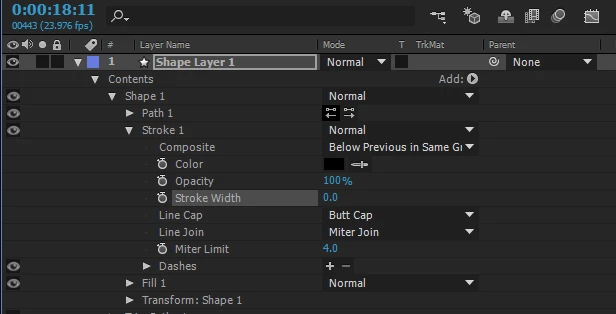
I cant remove this white line, even if hide it.
I tried everything, can someone help ?


Thanks!

This topic has been closed for replies.

2 replies

Participant
February 18, 2024

Layer styles seem like a culprit
One time I was working with shapes and this white line kept appearing at the edges

I fixed it by deleting the layer styles I applied earlier. (Mind you I had even turned off the effect, but the line only went away after I deleted the whole effect in layer styles 

Roei Tzoref
Legend
April 29, 2017

cropped screenshots is a big NO NO here. we can't see what goes on there. show us more please. all the layers, all the interface. select all the layers and and press UU so we can see all the modified properties. more information about your project could be helpful too, as well as Ae version and OS full numbers. don't worry, we'll find the sucker

Muhsin Huduti
Participant
April 29, 2017

I'm running Windows 8.1 64bit

Kevin-Monahan
Community Manager
Community Manager
May 24, 2017

Hi Muhsin%20Huduti,

You had a lot of advice here. What ended up working for you? Please let us know.

Thanks,
Kevin

Kevin Monahan - Sr. Community and Engagement Strategist – Adobe Pro Video and Audio