

Answered
'I cant find this file' Why is my plug in for after effects not being read?
Hi all
I have a plug in for after effects called Ease & Wizz.jsx that isnt being read. I have put it in:
C:\Program Files\Adobe\Adobe After Effects 2020\Support Files\Scripts\ScriptUI Panels
I have gone to File> Scripts> Install Scripts file
I have also gone to File> Scripts> Install Script UI panel
I have updated it to: v17.0.1
I have the latest windows updates installed and I have restarted both my PC & after effects many times
The UI panel appears when I open after effects but when I click apply it comes up with this pop up. Any one know why?
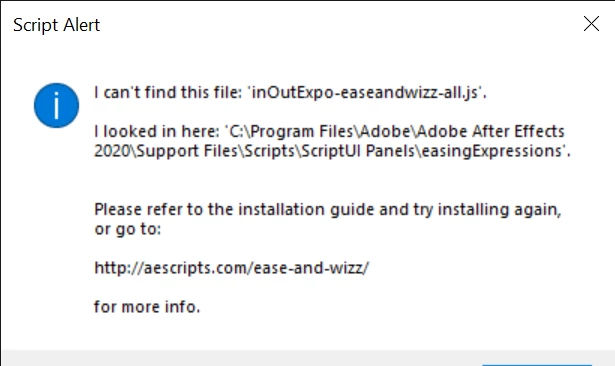
It seems to not work properly with the latest 2020 release of after effects
Thanks
Verity
 AdChoices