Exit
  • Global community
    • Language:
      • Deutsch
      • English
      • Español
      • Français
      • Português
  • 日本語コミュニティ
  • 한국 커뮤니티
1

Illustrator Layers Causing Lines When Imported to After Effects

Community Beginner ,
Feb 16, 2024 Feb 16, 2024

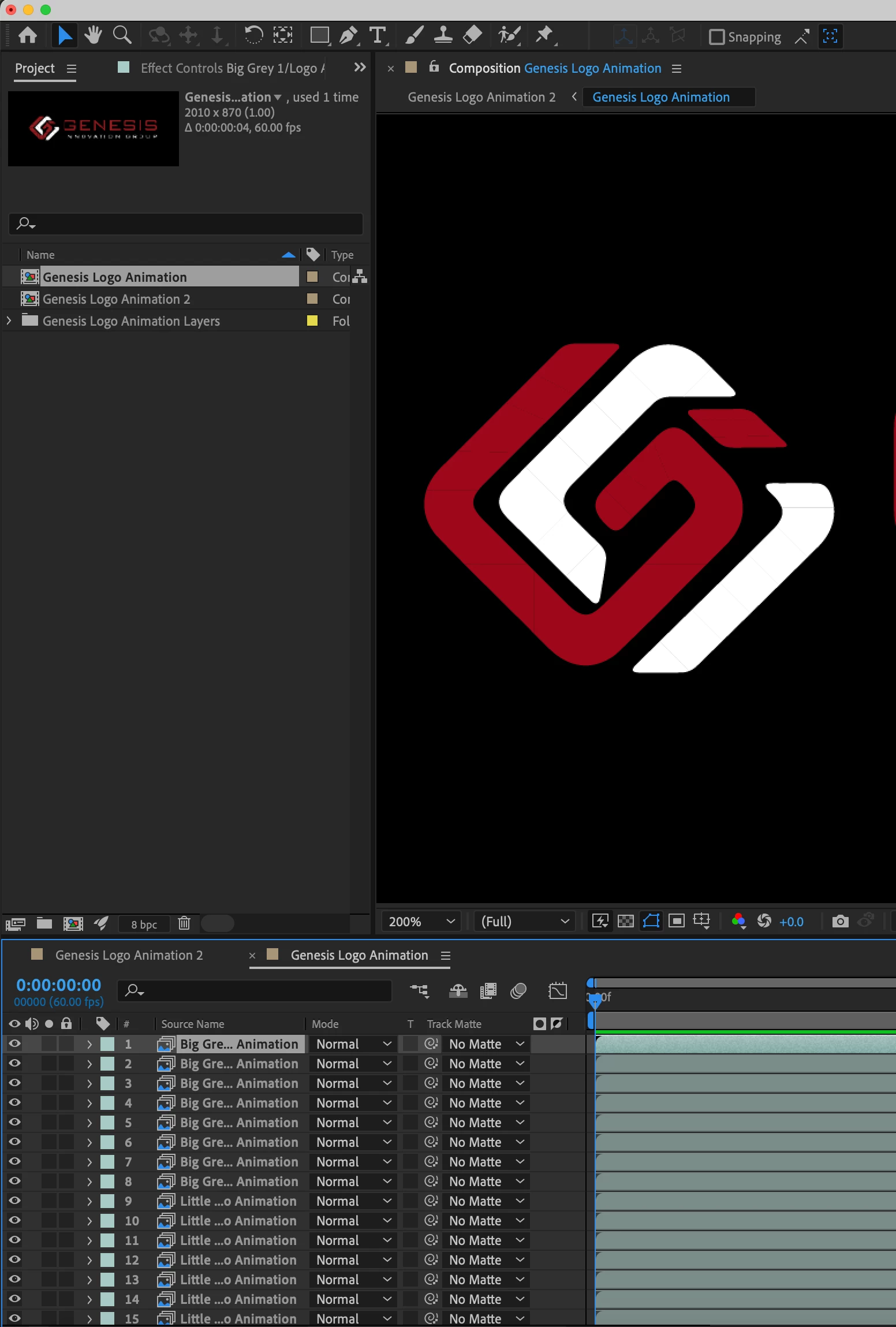
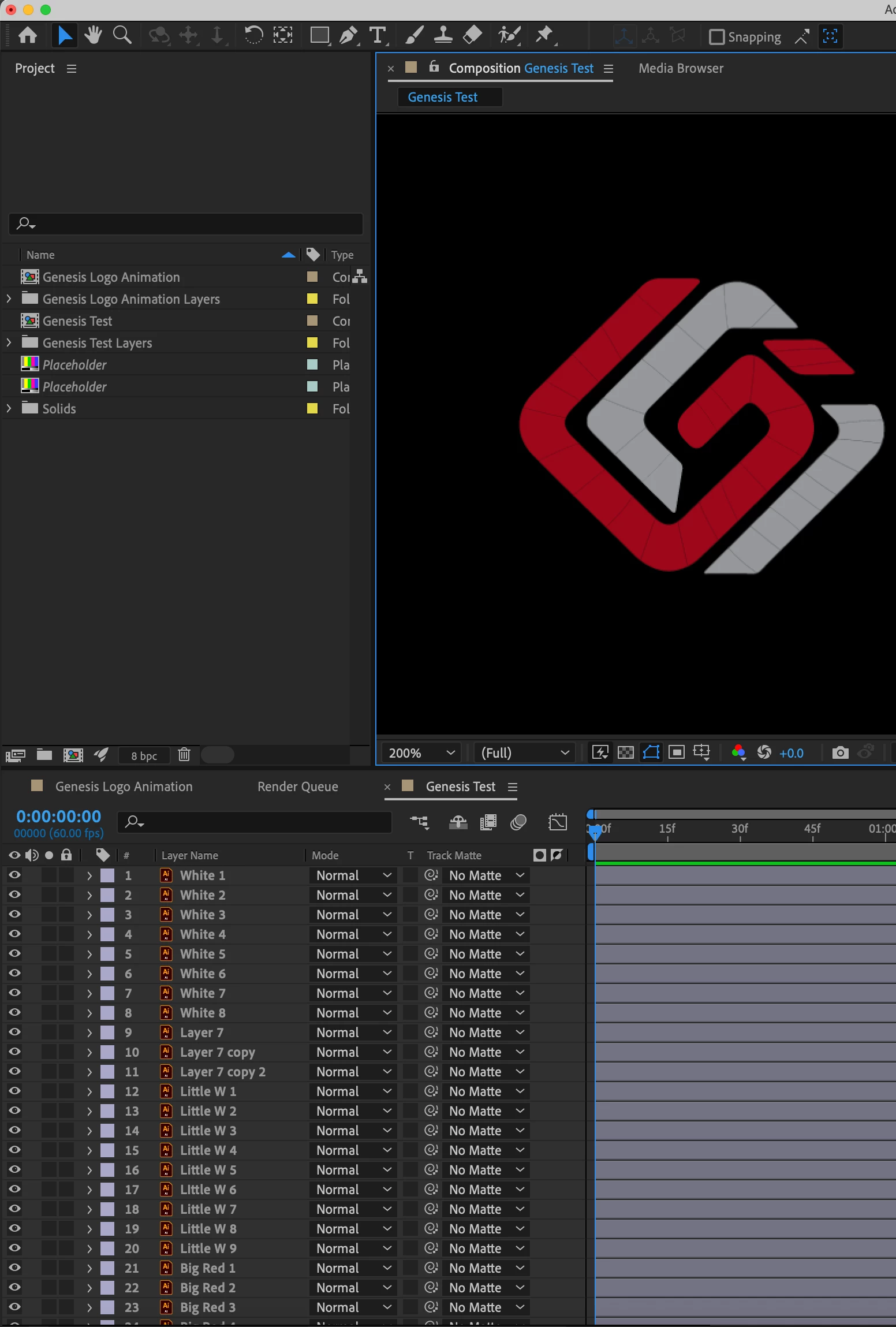
I am working on creating an animated logo in After Effects using an Illustrator file. The file has been broken into several layers and needs to be animated seperatly. The only problem is that after animating all the layers that build the logo, there are lines in between each part of the logo. This is not visible in Illustrator and I have imported the file to After effects via File > Import > File Import Kind: Composition – Layer Size. This import made the lines slightly less visible but the problem still remains. I want to know how to solve this issue but still animate using layers. Thanks! 
Screenshot 2024-02-16 at 10.49.11 AM.png


Screenshot 2024-02-16 at 11.36.52 AM.png


TOPICS
Error or problem , How to , Import and export , Resources
640
Translate
Report
Community guidelines
Be kind and respectful, give credit to the original source of content, and search for duplicates before posting. Learn more
community guidelines
LEGEND ,
Feb 16, 2024 Feb 16, 2024

Change the layer blending mode to Alpha Add and make sure you design your artwork at 72 DPI in AI with overprint preview turned off.


Mylenium 

Translate
Report
Community guidelines
Be kind and respectful, give credit to the original source of content, and search for duplicates before posting. Learn more
community guidelines
Community Beginner ,
Feb 16, 2024 Feb 16, 2024

Thank you that worked great! 


Translate
Report
Community guidelines
Be kind and respectful, give credit to the original source of content, and search for duplicates before posting. Learn more
community guidelines
Community Beginner ,
Feb 16, 2024 Feb 16, 2024

Okay that worked great until the layers started moving during the animation and then the lines came back. Any suggestions?

Translate
Report
Community guidelines
Be kind and respectful, give credit to the original source of content, and search for duplicates before posting. Learn more
community guidelines
Community Beginner ,
Feb 16, 2024 Feb 16, 2024

@Mylenium that works until I add a solid background underneath the layers in After Effects and then the lines show up again. Why would the solid background cause that? 

Translate
Report
Community guidelines
Be kind and respectful, give credit to the original source of content, and search for duplicates before posting. Learn more
community guidelines
New Here ,
Dec 09, 2024 Dec 09, 2024
LATEST

I've tried this and I'm still getting the lines. The layers I have in Illustrator that I didn't need to break out from an object  are fine. Which makes no sense to me at all. It seems like they would all be seen as individual layers regaurdless if some of the layers are broken out from what was originally one object. Its 2024 why does this kind of issue still exist. Blows my mind.

Translate
Report
Community guidelines
Be kind and respectful, give credit to the original source of content, and search for duplicates before posting. Learn more
community guidelines