I am sorry, but their response was too complicated for me. I need these
things to be explained in layman's terms. I don't understand how to get to
a nested layer Etc as some of the helpers prescribed.
Thanks.
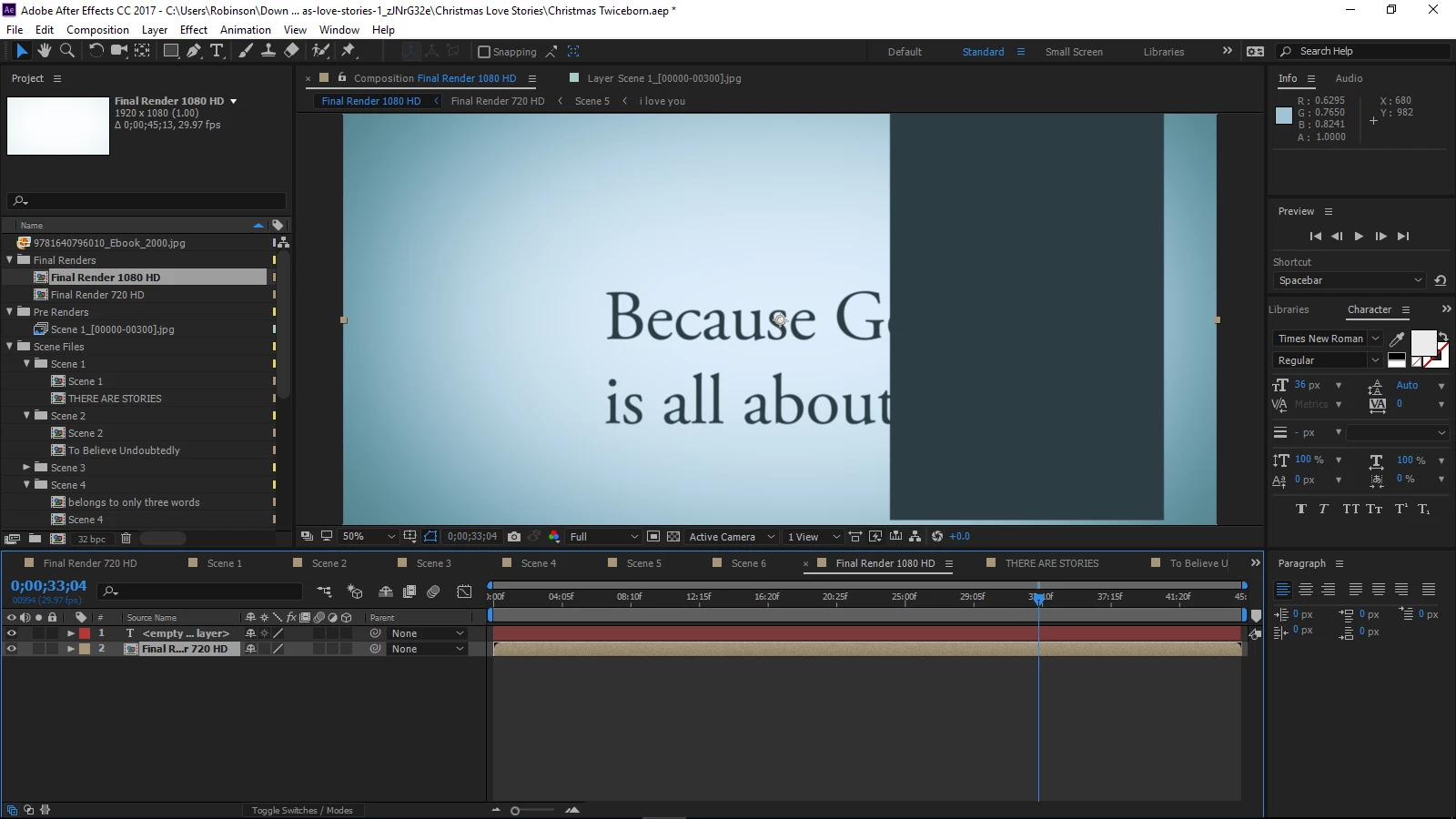
In your screenshot, there is a test layer on the top and a nested composition on the bottom. Any time you put another composition in a timeline you are nesting it. Any time you pre-compose a layer or layers they are moved into a new composition. That new comp is automatically nested in the original comp.
If you have not changed the preferences double-clicking on a nested comp layer in the timeline will open up that comp in a new timeline. When you get that comp open you will be able to see all of the layers in that comp. Pressing the U key twice with all layers or no layers selected will show you everything that has been added to the layer and every property that has been changed from its default value. You will also see FX icons next to the various effects that have been applied to the comp. You start at the top and turn things off until your problem disappears. Then you turn the problem back on and start playing with the controls until the problem is fixed.
That should get you started. After Effects is a very complex application and you really should spend a fair amount of time here figuring out the UI and the workflow. Visual Effects and Motion Graphics are not easy and there are very few click a button and create magic solutions out there. Start here: Basic AE

 AdChoices