

Question
Imported Video GPU Decode is Unoptimized and Painfully Slow in After Effects
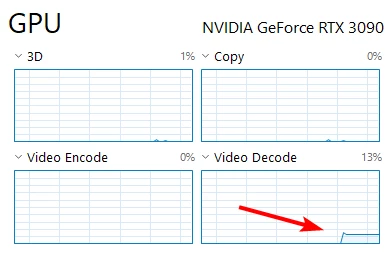
Expected behavior: When rendering the preview of a comp that has an imported 4K h264 video, I expect that my computer wouldn't use 100% of the GPU Video Decode. When viewing the same 4K video in VLC, my GPU Video Decode is only about 13%.
Actual behavior: When rendering the preview of a comp that has a 4k imported h265 video, my GPU Video Decode jumps up to 100%, and the preview render is a fraction of real-time.
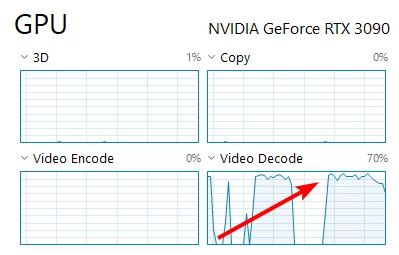
Why I think this is a bug:
- This happens in a comp that has no other layers except the imported video, but the video plays back faster when just previewing the footage panel
- It is a basic 4k medium bitrate Adobe Stock preview video that plays back without issue in VLC
- The RTX 3090 GPU is plenty powerful and supports hardware decoding
- After the imported video has decoded, all the green bar preview plays back without issue, so I know it has to do with the initial decode of the imported video
- During this issue, CPU usage is very low, M2 SSD usage is about 0%, and memory usage is about 50% of 32gb
Is anyone else experiencing this? It's making basic work with imported 4k video very difficult.
 AdChoices