

Importing Complex Photoshop Files
Hello everyone, thank you for taking the time to read and possible help my problem.
Summary: I am having problems during the process of importing complex photoshop documents with lots of blending mods and layer mask into After Effects in order to animate. After the import process, the image has multiple problems with its mask and its color.
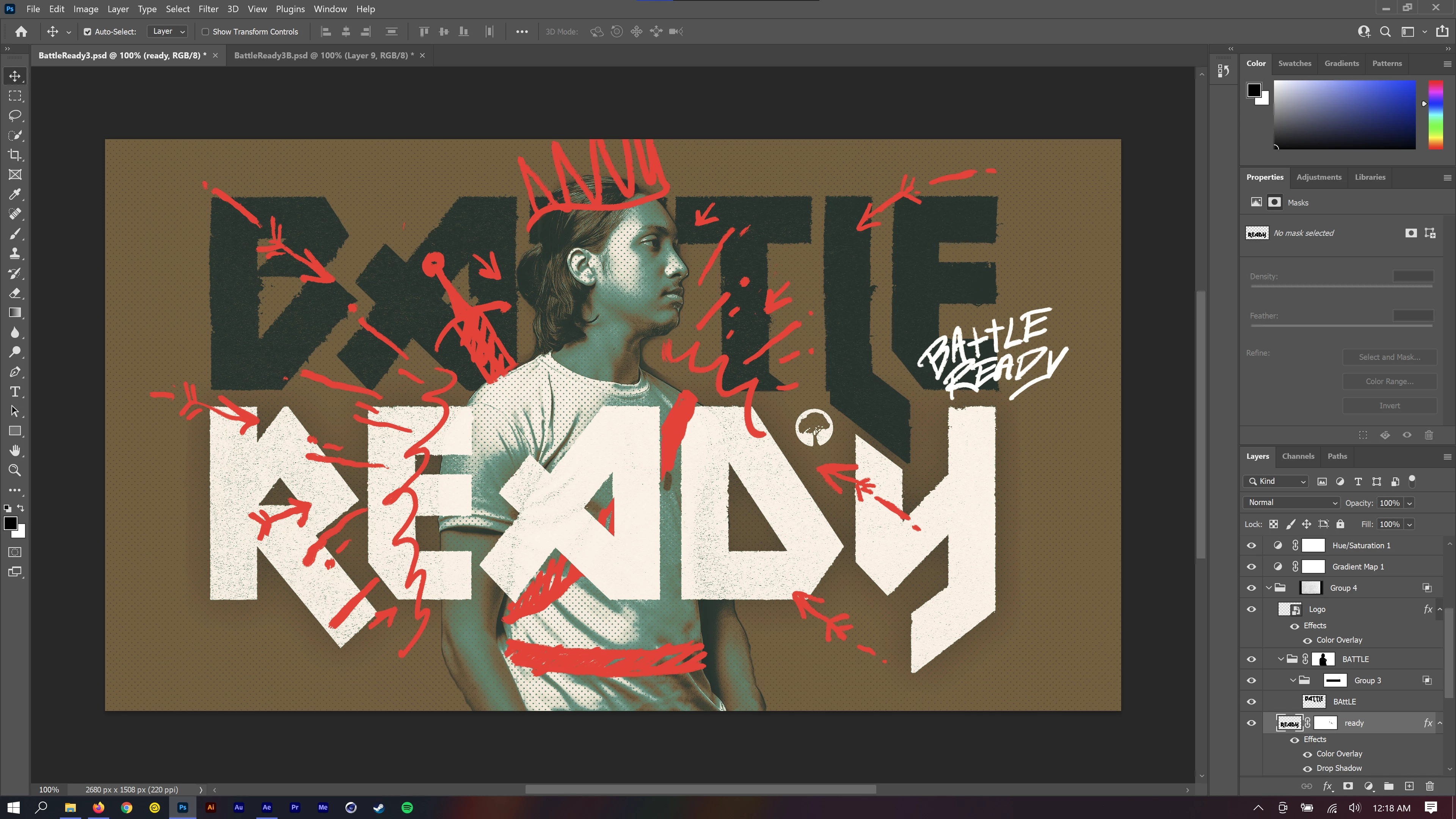
Below is a screenshot of the photoshop document in question. As you can see, there are many layers with multiple effects such as overlays, mask, and blending modes. My guess is that After Effects cannot read some of these things, however, I do not know for sure. If that is the case, I would like to know how to better prep photoshop files clients give me for after effects.
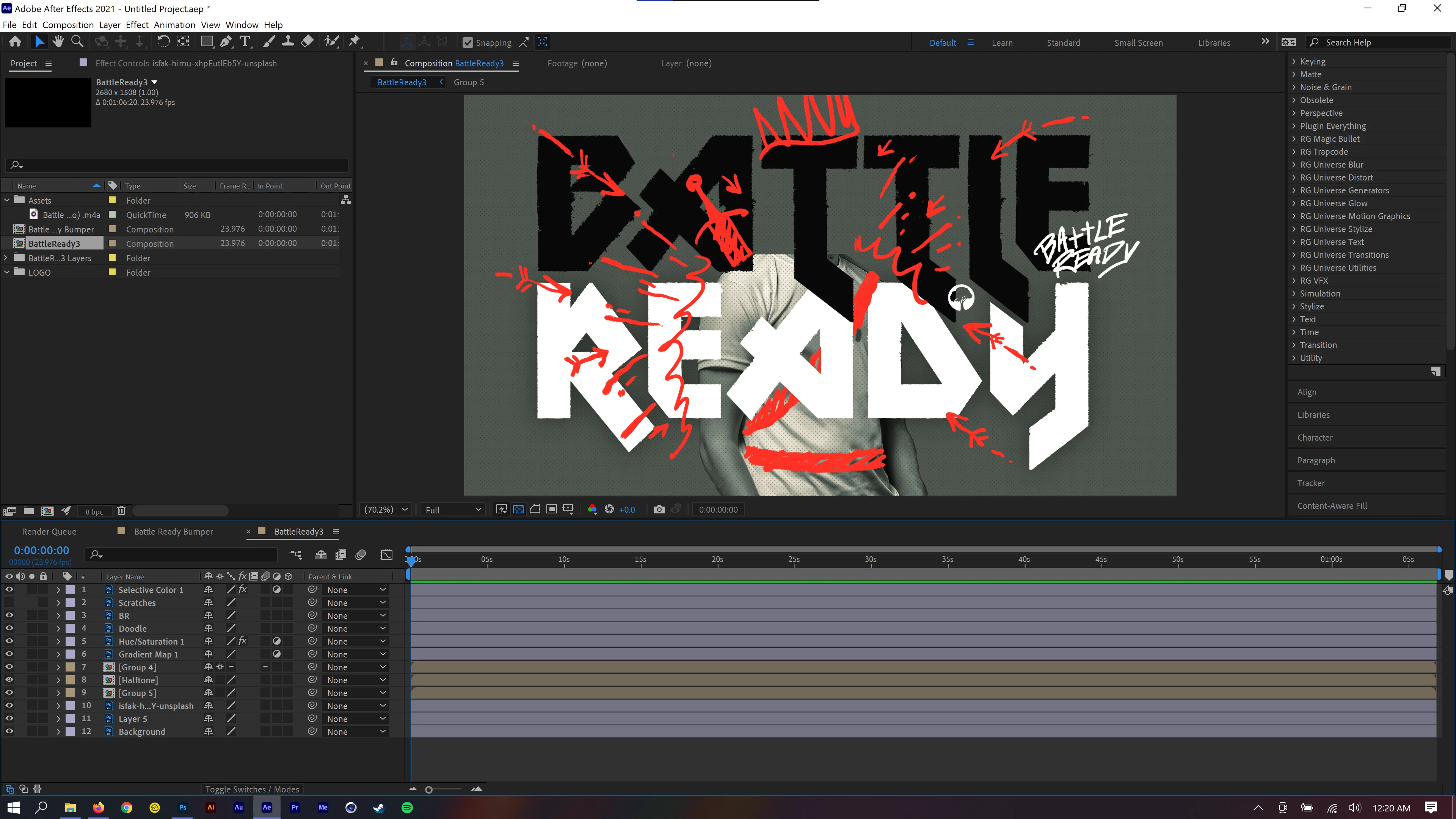
Below is what the file looks like once it has been imported into after effects. There are multiple precomps, weird mask, and color changes.
My process for importing the photoshop file looks like this:
After Effects > Import > file > Import as composition with layer sizes > Photoshop sequence unchecked > Layer option set to editable.
I am currently on the latest version of all adobe software at the time of this post.
I am running Windows 10 using a Nvida RTX and Intel Core.
Thanks for reading. Any and all help is greatly appreciated!
Have a blessed day!
 AdChoices