
carolgunn
Inspiring
August 28, 2012
Question

Interacting 3D elements - CC Sphere and 3D Rotate Around Circle Animation Preset
  • August 28, 2012
  • 4 replies
  • 25080 views

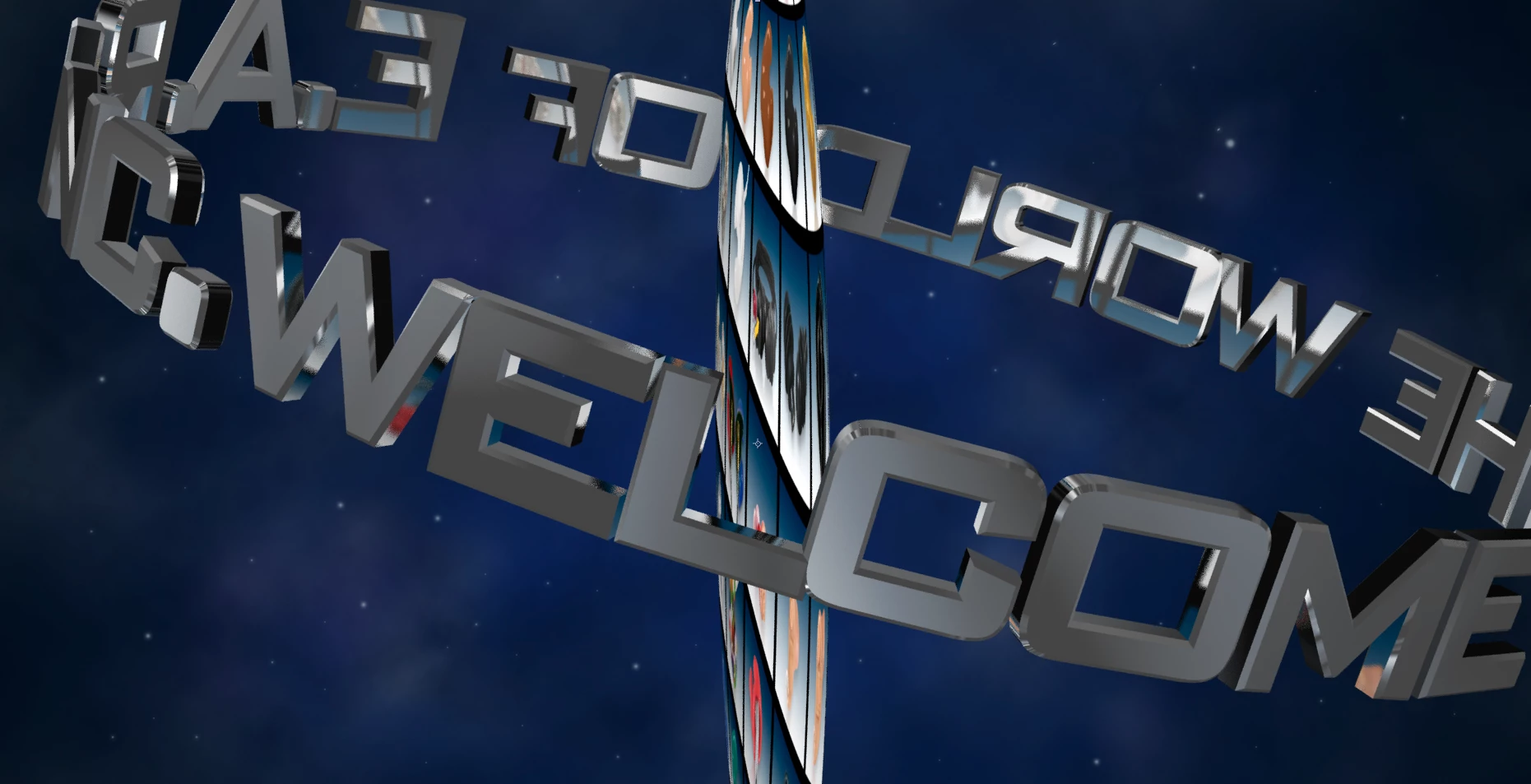
OK, one problem solved, on to the next problem — make that the next two problems! I have finally gotten my orbiting text (live text with 3D Rotate Around Circle Animation Preset) to go behind the planet (photo with CC Sphere effect).

1.  Now, i want to fly around those two interacting 3D objects with a camera. That works just fine with the text, but the planet appears to flatten out to a circular disc rather than a sphere. (See attached screen shot.) I could animate the planet seperately on the poistion time line, but i'd really like to know how to make this work, if possible.

2. I set up an environment layer that the front side is reflecting correctly, but why are the back and sides of the text reflecting the planet? 

After Effects CS6, iMac, OSX7.4.

Any suggestions greatly appreciated!

Thanks!

--Carol Gunn

Gunn Graphics

    This topic has been closed for replies.

    4 replies

    Participating Frequently
    December 29, 2013

    Easiest way to do it would be to simply make the CC Sphered earth Auto-Orient itself to the camera.   Right click on your earth layer > Transform > Auto Orient > Auto Orient Toward Camera.  Tadaa!  You can move your camera all around and the earth will always look like a 3d object.  Hope this helps

    Participant
    September 9, 2013

    I know this is an old thread, but am looking to do something similar to the orbiting text that you have created, but with an object or image rather than with text. I have been working with after effects for a little while now, but mostly motion tracking and compositing. So creating an animation complete from scratch is new to me. Any help is appreciated!

    Szalam
    Community Expert
    Community Expert
    September 9, 2013

    Since you have a new problem, it would be best to make a new thread but link to this old one if it has relevant information.

    What, exactly, are you trying to do?

    carolgunn
    carolgunnAuthor
    Inspiring
    August 28, 2012

    Oh, silly me, i had "Appear in Reflections" checked for the sphere. I thought that could only happen with an environment map. I unchecked it. Was kinda cool the way it reflected on the back of the text. . . think I'll turn it back on!

    lasvideo
    Inspiring
    August 28, 2012

    CC Sphere is not a 3D object when viewed from the side in AE space.

    The only true 3D objects in AE these days that I am aware of are in Video Copilot Element and Zaxwerks Invigorator. And they really exist in their own 3D space within AEs (if that makes any sense }.

    Check this out..

    http://vimeo.com/47007644#

    http://www.videocopilot.net/blog/

    UPDATE

    I know you can have several 3D objects in Element. Im pretty sure you can make a Text Ring . You should be able to use that Earth preset I sent you the link to. AND you can assign the Earth image to an Environment Map that can be reflected in the text. I think there is a 14 free trial if you want to explore it in depth.

    carolgunn
    carolgunnAuthor
    Inspiring
    August 28, 2012

    Holy moley--that looks fantastic! But me, i am just taking baby steps here after two months of self-education (but a very intensive 2 months!)

    So, you are saying there aren't any "true 3D" objects in AE? The text with the 3D Rotate Around Circle Animation Preset acts like 3D well enough for me, in terms of flying the camera around it and interacting with (disappearing behind) the planet. Well, then, i guess i will just have to animate the planet seperately.

    thanks!

    --c.

    lasvideo
    Inspiring
    August 28, 2012

    Actually in CS6, for the first time in AE , there is now a Ray Trace mode which allows you to create Text and extrude it. But since this is the first step into the 3D realm, there are lots of limitations to the Ray Trace Mode.

    If you could create a 3Dprimitive sphere in this mode and texture map the earth onto it. Everything would exist in the same 3D environment and make interaction simler. But alas you cant.

    I think useing Elelemt for both text and earth might be the only way.