Answered
Invert Color Range Key
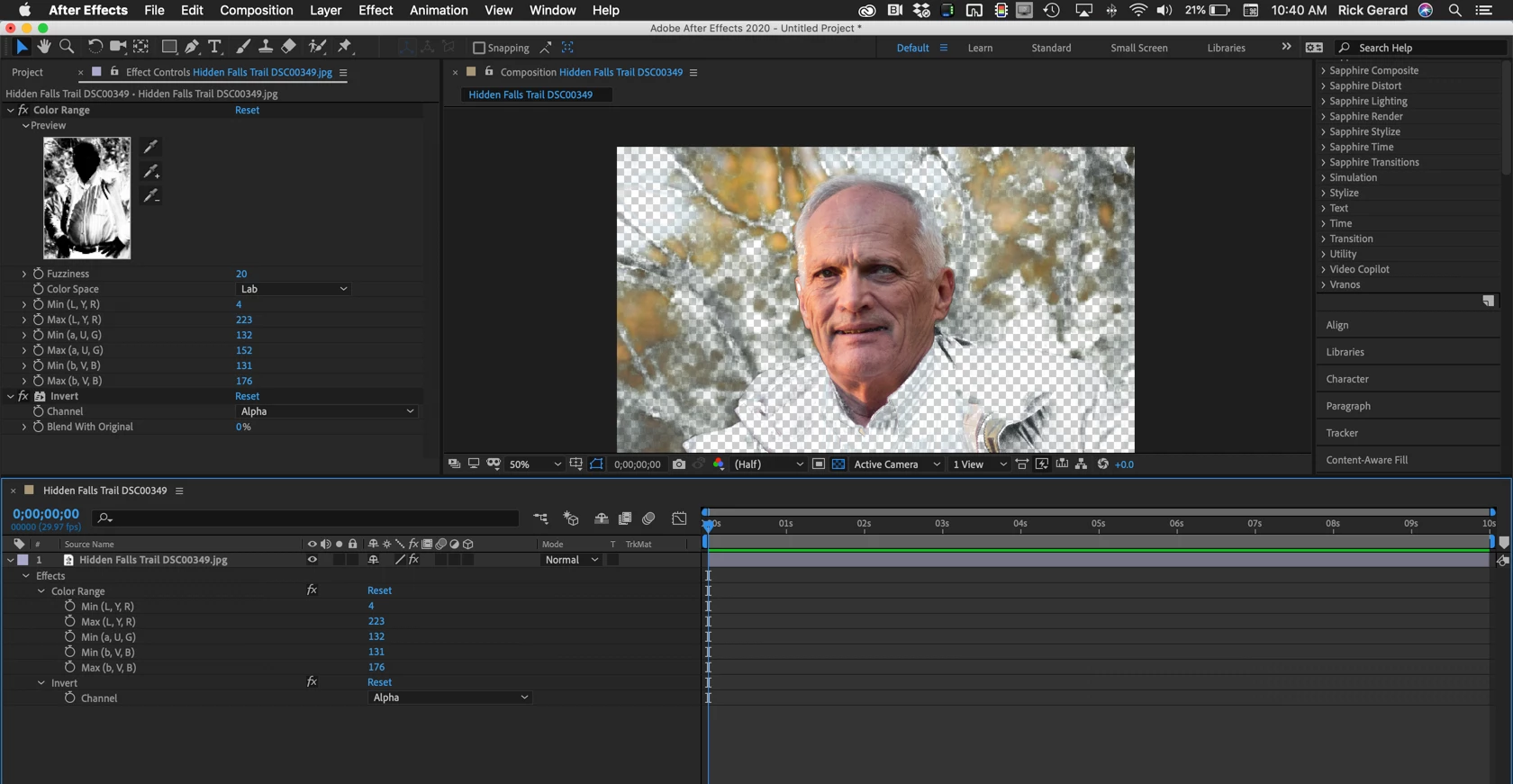
How do I reverse it so the transparent area within the keyed area is swapped with the area outside the key thus making the area inside visible and the outside area transparent? I see no inverse option.
Thanks.

How do I reverse it so the transparent area within the keyed area is swapped with the area outside the key thus making the area inside visible and the outside area transparent? I see no inverse option.
Thanks.
Select the layer, apply Effects>Channel>Invert.
No need to pre-compose unless you want to - just put it below the Color Range Effect.
Already have an account? Login
Enter your E-mail address. We'll send you an e-mail with instructions to reset your password.
 AdChoices