Inspiring
September 9, 2018
Answered

Isolate Complex Moving Object

  • September 9, 2018
  • 2 replies
  • 490 views

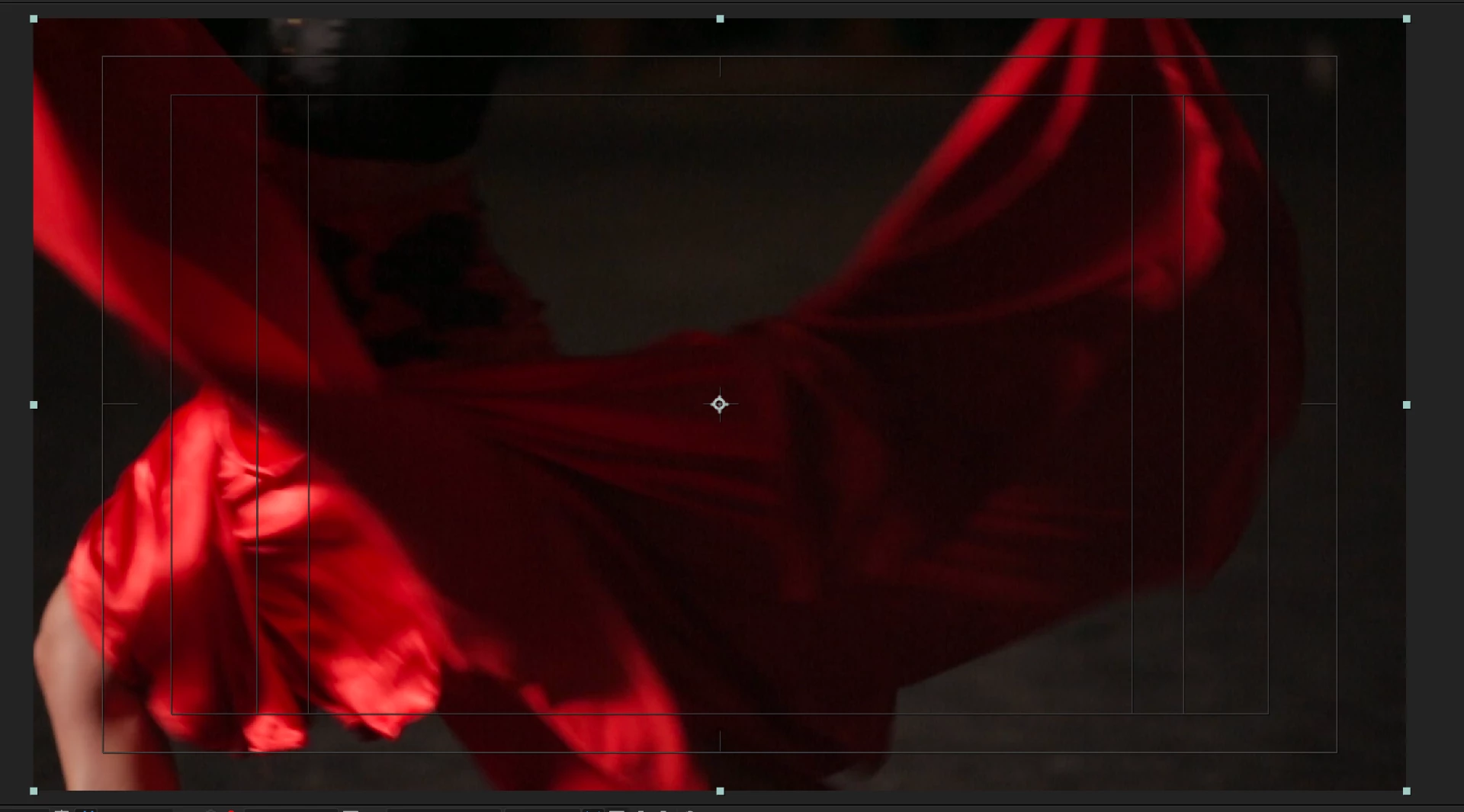
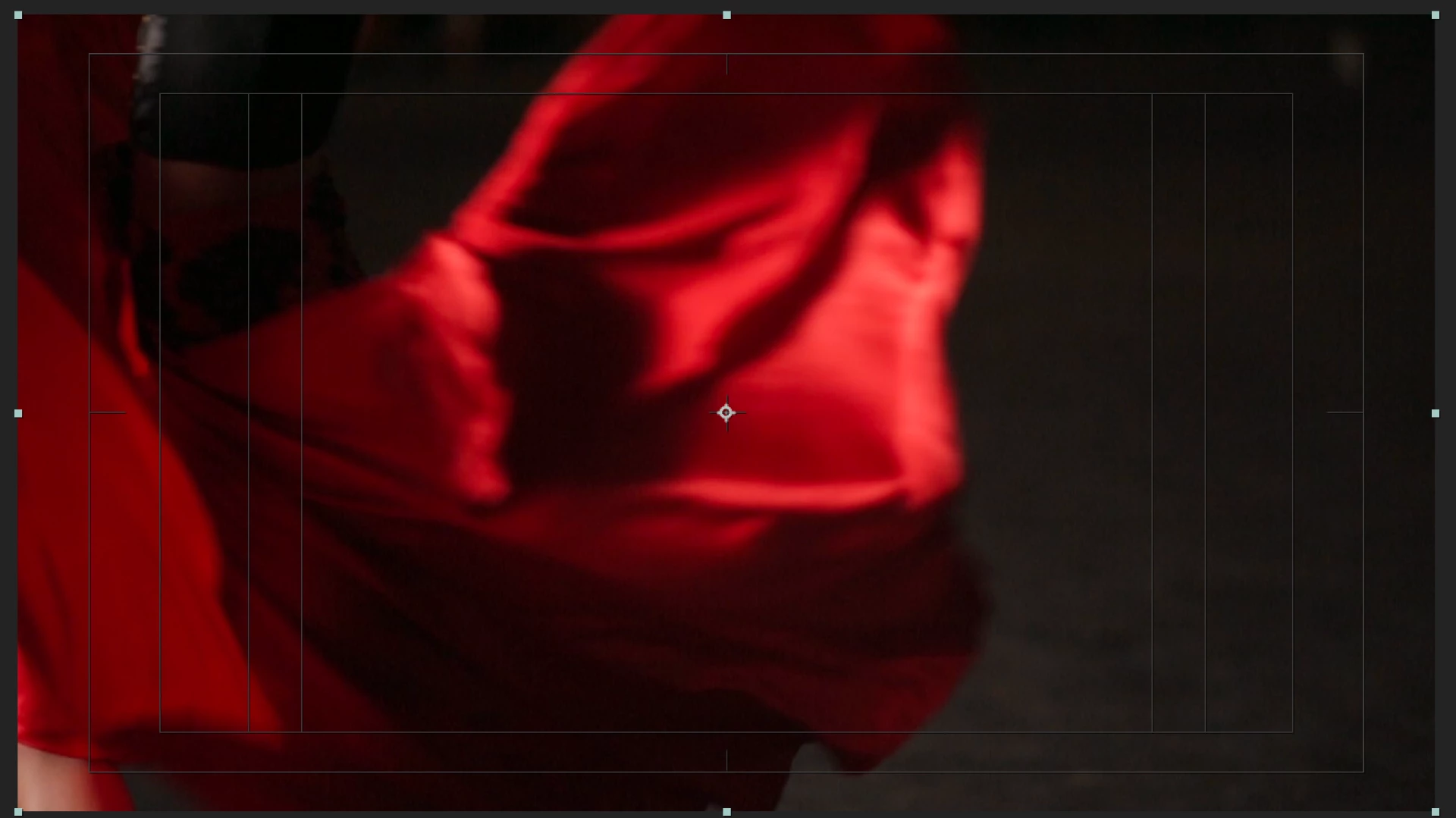
New to AE and am wondering what the best method is to remove a black background from a shot of a woman dancing in a rapidly fluttering red dress. I want the movement of the dress to reveal a text layer against black but can't seem to accurately isolate the dress as she whips it around in and out of the shadows.  Any help greatly appreciated. Thanks.

    This topic has been closed for replies.
    Correct answer Rick Gerard

    This is going to be a really slow roto by hand project. The screenshot shows a high degree of noise and severe underexposure. Checking the red channel and stretching red levels and even trying to isolate values using Colorama shows me that the screenshot shows no usable data in any of the color channels to pull a procedural matte.
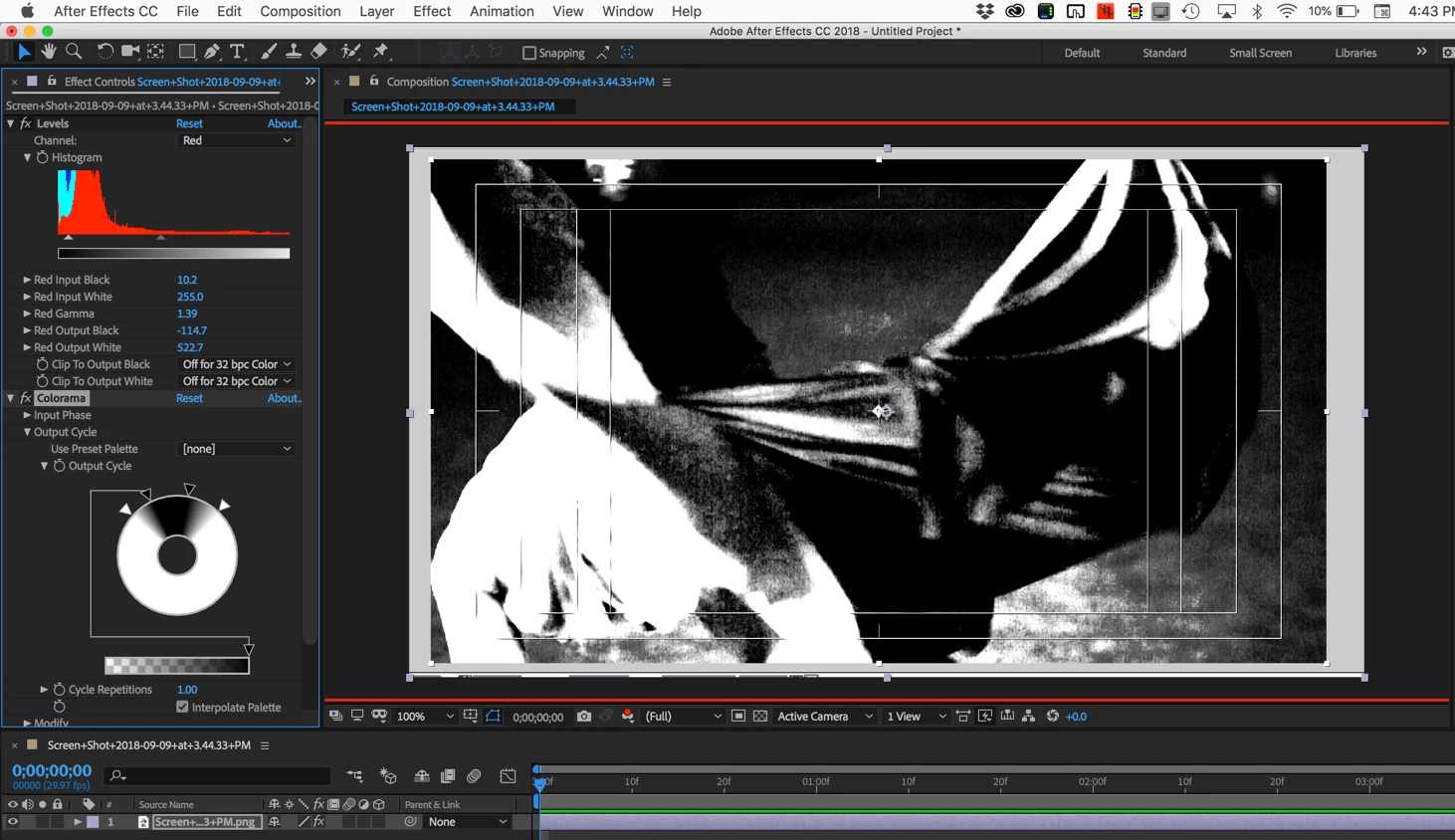
    It looks like your only option is to roto by hand or reshoot and properly expose the footage with background removal in mind. It would be a fairly easy task to remove the black background if the footage was properly exposed, then you could color grade the final to get you the same look you have in the screenshots.

    If this were my project I would push for a reshoot because roto work on a shot like this that is longer than just a few seconds is going to cost more than bringing the crew and the actor back to the set.

    Next time you have a project like this shoot some quick tests so you end up with footage that is compatible with compositing.

    2 replies

    angie_taylor
    Legend
    September 10, 2018

    An alternative suggestio would be to place text above the footage and use blending modes to composite it with the underlying footagE. Id also experiment with applying a displacement map effect to the text to make it look as if the text is fluttering over the material

    Rick GerardCommunity ExpertCorrect answer
    Community Expert
    September 9, 2018

    This is going to be a really slow roto by hand project. The screenshot shows a high degree of noise and severe underexposure. Checking the red channel and stretching red levels and even trying to isolate values using Colorama shows me that the screenshot shows no usable data in any of the color channels to pull a procedural matte.

    It looks like your only option is to roto by hand or reshoot and properly expose the footage with background removal in mind. It would be a fairly easy task to remove the black background if the footage was properly exposed, then you could color grade the final to get you the same look you have in the screenshots.

    If this were my project I would push for a reshoot because roto work on a shot like this that is longer than just a few seconds is going to cost more than bringing the crew and the actor back to the set.

    Next time you have a project like this shoot some quick tests so you end up with footage that is compatible with compositing.
    Inspiring
    September 10, 2018

    Thanks. The material was shot well before I was brought on and a reshoot isn't feasible. I'll just have to devise a simpler title sequence. Appreciate the analysis.