
Participant
August 29, 2022
Answered

Issue - This project must be converted from version 11.0 (Windows 64)

  • August 29, 2022
  • 3 replies
  • 6931 views

Hello,


I had downloaded a couple of packs from videohive.net and I now have a laptop with Windows 11. When I now try to read these After Effects files, I get the following error message:
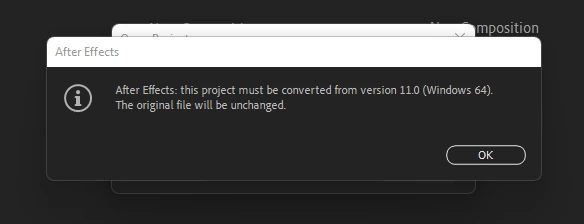
 

Would you know what steps I need to follow to debug this issue and be able to read the files ?

Thanks a lot,

Maxence

This topic has been closed for replies.
Correct answer pixellingo

Hi, Max -- This is a common message. You'll often get this when you download a template that was created before AE was updated to the current version. Just click "OK" and save the converted project. It should not affect the functionality of the template, though.

3 replies

Participant
September 6, 2022

Thanks for your messages.

So yes I clicked on the warning and I can access the file but let me show what it does when I play it:
The green buffer does not load and the animations keeps looping back. My laptop is powerful so it cannot be the root cause.

Participating Frequently
November 10, 2023

make sure the folder you are loading the file from is not a compressed folder. You must extract the files.

pixellingo
Community Expert
pixellingoCommunity ExpertCorrect answer
Community Expert
August 29, 2022

Hi, Max -- This is a common message. You'll often get this when you download a template that was created before AE was updated to the current version. Just click "OK" and save the converted project. It should not affect the functionality of the template, though.

John W. | pixellingo
Mylenium
Legend
August 29, 2022

There is nothing to do. This is just a friendly warning that the files will be converted to the newer format and you need to save it. Unless there is something specific liek a missing effect or unsupported feature the files should open just fine.


Mylenium