
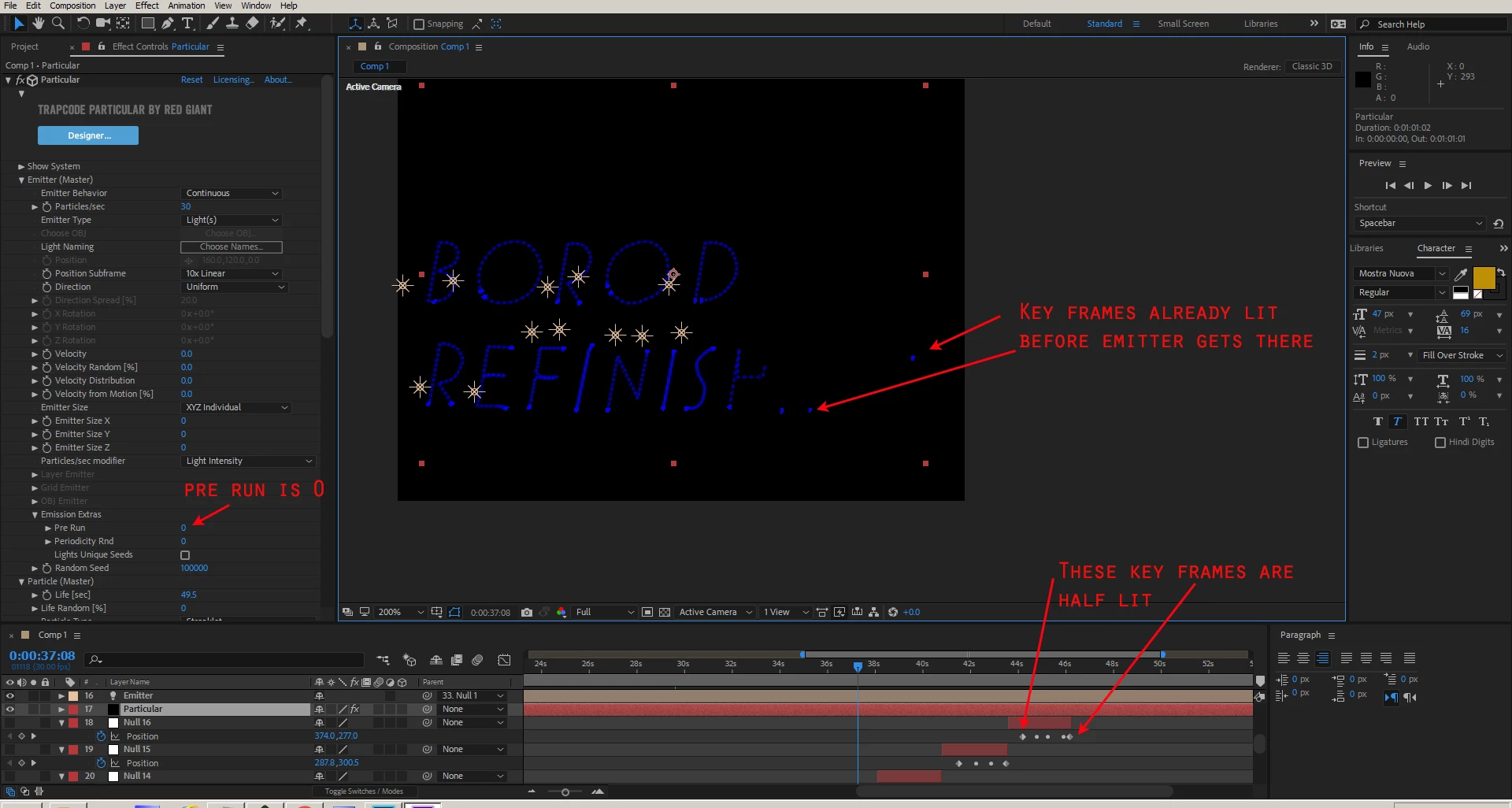
Keyframes pre-lit before particular light emitter gets there
I was trying to get particular to streaklet individual letters one at a time. I used a pen tool to outline all the letters and then copied the key frames to a null object. I broke apart the Null timeline by using (ctrl shift D) and I duplicated each Emitter and parented it to that null object with its own letter.
The particular layer was using the Emitter which was following the key frames on the null object.
Everything look like it's working except it seems for each letter the first key frame is showing up.
I turned off even thing in particular but I can not find out what is pre lighting the letters.
when I play it out there are these dots for each letter.
What can I turn off to stop these letters from starting to show? (see attached picture)
Some of my notes for starting the project:
- Start AE and create a text comp
- Type out a word
- Draw a mask around each letter, use cntr click to start new letter
- After Effects Tutorial: Get Light To Follow A Path https://www.youtube.com/watch?v=PEkuuf0MEFQ
- Create a null layer and type "Y" to open center tool
- Hold ctrl and center axis
- Then open position on Null object
- Open up text mask path and copy Mask path to Null position
- To move entire keyframes open Null and position, click on position. click on a keyframe to move all keyframes.
- Create solid layer and put effect particular on it.
- Create a light layer and call it "Emitter" with capital.
- Particular follows layer Emitter, Emitter is parented to Null object
- take down to zero velocity, velocity random, velocity from motion.
- Take down emitter size X,Y,Z down to zero.
- increase life per second
- In order to not have line in between letters. use ctrl Shift D to make new null layer for each letter.
- Duplicate Emitter 1, to Emitter 2, then Emitter 3.
 AdChoices