
Participant
December 8, 2021
Question

Layering Error in After Effects

  • December 8, 2021
  • 2 replies
  • 787 views

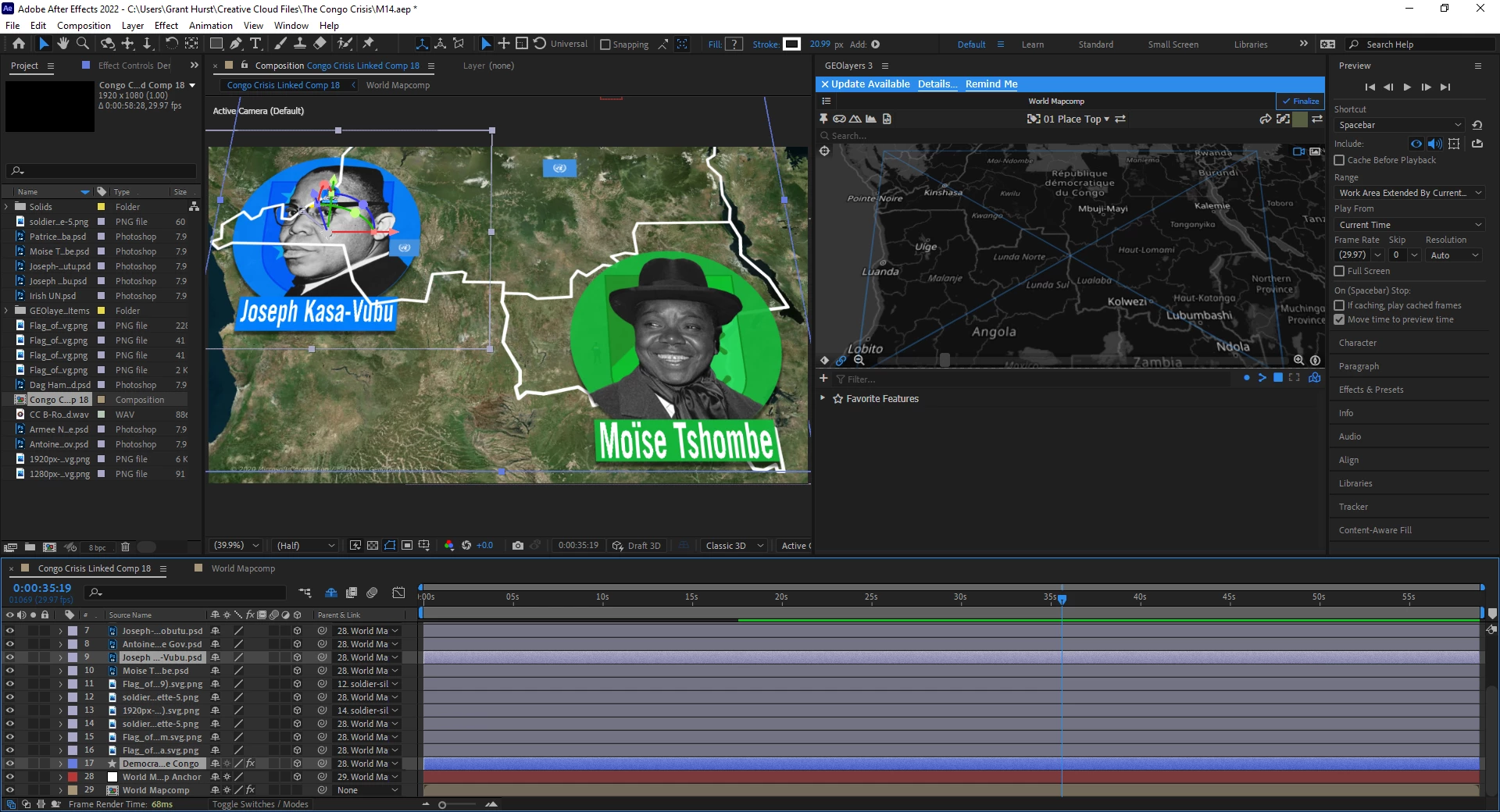
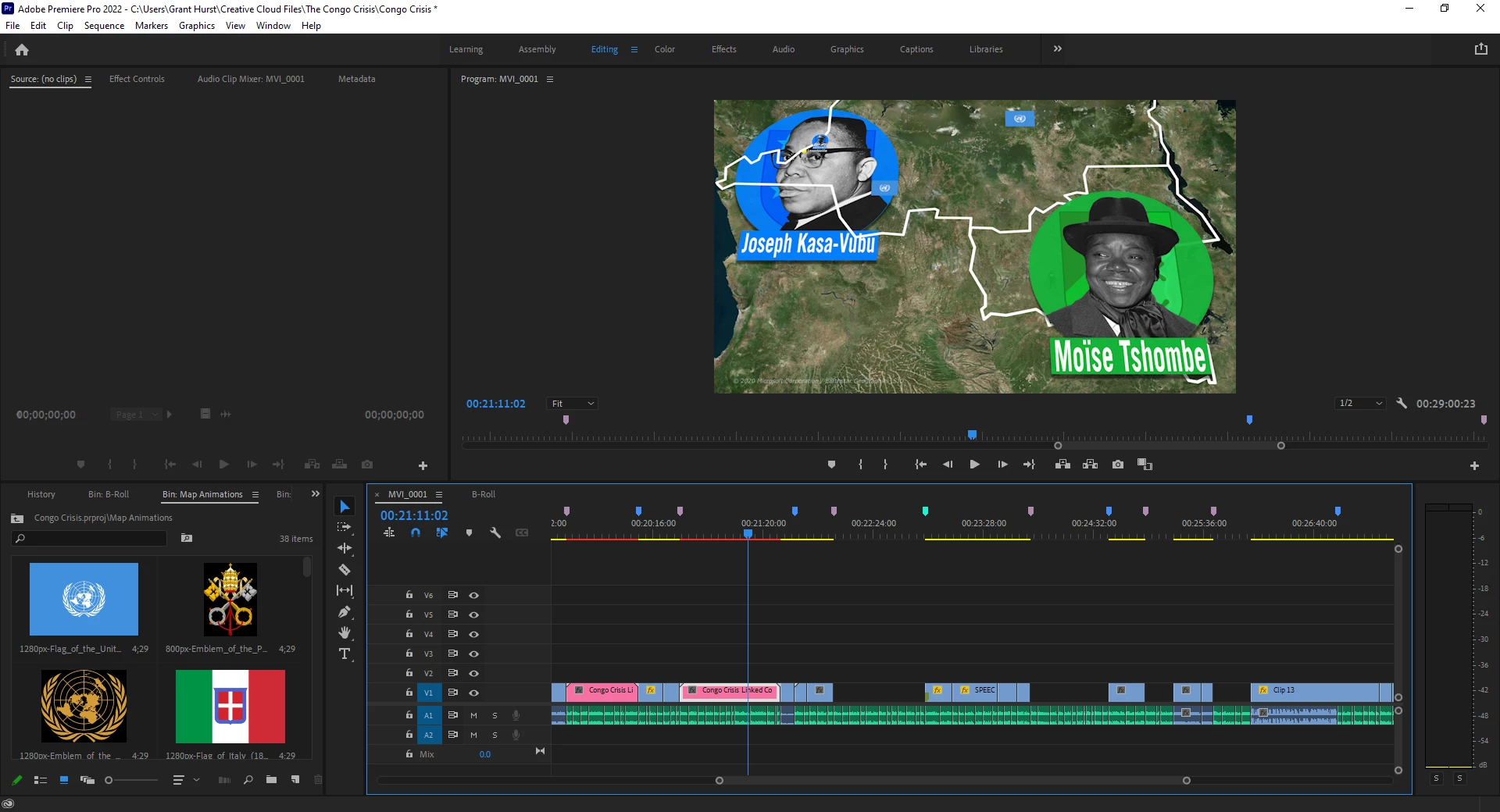
I'm working on a file in AE using the GEOLayers 3 plugin. One of the layers is an outline of a country, and all the other layers are supposed to be above that. But for some reason, one PSD in the sequence is being shown in the monitor as though it were below it, even though it is clearly above it. I've restarted my computer and looked at that file while in Premiere and it's still showing it the wrong way. 


Can anybody tell me what's going on?

(Here's what's going on in After Effects, and what the project still looks like while in Premiere.)
This topic has been closed for replies.

2 replies

GGHurstAuthor
Participant
December 8, 2021

I'm not sure what exactly caused the problem, or why my solution worked, but I just unclicked and reclicked the 3D box and everything was fixed.

Roland Kahlenberg
Legend
December 8, 2021

It's very likely your 3D Layers were sharing the exact same position values. WHen this happens, AE has no idea which layer should be rendered in front of the other. So, you got lucky the second time around. To ensure AE always renders the PSD in front of the Outline Layer, set the z-position of the PSD to be 1 pixel closer to the camera than the Outline Layer. This will ensure you obtain your desired composite consistently. HTH

Very Advanced After Effects Training | Adaptive & Responsive Toolkits | Intelligent Design Assets (IDAs) | MoGraph Design System DEV
Roland Kahlenberg
Legend
December 8, 2021

It looks like you're working entirely with 3D Layers; how they up in the Timeline does not affect how they are displayed in the Composition Panel in terms of their relative positions in z-space. 

Take a look at the affected layers' Transform>Position property to look at their values. You should be able to see the 'Outline Layer' being closer to the Camera and hence, it will be above the PSD layer. If your setup did not move World Orientation off its default then all you have to do is to move the z-position of the 'Outline Layer' away from the camera until it is below the PSD Layer. HTH

Very Advanced After Effects Training | Adaptive & Responsive Toolkits | Intelligent Design Assets (IDAs) | MoGraph Design System DEV