
Layers are suddenly invisible
I created two characters in AI with the intention of animating them. Each of their body parts is its own layer. Both characters and their layers were brought into AE as comps. Since the characters do some movement, I parented each body part layer to the main "body" (torso) layer. Minimal animation required, though, and I had everything exactly where it needed to be until it came time to export.
For some reason, in the Media Encoder export, the arms of Character A are missing completely, and the mouth is wrong. In the original animation, Character A's "frowning mouth" layer is at 100% opacity for the first two seconds, then the "smiling mouth" layer replaces it at 100% opacity. In the export, however, Character A has no mouth for the first two seconds, then for some reason the frowning mouth appears instead of the smiling one. Long story short, those layers are suddenly appearing at the wrong times.
I thought this was an export issue, because even though the export was screwed up the animation I was seeing in the AE timeline was perfectly fine. So I closed AE, opened it again, and now everything is screwed up. Even though none of the keyframes have changed and all of the layers are still active, the mouth and arm layers are "invisible" and not showing up at all in the animation. They are set to 100% opacity.
I haven't changed any of the layers in AI. I am not using any masks or layer guides. The keyframes are exactly where they should be and are at full opacity. The layers are still in the comp. This problem only showed up when I went to export, and now seems to be permanent. I updated AE and the problem persists.
What is going on?? Is my only solution to start over from scratch?
Some photos (had to black out my company name):

Here is the PreComp for Character A. As you can see, his ArmL layer is at full opacity and when I select the layer I can see where it is supposed to be. But where is it??
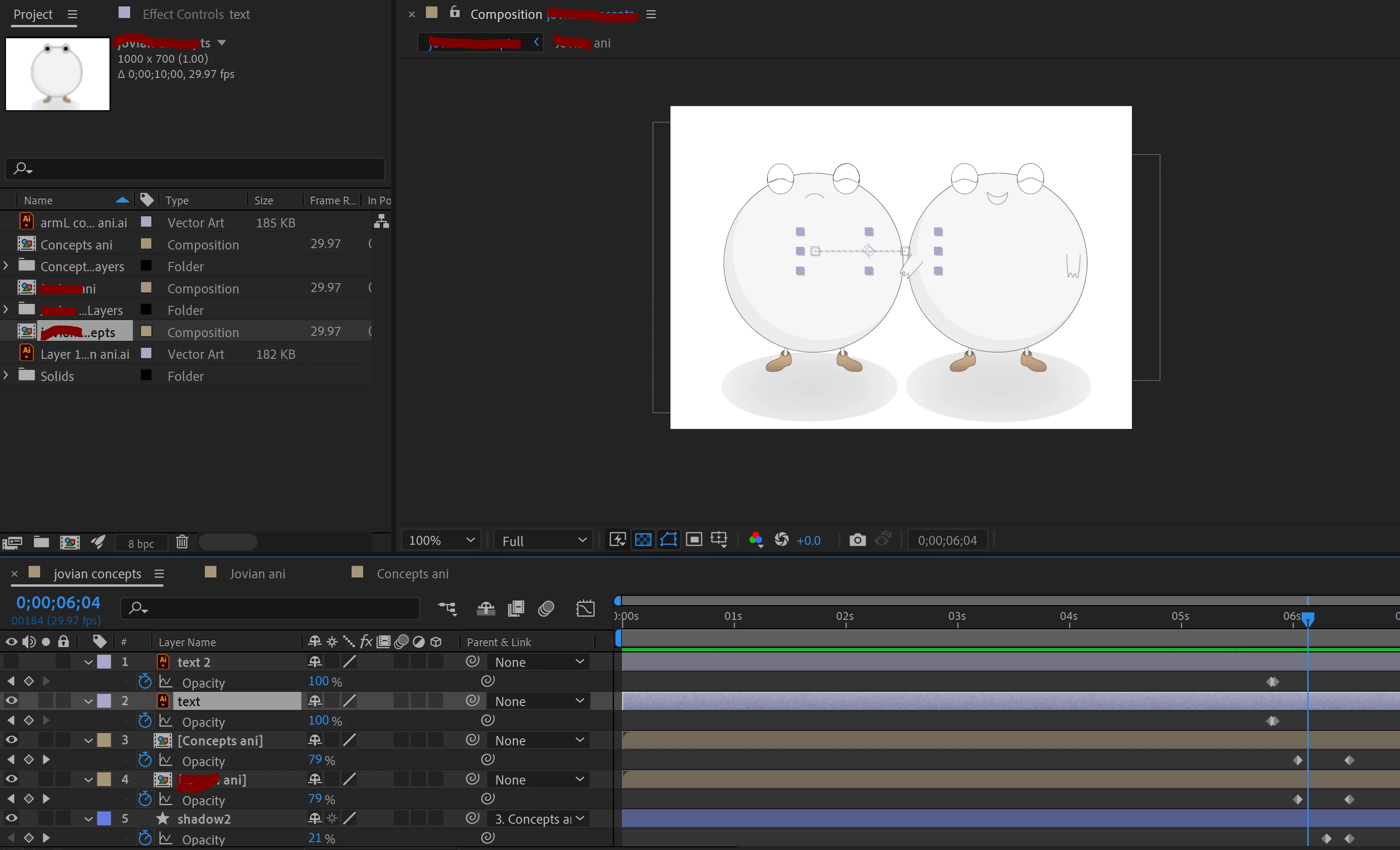
Here is the main comp. Character B (on the right) is fine and that is exactly how Character A is supposed to look. Except he has no arms, his mouth is wrong, and the text that is supposed to be on his chest (the selected layer) is invisible despite being at 100% opacity. (I hid "text2" layer for the purpose of this screenshot because that one is showing up just fine).
 AdChoices