
Participant
March 16, 2018
Answered

Layers not visible in my comp viewer in AE

  • March 16, 2018
  • 3 replies
  • 29491 views

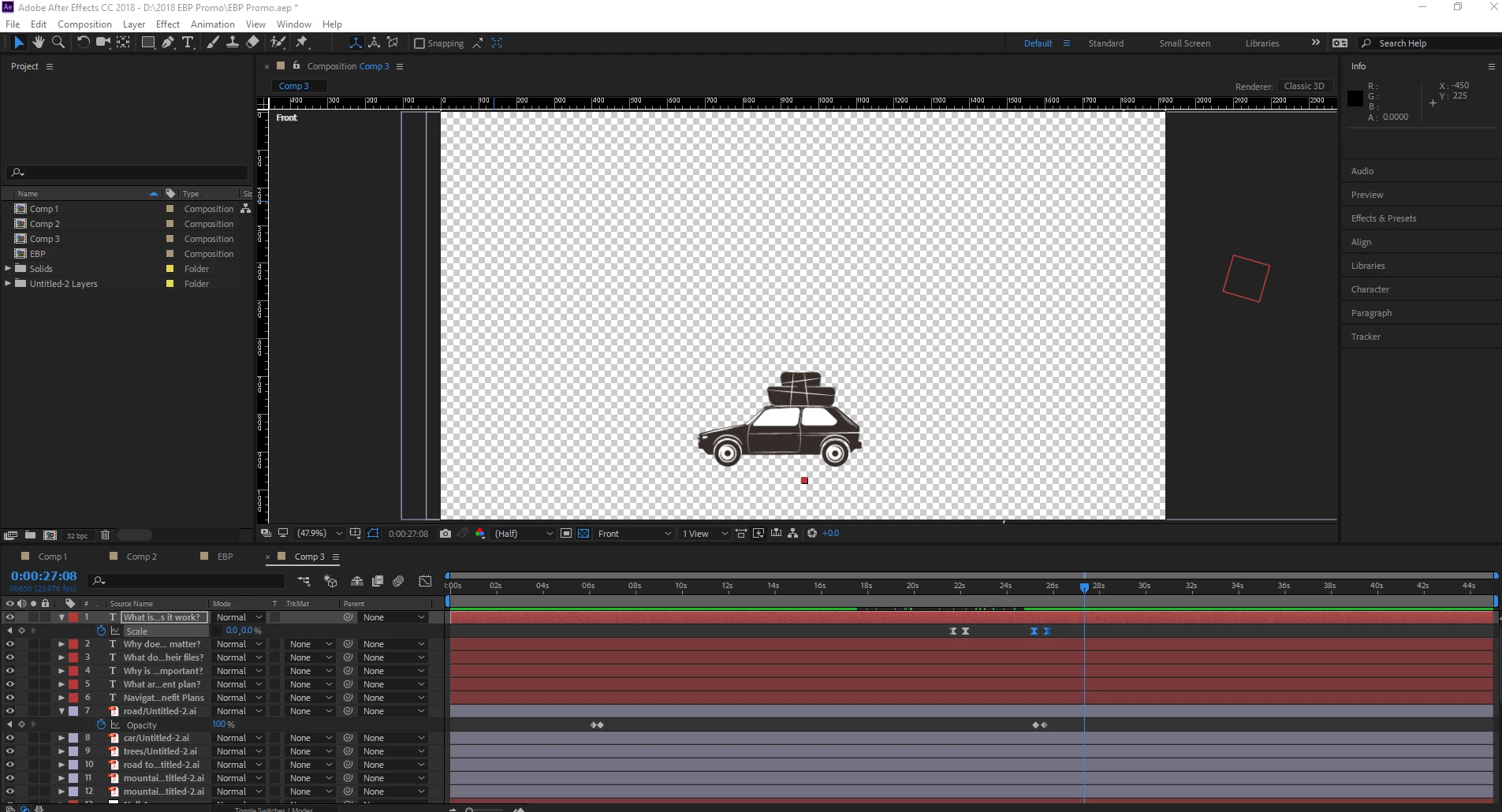
I am at a loss...the last thing I remember doing was hitting F9 to make an easy ease on a layer and suddenly all of my layers except for one disappered out of my comp viewer. The layers are still in my project, I just can't see them. The screen shot of what I am looking at is below. Please help!
Correct answer Dave_LaRonde

Yeah -- change your view from Front to Active Camera, and turn off the 3D.

3 replies

Participant
July 21, 2022

Thank you!!! Was going crazy! Did the same thing - F9 for easy ease and suddenly everything is gone! Fixed! Thanks! Phew!

DanW R2R
Participating Frequently
September 24, 2020

I just came across this because I had the same issue but needed to leave on 3D. I found I was hitting the ESC key and flipping the view.

Dave_LaRonde
Inspiring
March 16, 2018

We can't see all your layers, so here's a guess -- you accidentally soloed the one layer you can see.

Participant
March 16, 2018

The layer that I can see is called "car." Maybe it has something to do with the fact that that is the only layer that is 3D? Any thoughts on that?

Dave_LaRonde
Dave_LaRondeCorrect answer
Inspiring
March 16, 2018

Yeah -- change your view from Front to Active Camera, and turn off the 3D.