Answered
Light Ray effect
I'm not sure which forum this goes in, but I want to try to create an animated light ray image similar to ones seen in tokusastu shows. Which app would be the best for this, and how could I make one?
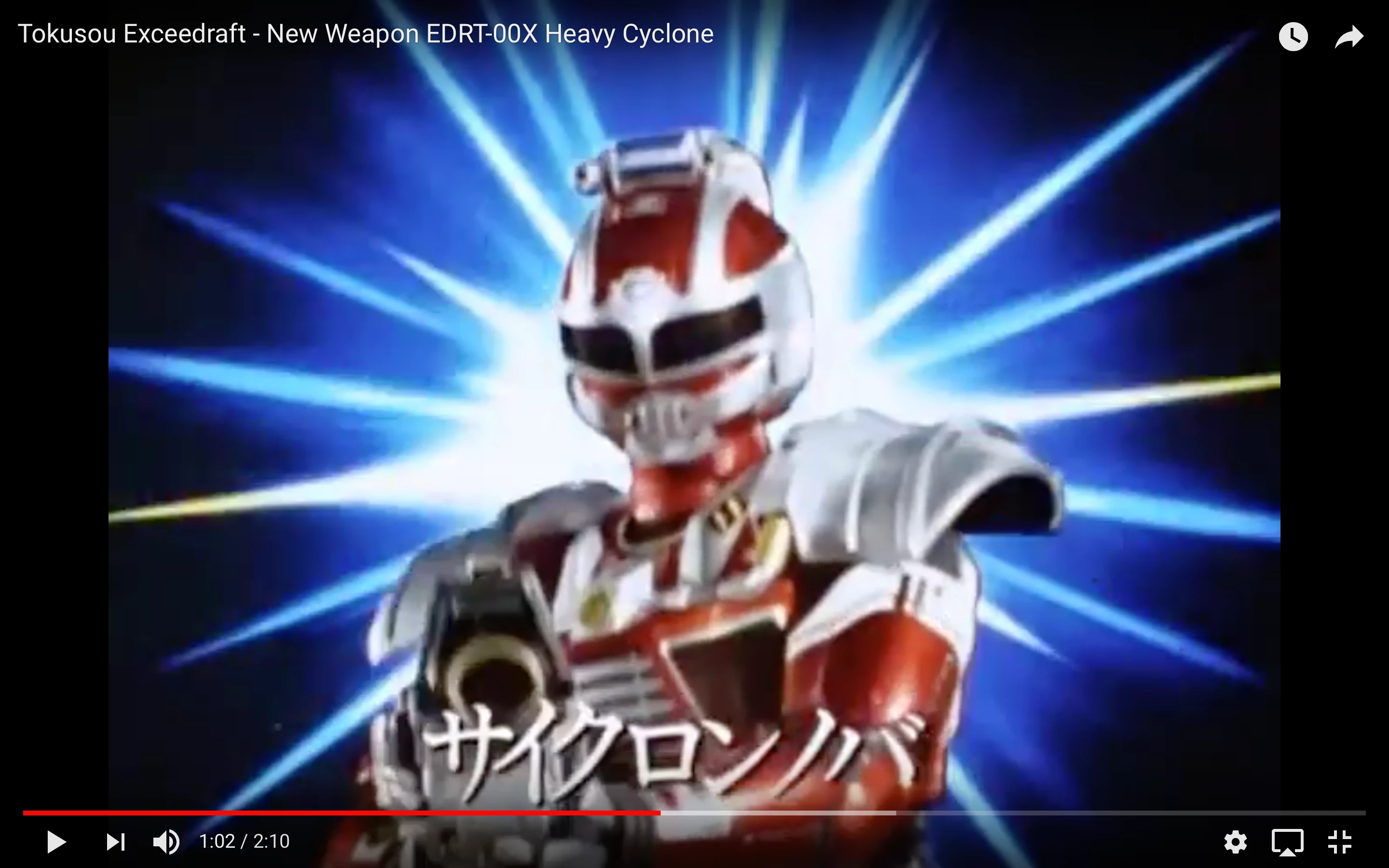


I'm not sure which forum this goes in, but I want to try to create an animated light ray image similar to ones seen in tokusastu shows. Which app would be the best for this, and how could I make one?
You could create a polystar shape layer with 15-20 points. Tinker with the inner/outer radius settings and the inner roundness until you get the shape you're after. Animate the rotation.
Duplicate the layer, tinker with the settings to get a similar, but different version of the shape. Change the rotation speed a bit.
Maybe add a circular shape layer, low opacity and heavily blurred, for that central glow effect.
Add some effects like Glow and/or some of the blurs until it all looks the way you want.
Already have an account? Login
Enter your E-mail address. We'll send you an e-mail with instructions to reset your password.
 AdChoices