


loading the whole green bar

Copy link to clipboard
Copied
Greetings,
My video card is not compatible with AE I'm suffering
from my video playback being freezed.
So Is there a feature in AE were It can automatically load the whole green bar of a video first even if I'm not playing my video?
So after it finishes loading there will not be any clip disconnection when playing & working on my video so I can edit my video comfortably without interruption?
Just similar to Youtube stream where it loads the whole clips bar at first.
Thanks,


 16
Replies
16
16
Replies
16


Copy link to clipboard
Copied
I suggest you read the online help on how previews and the cache actually work. That aside, even with everything cached to disk things may simply not play smoothly if your system is that weak.
Mylenium
Copy link to clipboard
Copied
Ok,
It seems that my system can't handle AE tasks that goes also for AP.
I might upgrade my video card.
Thanks for your support,


Copy link to clipboard
Copied
I wish it were as simple as that, but it turns out that that green bar fills up like a RAM preview and each action you perform must be renewed to present in real time what you have done and for that you need enough RAM installed in your system. In order for it to turn green, you necessarily have to first make a playback with the space bar or press the zero key (0) of the numeric keyboard, however, it turns green so you can preview and not to work. Also, remember that if you are editing a video you must do it in Premiere Pro where you can do it more fluidly depending on the capacity of the GPU.
Byron.
Copy link to clipboard
Copied
Thanks Byron & Adobe support,
It didn't work well because my GPU is old with it's feature.
but I tried softwares like Davinci Resolve & Filmora Pro & they're able to preview
my video seamlessly with no hangout or freeze.
So what's is the difference with AE anyway in term of playback?

Copy link to clipboard
Copied
After Effects is for motion graphics and effects and it treats all source footage as if it's uncompressed, loading each frame into RAM for playback in the Footage panel, Composition panel and the Layer panel.
While your graphics card does need to meet the system requirements for After Effects, the Preview depends on how quickly your system can load each frame into RAM. If you choose to continue to work in AE, fewer faster cores are more likely to help than a new GPU.
Have you tried lowering the Comp Resolution? Try changing from Full to Half or Quarter. You're trading image quality for playback, but you should get both faster and longer Previews.
Have you tried editing in Premiere Pro first? Premiere Pro will use the file's CODEC for decompression and is much more likely to play your video files smoothly. Of course, this depends on how well matched your video file format is to what your computer can play and your corresponding Sequence settings. You can copy and paste from a Premiere Pro Sequence to an After Effects Comp or while in Premiere Pro right-click and choose Replace with After Effects Composition.
While in AE, you can use Edit Original to view your video files outside of After Effects in the default player. Option double-click (Mac) or Alt double-click (Windows) is one way to do this.
Copy link to clipboard
Copied
Yes you're right PR has far more smooth performance than AE I wish AE has a special codec for decompression.
However Is there any external codec plugin for AE that allows me to play smoothly.
I had tried all of what you mention regarding cleaning catches, purging RAM, changing comp res
for 1/2 & 1/4 Thus my playback was enhanced slightly but if any effect will be applied there isn't any hope.
You mention that it's better to upgrade my cores instead of GPU as far as I understand right?
I'll see about that & upgrade if needed.
So just for final checkup I would like to add my PC specifications & here it is:
* Windows 10 Pro
* Dell OptiPlex 9020
* Processor Intel(R) Core(TM) i7-4770 CPU @ 3.40GHz, 3401 Mhz, 4 Core(s), 8 Logical Processor(s)
* Intel(R) HD Graphics 4600 OK
* NVIDIA GeForce GT 630
* NVIDIA High Definition Audio
What do you think?
Copy link to clipboard
Copied
Actually, no, we do not want an application for effects to be using compression while working in the Composition/Timeline.
How well your system performs is directly related to what you're asking it to do. For example, just animating the Transformation properties (Anchor Point, Position, Scale, Rotation, Opacity) should yield fairly fast Previews. Adding just a few effects, even if GPU accelerated, is going to slow that down some, maybe even a lot. Of course, it also depends on what frame size and frame rate that you're working at (640x480 = super fast, 1920x1080 = not as fast, 3840x2160 = maybe a lot slower... but it still depends on what you're doing).
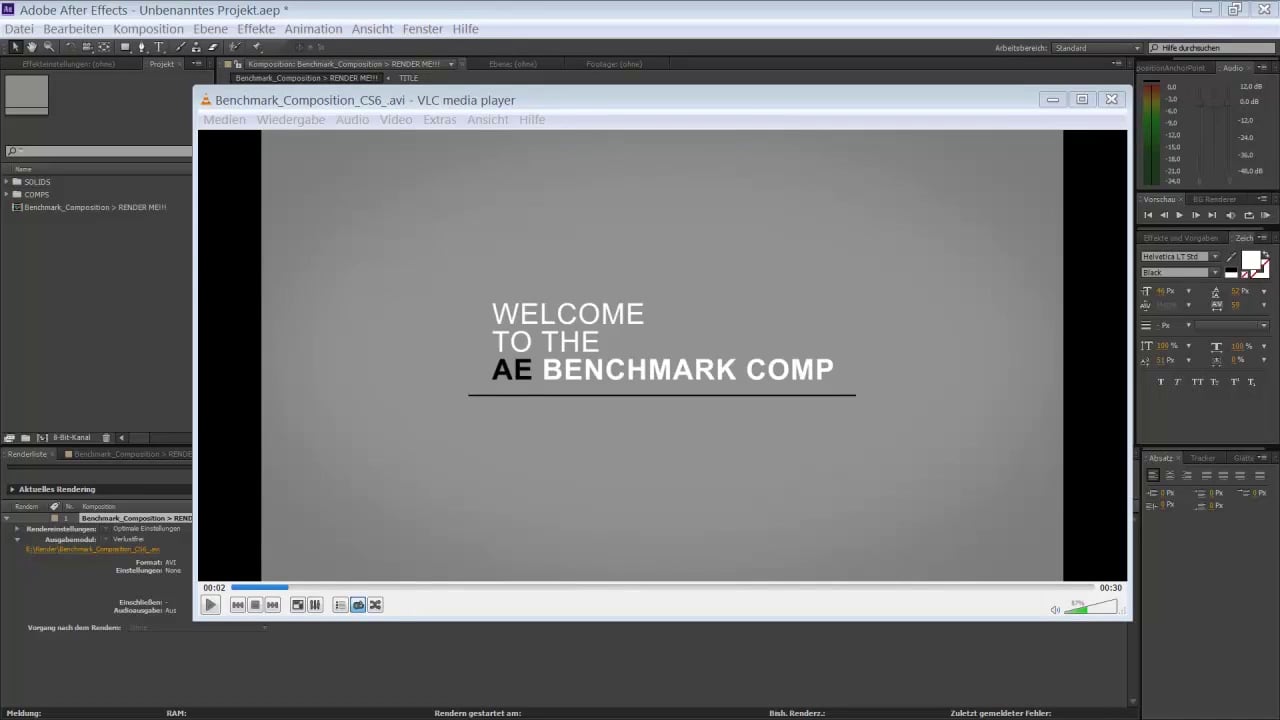
Have you tried the After Effects Performance Test File by Equiloud on Vimeo?
https://vimeo.com/118053656
You can download the Zip archive from the description to run on your own system and then return to compare your results to the results listed in the comments. If you feel your system was slow, look for what people have posted that yielded faster render times and consider upgrading/replacing your worksation.
I'd expect your system to take 6 to 7 minutes. (Let me know if I'm close!)
My Late 2013 MacPro does it in just under six minutes while my 2015 MacBook Air takes about 22 minutes. Both do the render, but obviously the faster result is preferred.
How much RAM do you have in your system? More RAM doesn't speed things up the way one might expect (again, that's mostly processor speed), but it does allow for longer RAM previews and for better performance by having more information cached into RAM at a given time. You may have noticed that there's also a dark blue-ish purple render line instead of green in the Timeline - that's Comp information cached in RAM.
Are you working from SSD storage? If not already using the fastest storage available, that can have a noticeable difference, especially is being used for the Media Cache setting.
Copy link to clipboard
Copied
Thanks Warren it's great idea that you suggest the AE performance test.
A watched the video & downloaded Equiload project.
The rendering process took 6:22 minutes with 4.34 GB in size.
So what do you think is my PC has a good performance standards?
or there might be more several other tests related to another specifications such as testing preview, RAM handling, effect processing etc...
Before rendering I made sure that everything on it's default settings.
Here is my two screenshots for my rendering settings:


Copy link to clipboard
Copied
As Roland suggest I should upgrade my SSD with 3.0 or above this could
boost the preview performance. but I'm not sure about effect processing since
the preview will degrade even more I'm might assume that perview is related
to preview & performance is related to CPU & GPL what do you think Warren?
Copy link to clipboard
Copied
You're welcome. Well, Warren has already told you about the difference between a motion graphics and special effects composer (After Effects) and a video editor (Premiere Pro, DaVinci Resolve, Filmora Pro, Media Composer, Final Cut X, etc.). I think you need to first be clear about the difference between these two post-production tools and as I see what you need is a video editor.
Byron.

Copy link to clipboard
Copied
AE's 'greenbar' is a visual indicator of rendered frames that have been cached to disk. This disk is the one you select in AE's Preferences>Media & DIsk Cache, in the Enable Disk Cache section..
When you initiate a Preview and you have rendered frames on your disk cache which are required by the Preview, AE will transfer those frames from disk to RAM. AS this happens, the greenbar SHOULD turn to blue; with a bluebar designating frames in RAM. A fast Disk Cache helps to initiate Previews quickly. Hence, other than your GPU, you will want to look at a fast Disk Cache. An SSD with USB 3.0 or USB 3.1 Gen 1 IO is often sufficient to create a seamless (no-waiting) experience when initiating a Preview when frames required frames have been cached to disk.
Copy link to clipboard
Copied
Greetings Roland, & thanks for your detailed comments
Actually I have an internal SSD drive installed as my main drive.
It's specification is:
San Disk SSD - model SDSSDA960G - 8.13 GB size
You mention "An SSD with USB 3.0 or USB 3.1 Gen 1 IO is often sufficient to create a seamless (no-waiting) experience when initiating a Preview" So is this optimization is effective on the preview only?
Copy link to clipboard
Copied
My SSD model is old already since I bought it 2014 so I guess it should be upgraded.
anyway thanks for your detailed support.
Copy link to clipboard
Copied
I just forget something important,
Does upgrading to a new GPU & SSD might affect my PC's performance by
degrading it's preview ability. which might cause unsmooth processing
for images & videos resulting in a lower CPU speed?
Actually since my PC is old now (2014). I want my PC performance to be reserved
even if I add a brand new components.
what do you think?
Copy link to clipboard
Copied
You want faster processors.
I'd recommend you put whatever you have in your upgrade budget toward that.
-Warren
Copy link to clipboard
Copied
Ok thanks Warren for your kind support. I understand now.
I'll close my issue for now.
best regards,


Find more inspiration, events, and resources on the new Adobe Community
Explore Now
 AdChoices