Participant
March 28, 2022
Answered

Making a line coil and unroll

  • March 28, 2022
  • 1 reply
  • 847 views
Hey All! I have a bit of a strange request which seems really simple but has been crunching the gears in my brain a bit!
What is the best way to make a 2d mat roll out? It's basically a pilates mat which I'd like to unroll itself.
Basically I want it to start like this and then unroll to this.
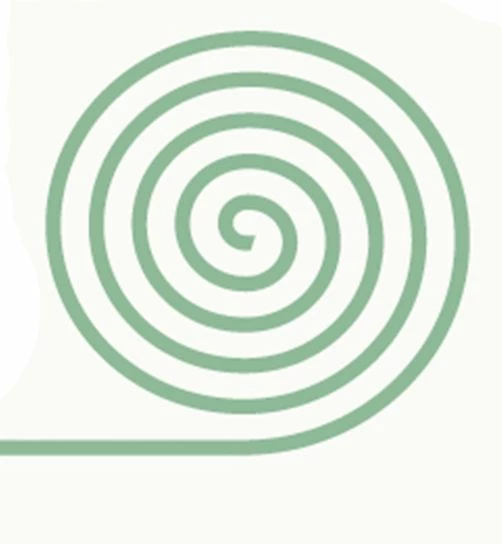
 
 
I've tried using the twist etc and trim paths and unravelling it with the pen tool but I can't seem to do it with the pen tool without distorting the shape if that makes sense.
Thanks so much 


This topic has been closed for replies.
Correct answer Mylenium

The spiral and line need to be created separately. That's the only real trick to such a scenario. Once separated, you are free to do whatever you want with the coil like animating rotation, position and Trim Paths while you are free  to move the separate line around and also animate its length/ trimming while its position is following the shrinking radius as if it were connected.  This could even be linked with expressions if necessary. No point in trying to make your life complicated by attempting to make it work like the real thing.


Mylenium

1 reply

Mylenium
MyleniumCorrect answer
Legend
March 28, 2022

The spiral and line need to be created separately. That's the only real trick to such a scenario. Once separated, you are free to do whatever you want with the coil like animating rotation, position and Trim Paths while you are free  to move the separate line around and also animate its length/ trimming while its position is following the shrinking radius as if it were connected.  This could even be linked with expressions if necessary. No point in trying to make your life complicated by attempting to make it work like the real thing.


Mylenium

Participant
March 28, 2022

Hey Mylenium,


Ah thanks so much for your reply that is really helpful. I'll give it a go and let you know how I get on 🙂


Thanks


Josh