
Inspiring
December 10, 2018
Answered

Making an effect into a transparent video alone?

  • December 10, 2018
  • 2 replies
  • 2630 views

I'm a streamer and i'm trying to make a 10 second transparent snowfall video. I just want the snow and nothing else. Obviously I can't just place the effect without some kind of placeholder. The problem is everything I tried is failing. What I decided to do at first was make a bright green background and chroma key it out in OBS. The problem with this is that when i apply the chroma the entire video goes transparent, including the snow. Then I tried a different color to see if that helped with no luck. Then I tried to make the video into an AVI but I can't get the background to go away. Then I realized that since there is only 1 layer it would take it all away.

So the question becomes, is there a way for me to make this transparency happen or is it a lost cause?
    This topic has been closed for replies.
    Correct answer imeilfx

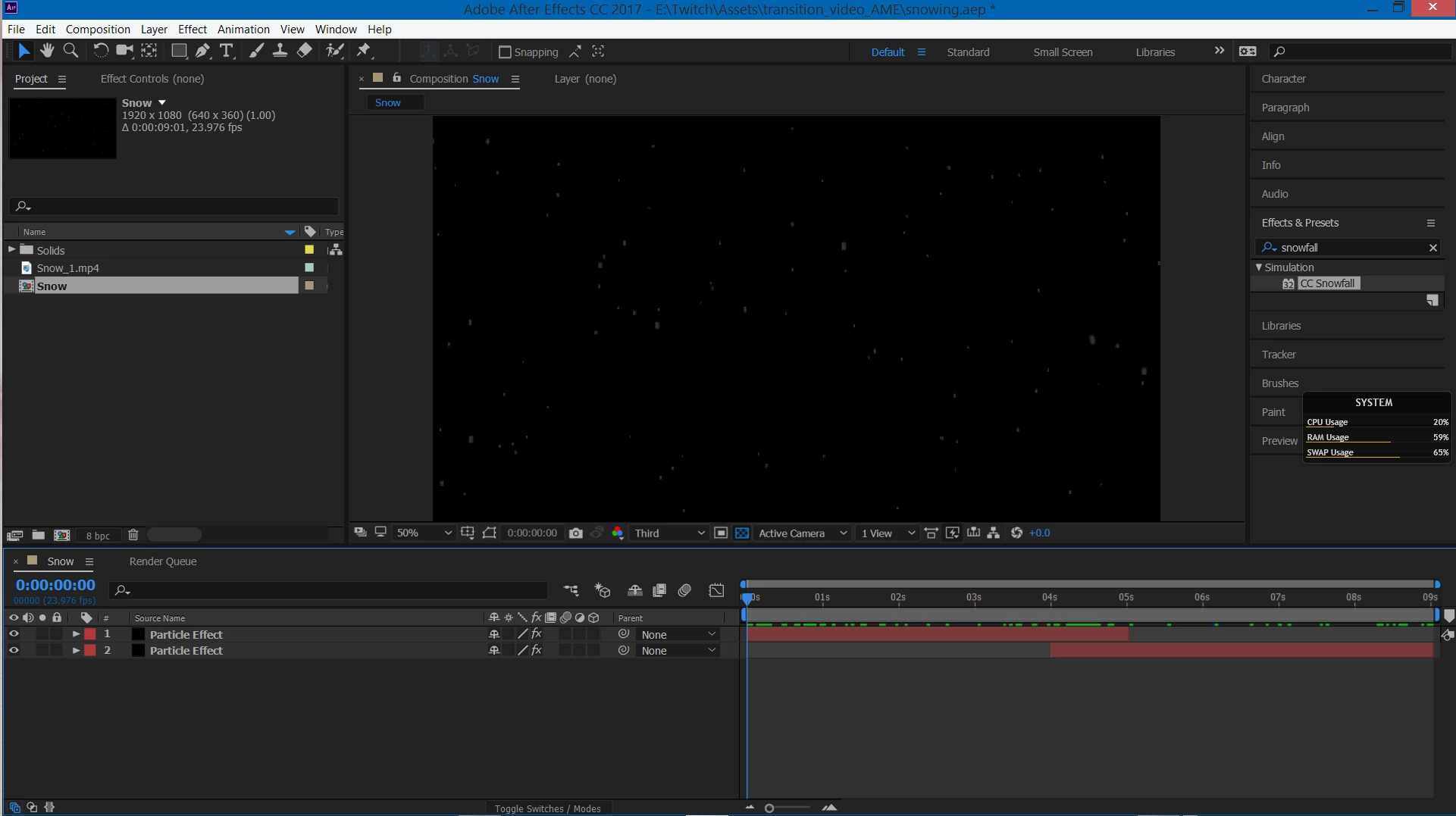
    I misspoke earlier, I have to layers.


    Ok. So that means that you dont have transparency in your composition. If you would have transparency you should see that checkered pattern (as on my screenshot) behing your snowflakes. And if that is the case - there's nothing surprising that you have non transparent video from non transparent composition.

    So to render transparent - you have to remove background from youc layers. How - there is several ways - depend's on how your layer was made. But if your composition is just white elements on black background I would duplicate your layer, pot invert effect, precompose and use as trackmatte.

    2 replies

    Inspiring
    December 15, 2018

    Thank you for your help. I went a different way with it. The way I made this project would not go transparent as I had it no matter what I did. I apologize for wasting your time. I am very intimidated by the Adobe manuals. They are very extensive and there is a lot to know. I'll be sure to look their first before I post again. Thanks again.

    Community Expert
    December 10, 2018

    Check the transparency grid. If you see a checkerboard pattern you have transparency in the comp. Use the Render Cue and pick the Lossless with Alpha preset in the output module.

    Do Not Expect the video to play in a media player with a transparent background. Media players do not recognize alpha channels. Your video will work in Premiere Pro or AE and the alpha channel will be properly interpreted.

    Inspiring
    December 10, 2018

    The rendered video is still showing the background, even with the transparency grid active.

    Inspiring
    December 10, 2018

    But on your screen you shiowed that you rendered only Alpha channel - that is why your video does not have transparency. To get transparency you have to render RGB+Alpha and that is what I showed you on my screens. Try that and let us know.


    That was an old picture. I used your settings for the video after that.