Participant
December 4, 2016
Answered

Masking in After Effects

  • December 4, 2016
  • 1 reply
  • 1003 views

I have a video which I would like to mask the subject giving a lesson.  He moves back and forth and evens raises his arms at time.

I am looking to try and alpha out the background and keep the speaker shown, but each time I try he moves out of the mask and when I look his arm are not in the mask.

Is their a way to keep the subject completely within the mask by using the track mode.

I have tried it in both AEF CC5.5 and CC2014.

Thanks,

Jeff K.

    This topic has been closed for replies.
    Correct answer Roei Tzoref

    Never set up Dropbox but here is the link it gave me for the video.

    Dropbox - test-1.mp4

    Jeff


    o.k let's talk about workflow.

    1. how long do I have to Roto?

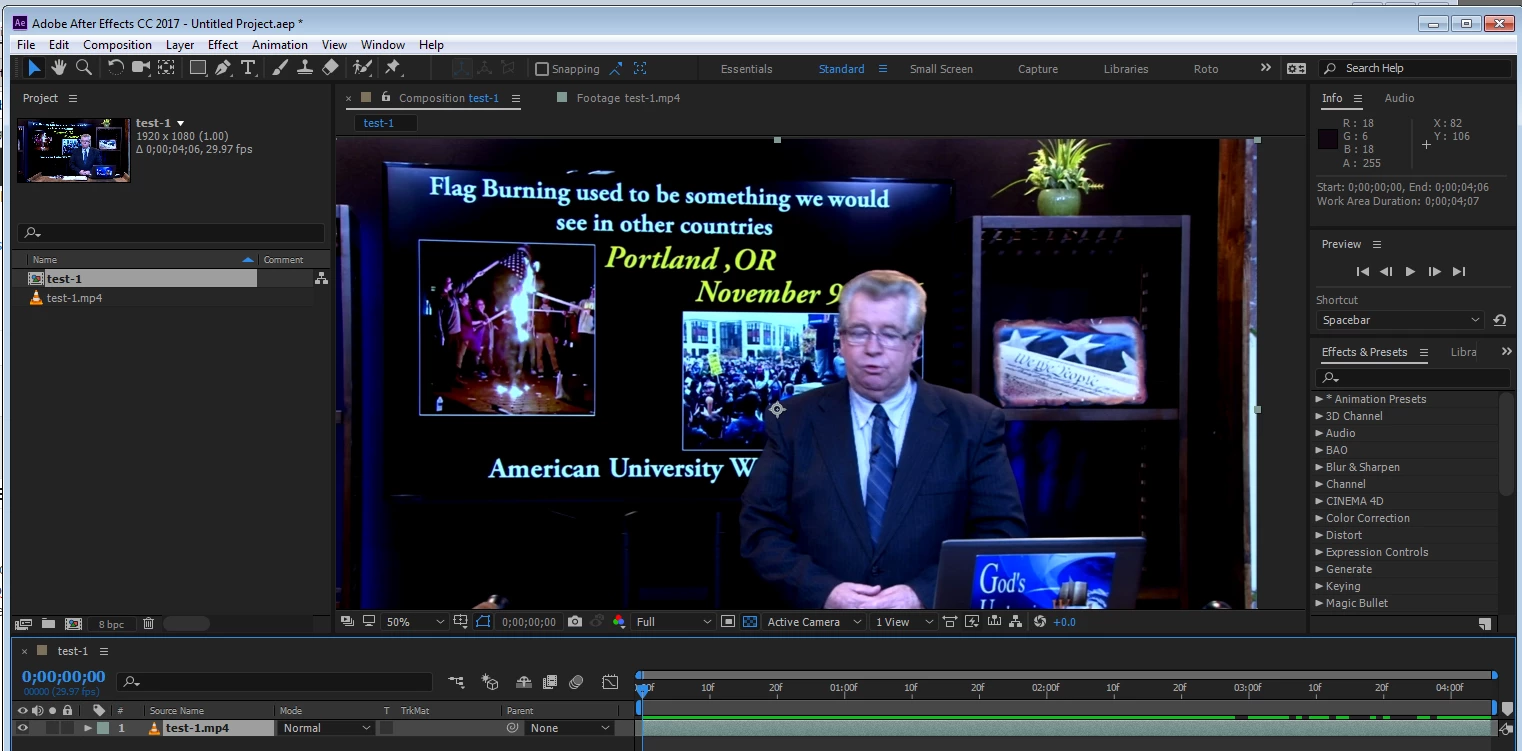
    first thing you should do is determine how much of this footage you need to be rotoscoped. set the in and out point of the frames you want to roto. rotoscoping is a laborious process and you want to work as efficiently and as little as possible. this is a preparation step you can take in your editing software or in Ae. trim your footage to only the part you need to handle.

    for example here I have trimmed the footage and the duration to only 4 seconds I want to work on
    2. how many pixels do I have to Roto?

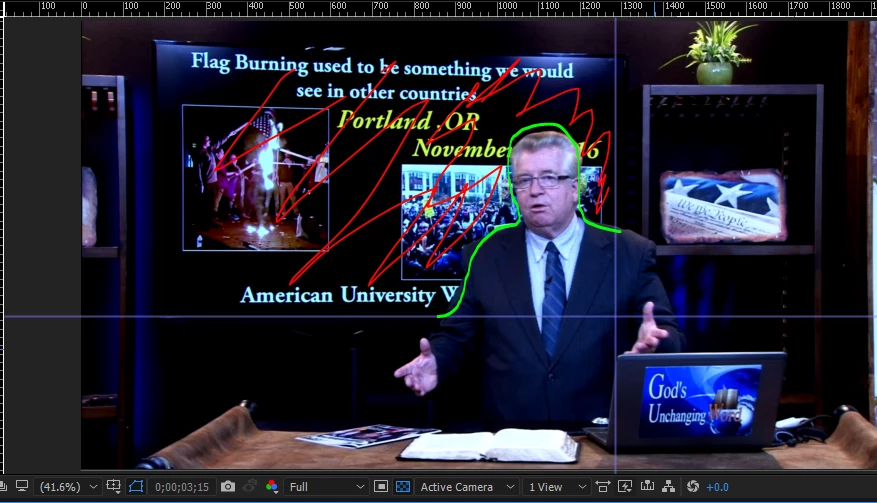
    next step is determining how much pixels you actually have to roto. do I really need the whole person including the desk to appear on a different background? or do I just want to place another image on the background which means I only need to cut a smaller part of the person. here for example I set guides to show me what I need to roto. I have scribbled here in green - the part I want to roto, in red - the new background
    3. Choose a Technique:

    to handle a cut-out of an image from a noisy background you can:

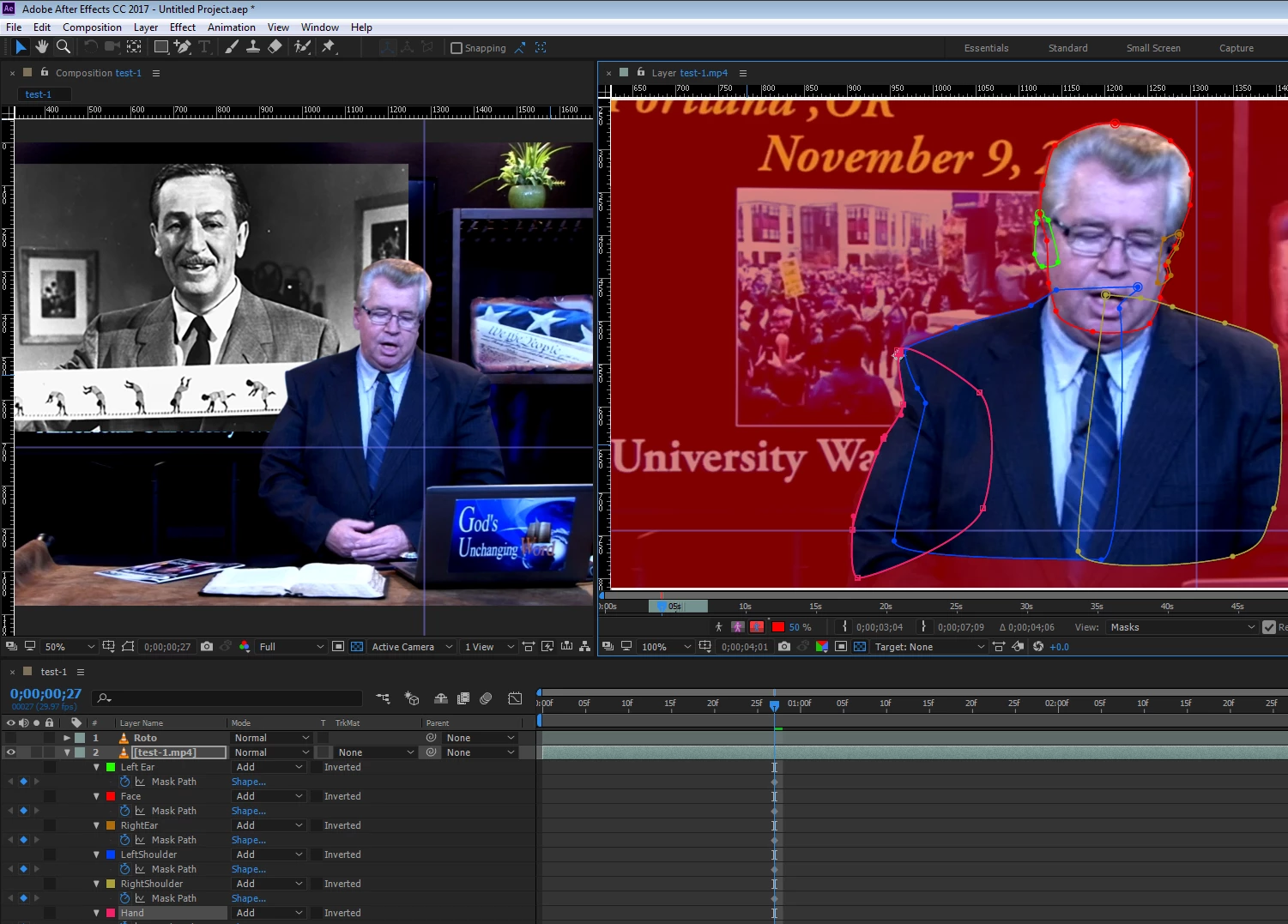
    1. use masks with keyframes: https://helpx.adobe.com/after-effects/using/animating-shape-paths-masks.html

    read carefully the rotoscoping tips in the help files. there is more to it
    2. use Mocha that allows you to track and roto the person in one step: mocha AE Creative Cloud Rotoscoping Demo with Mary Poplin at SIGGRAPH 2013 - YouTube

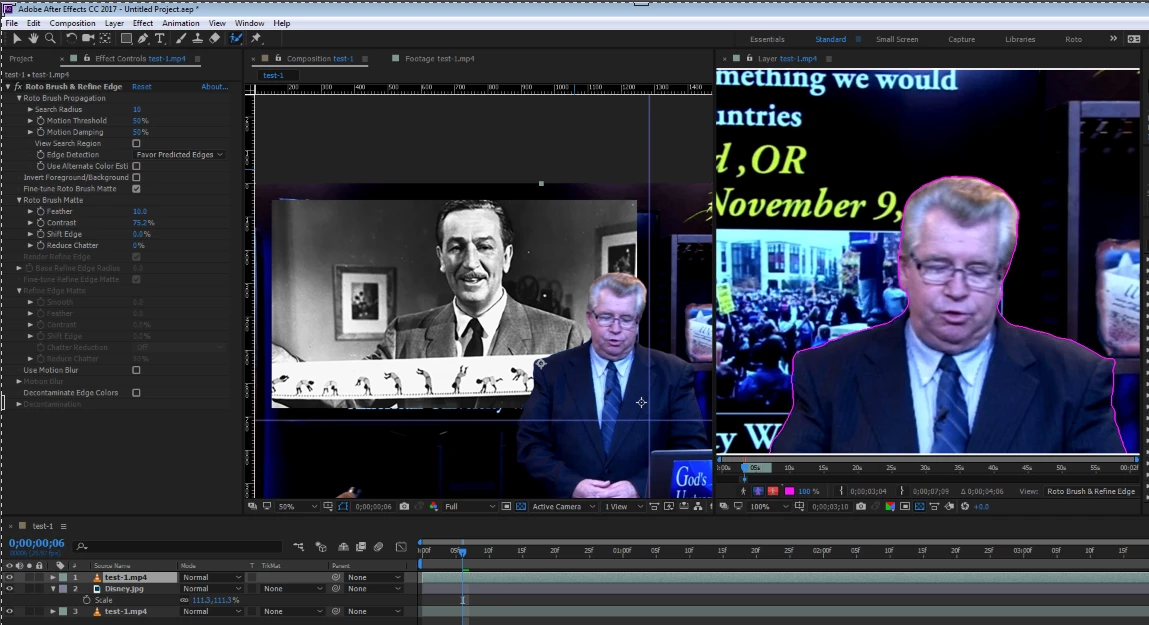
    3. use Rotobrush: the workflow is described in the links I sent earlier
    here's a interesting article: https://www.fxguide.com/featured/the-art-of-roto-2011/

    as you can see - this takes a lot of work.

    Good luck

    1 reply

    Roei Tzoref
    Legend
    December 4, 2016

    this is called Rotoscoping and there are various techniques to achieve a good "roto". choosing a proper technique is based on the type of footage. if you upload a part of the footage via any legit cloud service, we could give you some pointers. sometimes we do the whole thing!

    in the meantime here are some resources:

    Managing and animating shape paths and masks in After Effects

    Use the Roto Brush in After Effects

    Roto Brush and Refine Matte in After Effects

    After Effects CC tutorial: Rotoscoping with paths | lynda.com - YouTube

    jkerry211Author
    Participant
    December 4, 2016

    I don't have a cloud account but can email you a zipped clip.  My email is [email address removed by moderator - please don't post personal information in a public forum]

    Roei Tzoref
    Legend
    December 4, 2016

    gmail has free cloud, also dropbox. I would prefer to keep this communication public so that others can get a shot at it too and learn something or offer an alternative.
