Exit
  • Global community
    • Language:
      • Deutsch
      • English
      • Español
      • Français
      • Português
  • 日本語コミュニティ
  • 한국 커뮤니티
0

Matte is not working on stroke

Enthusiast ,
Dec 30, 2022 Dec 30, 2022

Hello,

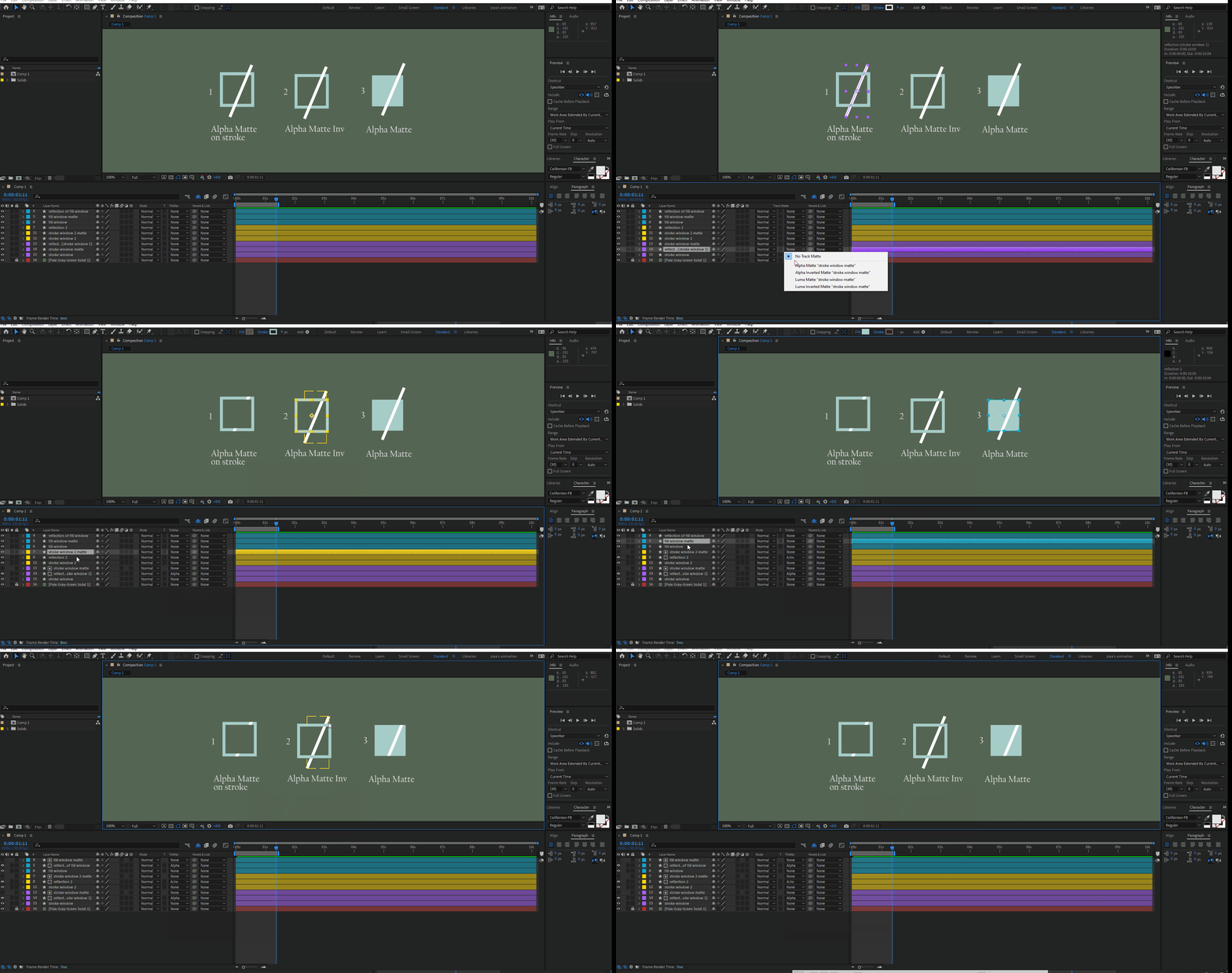
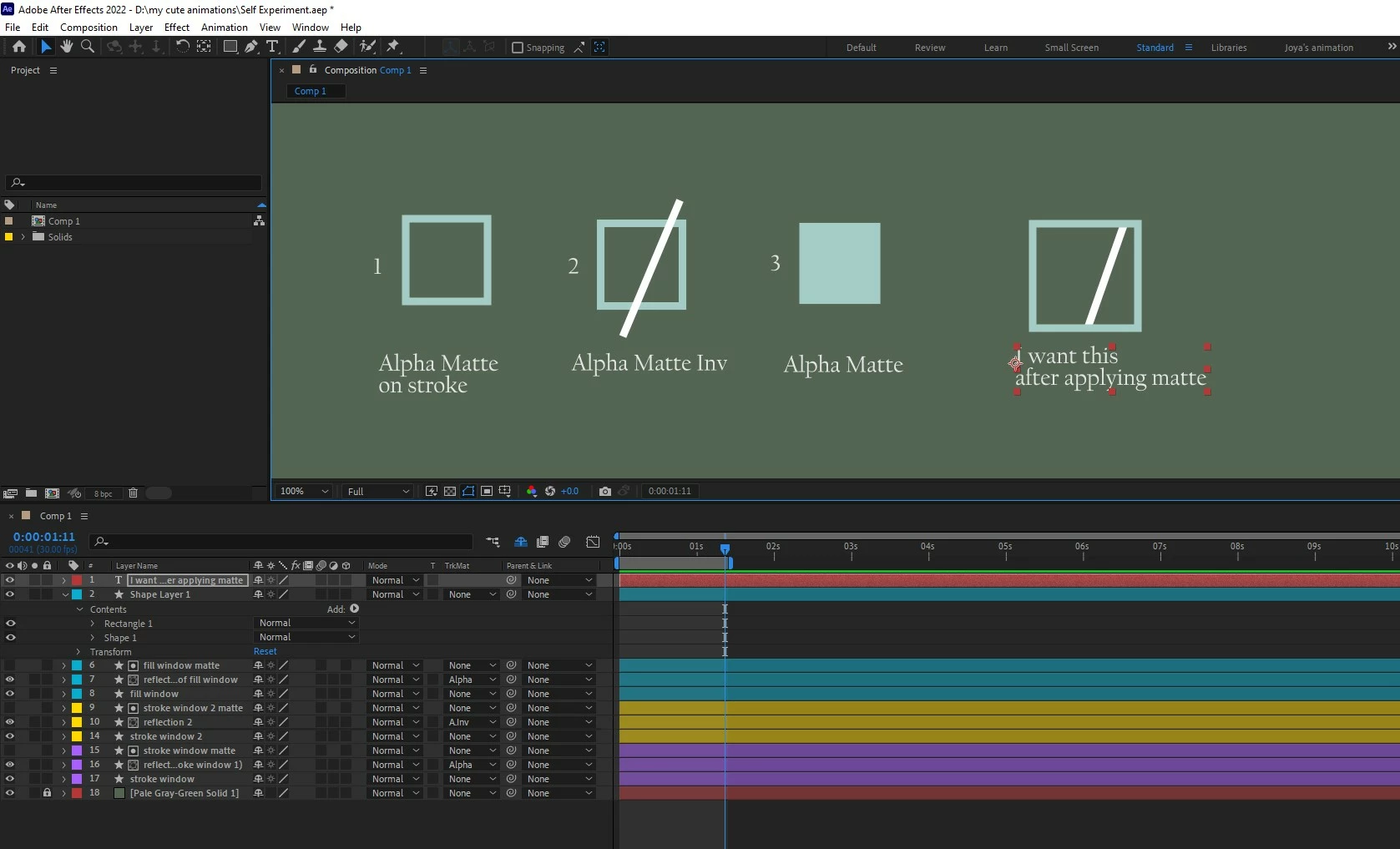
I was following one tutorial where the tutor was animating glares on a glass window. His animation was on a rectangle with fill, no stroke. I paused and was thinking if I can do the same inside a stroke with no fill. but no way I can achieve what I was imagining. I want the same thing with no fill, but inside a stroke.


Please show me where am wrong. 😞 
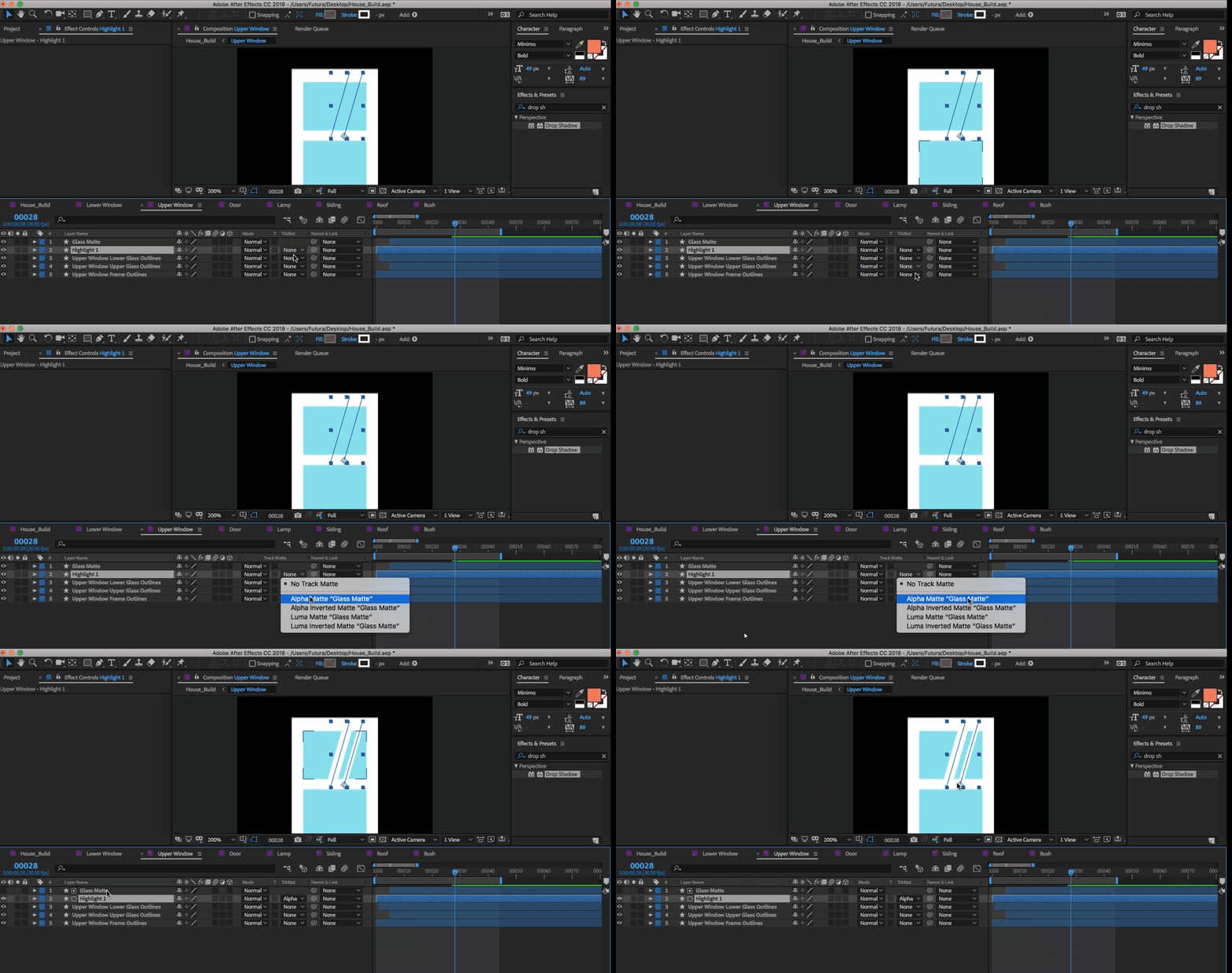
 

The tutorial am followingThe tutorial am followingThe result of my experiment, which miserably  failThe result of my experiment, which miserably failwhat I wantwhat I want

TOPICS
User interface or workspaces
358
Translate
Report
Community guidelines
Be kind and respectful, give credit to the original source of content, and search for duplicates before posting. Learn more
community guidelines

correct answers 1 Correct answer

LEGEND , Dec 30, 2022 Dec 30, 2022

You have a misunderstanding. Of course you have to use a filled rectangle for the matte. A "frame" by itself doesn't cut anything because mattes have no logic to determine what's inside or not. You simply need three layers: The frame at the bottom, the glare stroke and the rectangle as the matte for the glare.


Mylenium 

Translate
LEGEND ,
Dec 30, 2022 Dec 30, 2022

You have a misunderstanding. Of course you have to use a filled rectangle for the matte. A "frame" by itself doesn't cut anything because mattes have no logic to determine what's inside or not. You simply need three layers: The frame at the bottom, the glare stroke and the rectangle as the matte for the glare.


Mylenium 

Translate
Report
Community guidelines
Be kind and respectful, give credit to the original source of content, and search for duplicates before posting. Learn more
community guidelines
Enthusiast ,
Dec 30, 2022 Dec 30, 2022
LATEST

😮 So true. How can I not get that? Thank you so much.

Translate
Report
Community guidelines
Be kind and respectful, give credit to the original source of content, and search for duplicates before posting. Learn more
community guidelines