
Participant
August 15, 2025
Question

MIR 3 Red giant trapcode effect not working

  • August 15, 2025
  • 3 replies
  • 546 views

The MIR effect doesn’t work for me. Every time I apply it, the whole comp goes dark and I get this error: “After Effects error: MIR: OpenGL error: Could not allocate texFBO (glFlush()) (512) (25::241)”.
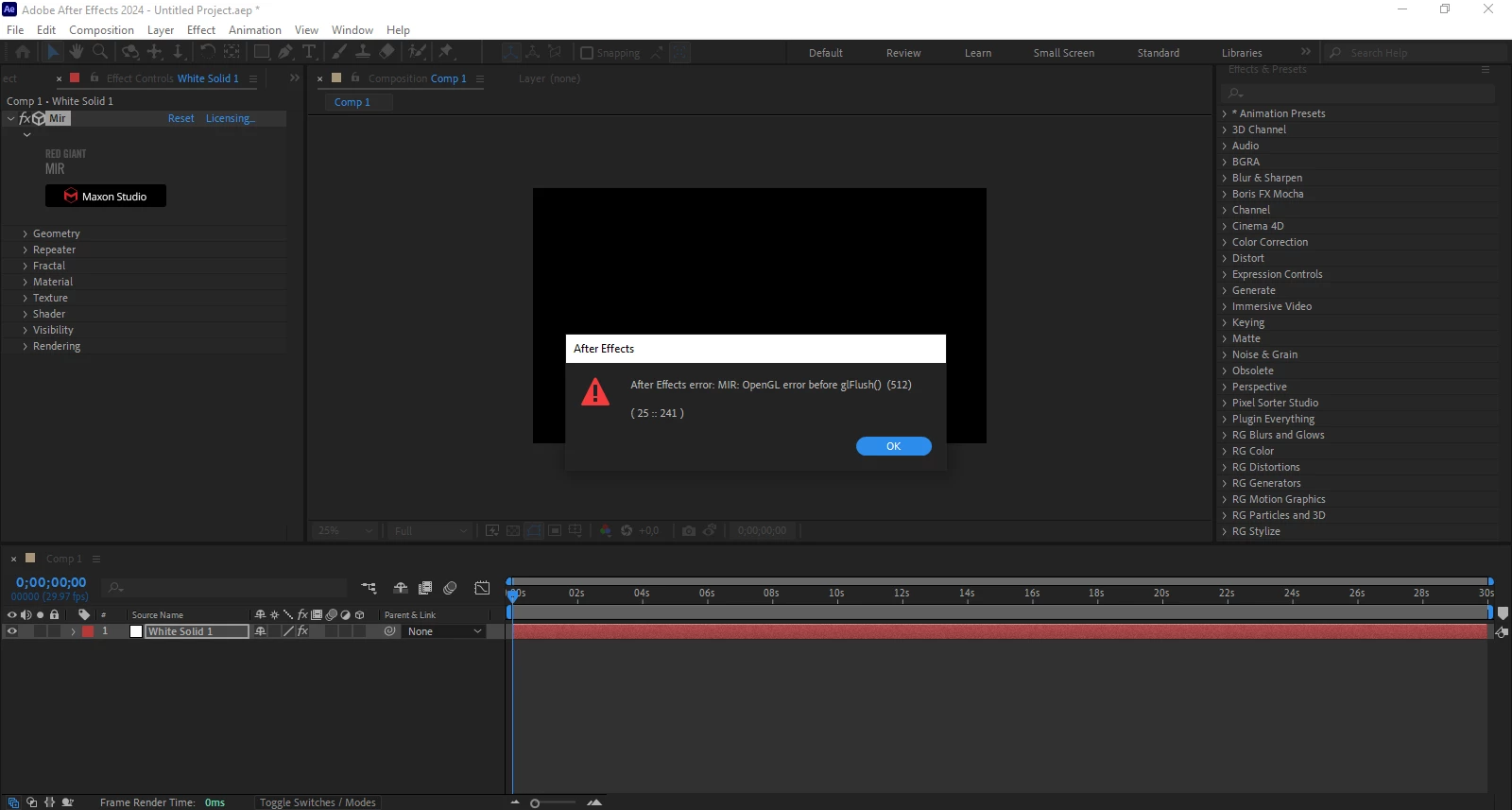
 

This only happens with MIR. Other Trapcode effects like Particular and Tao work fine.

I’ve already tried reinstalling different AMD driver versions (clean installs), reinstalling Windows, installing OpenGL compatibility packs, and using older versions of the plugin and After Effects. Nothing helped.

I use a single monitor, my GPU is an RX 580 8GB, and my CPU doesn’t have integrated graphics. Other effects that use OpenGL work normally. Tech support told me there have been issues with AMD drivers, but if that was the case, old versions should have worked — and they don’t.

I don’t know what else to try. Has anyone run into this and found a solution?

3 replies

Participant
October 14, 2025

I have the same issue on RX6950XT but also with Trapcode Tao 😞

Participant
September 12, 2025

I have this same issue. There's nothing u can do to be honest. I send report to them, 1 year ago and all what i got was classic answer that they're working on fixing it.
Bad luck for us, AMD users cuz this error only affects us. Maybe in few years they'll fix it.

Kevin J. Monahan Jr.
Community Manager
Community Manager
August 15, 2025

Hi there,

Thanks for the message. Very odd that Mir is not working correctly. I would recommend contacting Red Giant support and see if they have a solution for you. 


What I might try is the following: Switch to Mercury Software Only in Project Settings:


  • Choose File > Project Settings > Video Rendering and Effects
  • Set Renderer to Mercury Software Only
  • Restart AE and apply MIR again


This bypasses GPU-based OpenGL rendering and may avoid the texFBO error.


I hope that community might chime in with further advice with this issue. Sorry for the hassle.


Thanks,
Kevin


Kevin Monahan - Sr. Community and Engagement Strategist – Adobe Pro Video and Audio