

Exit
  • Global community
    • Language:
      • Deutsch
      • English
      • Español
      • Français
      • Português
  • 日本語コミュニティ
  • 한국 커뮤니티
0

Missing Video Effects Motion Control in Effect Control Panel

Community Beginner ,
Dec 27, 2022 Dec 27, 2022

I'm convinced I should see a "Video" Effects or "Motion" Control option in my "Effect Controls" Panel, but I see nothing. The clip is selected. I've tried multiple clips including solids, and a new/fresh project. 


Nothing shows the default "motion" "opacity" or "time remapping" options that I'd expect to see. What am I doing wrong here?
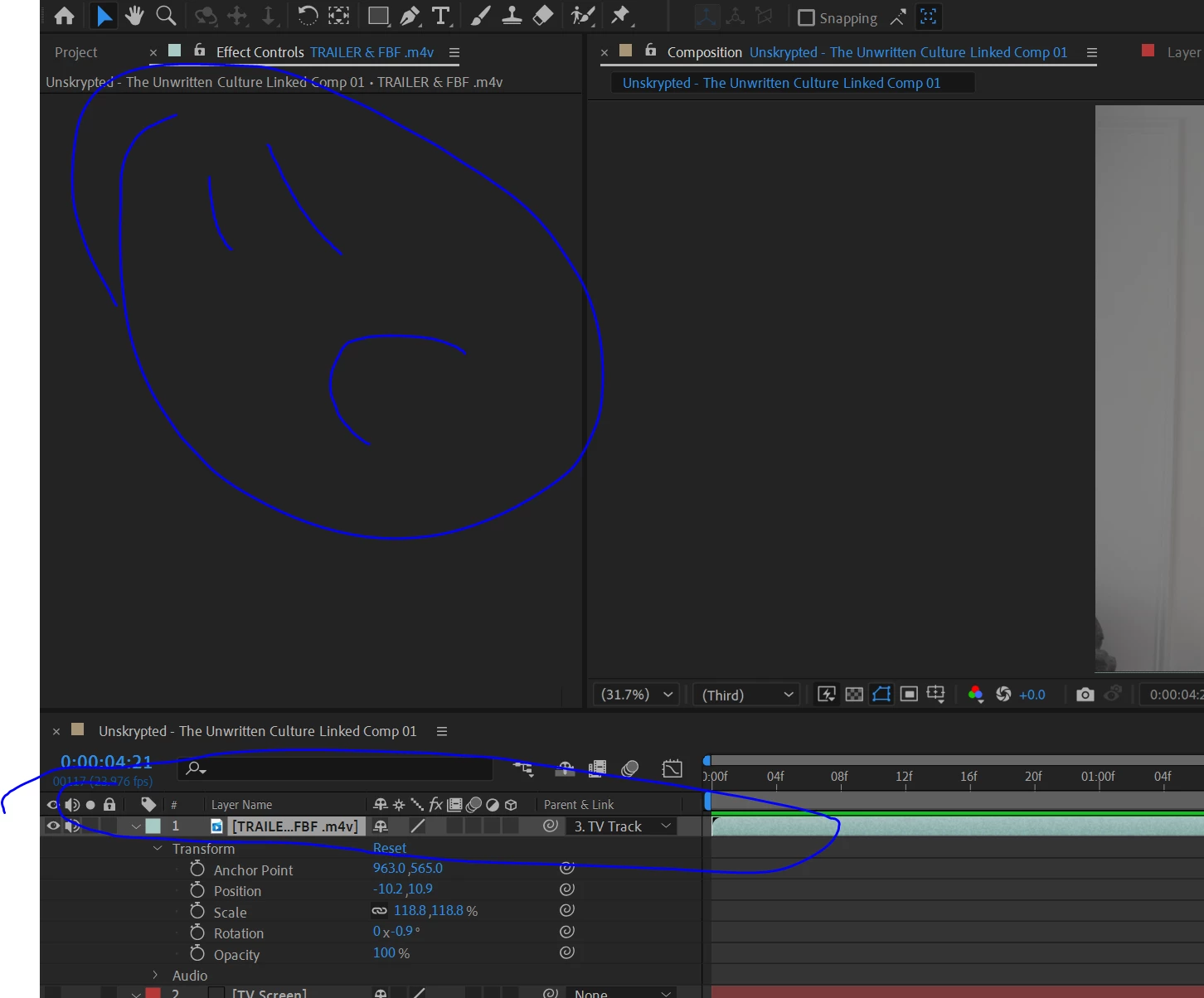
 

motion-control.PNG


Nothing found on Google, need sleep, need answers, client needs product. Please help 🙂


Version: 23.1.0 (Build 83)

Windows 10

TOPICS
Error or problem , User interface or workspaces
626
Translate
Report
Community guidelines
Be kind and respectful, give credit to the original source of content, and search for duplicates before posting. Learn more
community guidelines

correct answers 1 Correct answer

LEGEND , Dec 27, 2022 Dec 27, 2022

No, there is no such thing. You are mistaking the effects panel either for Premiere's clip properties or the Property panel, which is still in Beta and not part of the official releases. You may want to read the online help on some basics.


https://helpx.adobe.com/after-effects/user-guide.html


Mylenium 

Translate
Adobe Employee ,
Dec 27, 2022 Dec 27, 2022

Hi WampooMedia,


Thanks for writing in.

The Effect Controls panel shows only the effects applied and their controls. If you want to preview the video, you can double-click it to preview it in the Layer panel.

Hope it helps.


Thanks,

Nishu

Translate
Report
Community guidelines
Be kind and respectful, give credit to the original source of content, and search for duplicates before posting. Learn more
community guidelines
LEGEND ,
Dec 27, 2022 Dec 27, 2022

No, there is no such thing. You are mistaking the effects panel either for Premiere's clip properties or the Property panel, which is still in Beta and not part of the official releases. You may want to read the online help on some basics.


https://helpx.adobe.com/after-effects/user-guide.html


Mylenium 

Translate
Report
Community guidelines
Be kind and respectful, give credit to the original source of content, and search for duplicates before posting. Learn more
community guidelines
Community Beginner ,
Dec 31, 2022 Dec 31, 2022
LATEST

Ah, you are correct. My expectations were based on Premier Pro. A consequence of lack of sleep.

Translate
Report
Community guidelines
Be kind and respectful, give credit to the original source of content, and search for duplicates before posting. Learn more
community guidelines