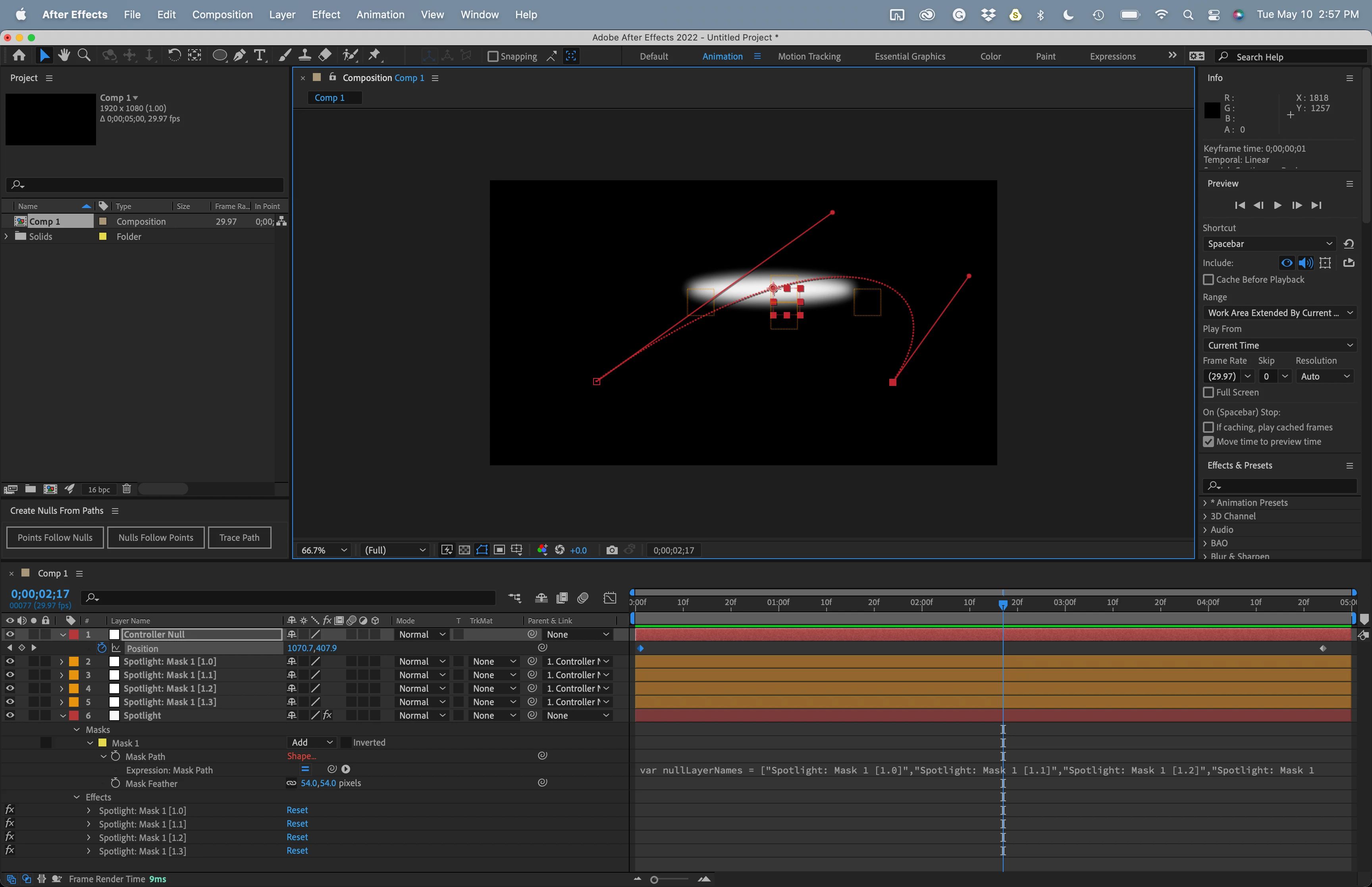
Try using the Window/Create Nulls from Paths.jsx/Points Follow Nulls script. This will attach a null to each vertex on your mask path. Add another Null and call it Controller. Put the Controller null in the center of the mask. Parent all of the Spotlight Layer; Mask 1[1.0] through Spotlight Layer: Mask 1[1.4] to the Controller Null. You can now animate the position, rotation, and sale of the Controller null. You will be able to see and edit the motion path.
I think that creating a blurred circular shape layer, making the layer 3D, then animating the Shape layer position would be a more efficient workflow, and it would render just as fast as an animated mask. A more realistic approach would be to create some 3D solid layers that match the surfaces in the scene, set them to receive lights only, add a spotlight and animate the point of interest for the spotlight and maybe even turn on falloff.

 AdChoices