
Participant
October 20, 2019
Question

Motion blur fading footage?
  • October 20, 2019
  • 1 reply
  • 306 views

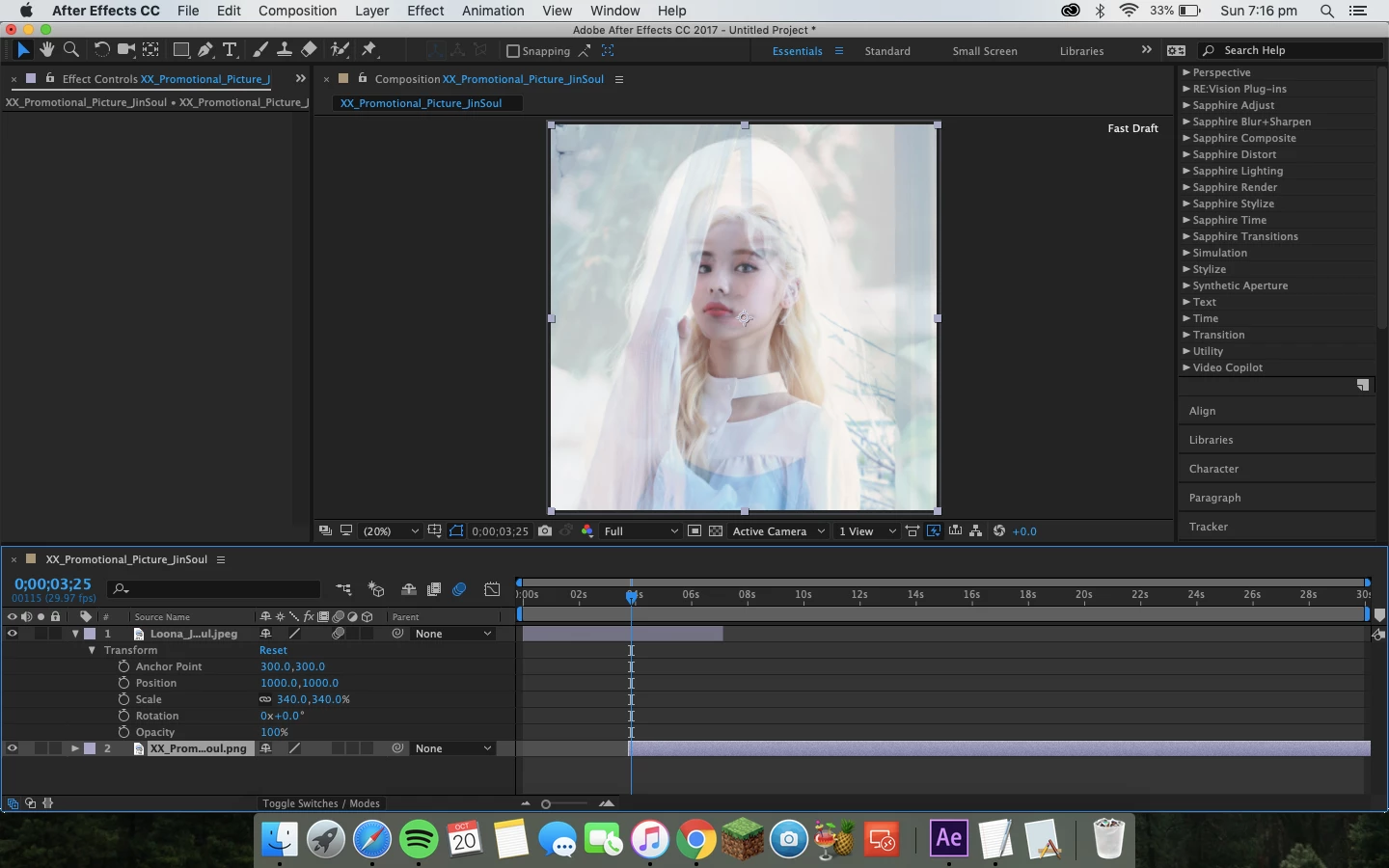
I'm having this problem with my after effects cc 2017 where whenever I click motion blur on my clip it fades? I have no effects on the footage, I've tried reinstalling after effects and resetting system prefrences yet still the same each time? it only shows faded in the preview/project but the clips show up normal in render


(don't know if this helps but I'm currently running macOS Mojave ver 10.14.6, 1.8 GHz intel core i5, Intel HD Graphics 6000 1536 MB)


any help will be grateful 🙂

This topic has been closed for replies.

1 reply

Community Expert
October 20, 2019

There is no motion on that layer, the Magnification Ratio is 20% so you are only seeing one out of every 5 pixels even though the resolution is set to Full instead of Auto which would be more efficient, the comp doesn't look like it is a standard video format, and the fast previews option is set to Draft. I think there is nothing going on that is unusual. Set fast previews to final quality and resolution to Auto and. you should be fine. Then, spend some time with the User Guide and figure out what all of the buttons and switches do in the comp panel.

eaeieAuthor
Participant
October 21, 2019

I changed fast draft to final quality and that did the trick, must've accidentally clicked it somehow, thankyou for the help 🙂