

Richard Rosenman
Inspiring
January 5, 2023
Question

Motion Blur Working Incorrectly With Translation AND Rotation (SDK)

  • January 5, 2023
  • 2 replies
  • 2276 views

Hi gang;


I'm developing a relatively simply particle system (for learning purposes) and I am having difficulty once again with getting motion blur to work correctly with Transform_World.


The issue I'm having is that my motion blur is correct when translating ONLY, or rotating ONLY, but not both.


To explain, I've rendered a few images. In this first image below, the yellow squares are my particle system and the red square is a square shape I drew in After Effects, and aligned to the same rotation as my particle system. I wanted to compare the motion blur of my particle system to the motion blur of an After Effects shape as reference. You can see both my particles and the After Effects shape have keyframed rotation and the motion blur works correctly for both:

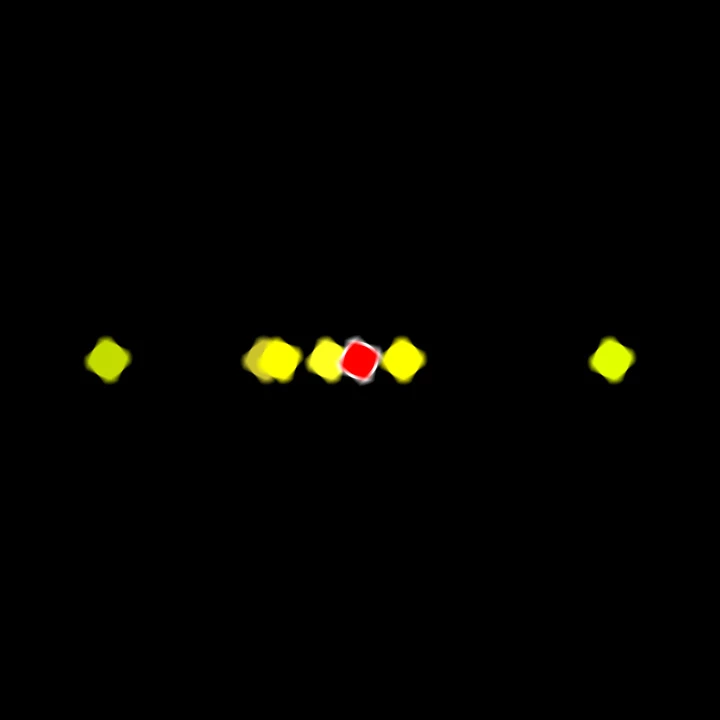
Here is an enlarged image so you can see the working rotational motion blur. You can see the rotation axis is corretly aligned to the center of each square particle and the motion blur is correct. The motion blur of my yellow square particles matches the motion blur of the red After Effects square shape:
In this frame below, I've removed rotational keyframes from my yellow particles and only animated translation. You can see my yellow square particles have correct translational motion blur. The red After Effects shape I drew, still has both rotational and translational motion blur, which you can see (not only can we can it translating, we can also see it rotating): 

Finally, this is a frame that shows my yellow particles with both translational and rotational motion blur. here is where the problem lies. You can see that the motion blur path is arced, whereas the red After Effects shape is correct - it still has a straight vertical motion blur path, with rotational motion blur within it:

If my rotation is clockwise, the path arcs like above. If counter-clockwise, it arcs the other way. The greater the degree of rotation, the greater the arc. Clearly, it is incorrect, especially when compared to the red After Effects shape featuring the same rotation and translation.


My first assumption was that my rotational axis is off but that's clearly not the issue because you can see in the first and second image that rotation without translation is correct. Therefore the rotational axis is also correct.


I though perhaps it's a matter of calling the transform matrices (the before and after) in a different order but I am following the CCU example as show below and I  believe this is the correct order:


SetIdentityMatrix(&mat1);
RotateMatrix(&mat1, in_data, p1rot[p], aboutXF, aboutYF);
ScaleMatrix(&mat1, scale, scale);
TranslateMatrix(&mat1, xpos - aboutXF * scale, ypos - aboutYF * scale);


Could this have to do with requiring more than just 2 (before and after) rotational matrices? Do I need more?


I realize this is a shot in the dark as there is a good chance this might come down to a vague error elsewhere in my code but I am posting it because I'm stumped and I'm hoping perhaps someone else has come across a similar issue before, and might be able to point me in the right direction. Or can perhaps suggest what else to try or look for.


To summarize: my motion blur works correctly when ONLY translating, or ONLY rotating, but not with both.


Thanks,

-Richard

This topic has been closed for replies.

2 replies

Community Expert
January 7, 2023

i do not see any accounting for the anchor point. rotation and scaling always occur around 0,0.

you need to fiest offset the matrix so the center of the buffer is at 0,0 (i.e. -width / 2, -height / 2).

then skew/rotate/scale, and finally translate to the desired position.

Richard Rosenman
Inspiring
January 8, 2023

Hi @James Whiffin & @shachar carmi 


Thank you for your help and suggestions so far.


James, your comment about the increments in rotation made me wonder if that could have anything to do with it and I changed the variables to be constant but unfortunately the issue persists. Makes sense since there should be no issue in increments being constant vs exponential. I also tried your suggestion about using the first position as the anchor for the second rotation, but again, the same issue persists!


Shachar, your feedback was important. I never knew rotation and scale matrices needed to be performed around 0,0. However, I did much testing today based on that and no matter what I tried, I still get an arced motion blur path. I tried your suggestion by first translating the effect world to the effect world's -width / 2, -height / 2 and centered it at 0,0 to perform the rotation. Then I move it back to it's position and translate it for the before and after matrices:


SetIdentityMatrix(&mat1);
TranslateMatrix(&mat1, -psizeParam / 2, -psizeParam / 2);
RotateMatrix(&mat1, in_data, curFrame * 6 + 20, 0, 0);
TranslateMatrix(&mat1, xpos, ypos);


Unfrotunately, the issue persists.


I'm not sure if at this point you guys have any other suggestions to offer but if so, please let me know. I'm really frustrated with what should be a *seemingly* straight forward procedure, and one that is fundamental to almost any plugin in AE! 


So hopefully you guys haven't had enough of my nagging!


For what it's worth, here's that short chunk of code with the modifications you guys suggested. Maybe you'll see something else that could be the culprit:


A_long psizeParam = 24;

ERR(wsP->PF_NewWorld(in_data->effect_ref, psizeParam, psizeParam, true, PF_PixelFormat_ARGB32, &particle_world));


PF_Pixel col = { 255, 255, 255,0 };
ERR(PF_FILL(&col, NULL, &particle_world));


mode.opacity = 255;
mode.opacitySu = 32768;
mode.rgb_only = false;
mode.xfer = PF_Xfer_IN_FRONT;

PF_FloatMatrix mat1;
PF_FloatMatrix mat2;

// Start position incrementing with frame
xpos = 360;
ypos = 100 + curFrame * 8;

// First translate the effect world to center it at 0,0
// Then perform the rotation
// And finally translate it back to where it should go
SetIdentityMatrix(&mat1);
TranslateMatrix(&mat1, -psizeParam / 2, -psizeParam / 2);
RotateMatrix(&mat1, in_data, curFrame * 6, 0, 0);
TranslateMatrix(&mat1, xpos, ypos);

// End position incrementing with frame but this time keeping it constant plus 50 units
xpos = 360;
ypos = 100 + curFrame * 8 + 50;

// First translate the effect world to center it at 0,0
// Then perform the rotation
// And finally translate it back to where it should go
SetIdentityMatrix(&mat2);
TranslateMatrix(&mat2, -psizeParam / 2, -psizeParam / 2);
RotateMatrix(&mat2, in_data, curFrame * 6 + 20, 0, 0);
TranslateMatrix(&mat2, xpos, ypos);

// Note end rotation above is also constant now to the start rotation plus 20 units 

PF_FloatMatrix my_matrices[2];

my_matrices[0] = mat1;
my_matrices[1] = mat2;

PF_Rect dest;
dest.bottom = in_data->height;
dest.left = 0;
dest.right = in_data->width;
dest.top = 0;

err = suites.WorldTransformSuite1()->transform_world(NULL, PF_Quality_HI, PF_MF_Alpha_STRAIGHT, PF_Field_FRAME, &particle_world, &mode, NULL, my_matrices, 2L, true, &dest, output_worldP);

ERR2(suites.WorldSuite1()->dispose_world(in_data->effect_ref, &particle_world));


Regards,

-Richard

James Whiffin
Legend
January 17, 2023

Hi guys;


I am still totally stuck on this impassable issue.


I reached out to Francoisand he also thought the order of matrices was the culprit. He was kind enough to point me to his thread where he shows the order he uses: https://community.adobe.com/t5/after-effects-discussions/compositing-an-image-into-the-layer-with-rotation/m-p/7810755


In specific, this is the order he recommended:


SetIdentityMatrix( &mat);
TranslateMatrix( &mat, pos.x, pos.y, NULL, NULL);
RotateMatrix( &mat, angle, NULL, NULL);
ScaleMatrix( &mat, scale.x, scale.y, NULL, NULL);
TranslateMatrix( &mat, - anchor.x, - anchor.y, NULL, NULL);


The anchor, I presume, is the effect world size / 2.


I have tried the above with my variables to no avail, and a similar issue persists. If I set the position in the first translation matrix but the rotation matrix follows around 0,0 (NULL, NULL), it will obviously rotate the effect world around the top-left hand corner of the screen:


So that won't work. The only way to make Francois' suggestion work is to offset the matrixes like so:


// Offset Info
aboutXF = psizeParam / 2;
aboutYF = psizeParam / 2;

xpos = 360;
ypos = 100 + curFrame * 8;
PF_FpLong angle1 = curFrame * 8;

SetIdentityMatrix(&mat1);
TranslateMatrix(&mat1, xpos - aboutXF, ypos - aboutYF);
RotateMatrix(&mat1, in_data, angle1, xpos, ypos);
TranslateMatrix(&mat1, aboutXF, aboutYF);


And similarly for the after matrix:


xpos = 360;
ypos = 100 + curFrame * 8 + 50;
PF_FpLong angle2 = curFrame * 8 + 45;

SetIdentityMatrix(&mat2);
TranslateMatrix(&mat2, xpos - aboutXF, ypos - aboutYF);
RotateMatrix(&mat2, in_data, angle2, xpos, ypos);
TranslateMatrix(&mat2, aboutXF,  aboutYF);


But this too, creates the same curved motion blur arc and rotating around the xpos, ypos isn't likely going to be a solution. So I am pretty sure this is not the right approach either.


I have been stuck on this seemingly innoculous issue for weeks now. I am not convinced it is the matrices anymore as I have tried just about every possible variation that's been recommended!


What else could I try? Do you see anything wrong with this? 


I will post the current short code for your convenience:


PF_NewWorldFlags	flags = PF_NewWorldFlag_CLEAR_PIXELS;
PF_EffectWorld		particle_world;
AEFX_CLR_STRUCT(particle_world);
PF_CompositeMode mode;
PF_Boolean			deepB = PF_WORLD_IS_DEEP(output_worldP);
PF_FpLong aboutXF;
PF_FpLong aboutYF;
PF_FpLong radiansF;
PF_FpLong sF;
PF_FpLong cF;
PF_FpLong xpos, ypos, scale, fov;

if (deepB) {
	flags |= PF_NewWorldFlag_DEEP_PIXELS;
}


A_long psizeParam = 24;

ERR(wsP->PF_NewWorld(in_data->effect_ref, psizeParam, psizeParam, true, PF_PixelFormat_ARGB32, &particle_world));


PF_Pixel col = { 255, 255, 255,0 };
ERR(PF_FILL(&col, NULL, &particle_world));


mode.opacity = 255;
mode.opacitySu = 32768;
mode.rgb_only = false;
mode.xfer = PF_Xfer_IN_FRONT;

PF_FloatMatrix mat1;
PF_FloatMatrix mat2;

// Offset Info
aboutXF = psizeParam / 2;
aboutYF = psizeParam / 2;

xpos = 360;
ypos = 100 + curFrame * 8;
PF_FpLong angle1 = curFrame * 8;

SetIdentityMatrix(&mat1);
TranslateMatrix(&mat1, xpos - aboutXF, ypos - aboutYF);
RotateMatrix(&mat1, in_data, angle1, xpos, ypos);
TranslateMatrix(&mat1, aboutXF, aboutYF);


xpos = 360;
ypos = 100 + curFrame * 8 + 50;
PF_FpLong angle2 = curFrame * 8 + 45;

SetIdentityMatrix(&mat2);
TranslateMatrix(&mat2, xpos - aboutXF, ypos - aboutYF);
RotateMatrix(&mat2, in_data, angle2, xpos, ypos);
TranslateMatrix(&mat2, aboutXF, aboutYF);


PF_FloatMatrix my_matrices[2];

my_matrices[0] = mat1;
my_matrices[1] = mat2;

PF_Rect dest;
dest.bottom = in_data->height;
dest.left = 0;
dest.right = in_data->width;
dest.top = 0;

	err = suites.WorldTransformSuite1()->transform_world(NULL, PF_Quality_HI, PF_MF_Alpha_STRAIGHT, PF_Field_FRAME, &particle_world, &mode, NULL, my_matrices, 2L, true, &dest, output_worldP);

ERR2(suites.WorldSuite1()->dispose_world(in_data->effect_ref, &particle_world));


Is there anything else you can think of?? Anything at all?


Thanks again for your continued help and support - I need to figure this one out!


-Richard


Hi Richard

I've created a quick example and this seems to be working. Some things to note: the output size is expanded to the composition size. The anchor at a value of 0.5 means the particle will rotate about it's center. The reason I don't use the anchor arguments inside RotateMatrix() is because the ScaleMatrix function doesn't have those, so if you wanted to also scale you would explicitly need to account for the anchor and then reverse it after the scale. 


    PF_FloatMatrix mat, mat2;
    SetIdentityMatrix(&mat);
    
    PF_FpShort anchorX = PF_FpShort(myParamsP->input_worldP->width) * myParamsP->debug_anchorF;
    PF_FpShort anchorY = PF_FpShort(myParamsP->input_worldP->height) * myParamsP->debug_anchorF;
    // if we transformed now, it would sit very top left of comp
    TranslateMatrix(&mat, -anchorX, -anchorY); // move up and left half of the input buffer size to center the anchor
    RotateMatrix(&mat, in_data, myParamsP->debug_top, 0, 0); // rotate it. scale would also go here
    TranslateMatrix(&mat, anchorX, anchorY); // move back to original position
    TranslateMatrix(&mat, myParamsP->debug_left * myParamsP->adaptiveXF, myParamsP->debug_right * myParamsP->adaptiveXF); // now translate the rotated buffer
    
    // second matrix
    SetIdentityMatrix(&mat2);
    TranslateMatrix(&mat2, -anchorX, -anchorY); // move up and left half of the input buffer size to center the anchor
    RotateMatrix(&mat2, in_data, myParamsP->debug_top * 2.0, 0, 0); // rotate it twice as much
    TranslateMatrix(&mat2, anchorX, anchorY); // move back to original position
    TranslateMatrix(&mat2, myParamsP->debug_left * myParamsP->adaptiveXF, (myParamsP->debug_right + 50.0) * myParamsP->adaptiveXF); 
    
    PF_FloatMatrix matrices[2] = { mat, mat2 };

    ERR(in_data->utils->transform_world(in_data->effect_ref,
                                        in_data->quality,
                                        PF_MF_Alpha_STRAIGHT,
                                        in_data->field,
                                        myParamsP->input_worldP,
                                        &composite_mode,
                                        NULL,
                                        matrices,
                                        2,
                                        true,
                                        &myParamsP->output_worldP->extent_hint,
                                        myParamsP->output_worldP));


 Here's a screencap of this in action. The rotation motion blur doesn't change if I move it on the x axis which is correct. Hope that helps!

James Whiffin
Legend
January 5, 2023

Hi Richard

Looks like the anchor is definitely wrong. If you set the order of the matrices correctly you shouldn't need to account for anchor and scale inside the translate. Go back to it just rotating correctly... then if you add the translate AFTER and it mucks up the anchor, put the translate before the rotate.

Richard Rosenman
Inspiring
January 5, 2023

Hi James!


As usual, your help is very much appreciated!


I've spent all day troubleshooting and trying out your suggestions. It seems my particle system has nothing to do with the issue I'm experiencing. I created a short test independent of the rest of my app to test with, and I get the same issue. Perhaps with this much smaller and concise code you might be able to spot what 's wrong?


I've skipped any scaling for now since the issue persists even without it.

PF_NewWorldFlags	flags = PF_NewWorldFlag_CLEAR_PIXELS;
PF_EffectWorld		particle_world;
AEFX_CLR_STRUCT(particle_world);
PF_CompositeMode mode;
PF_Boolean			deepB = PF_WORLD_IS_DEEP(output_worldP);
PF_FpLong aboutXF;
PF_FpLong aboutYF;
PF_FpLong radiansF;
PF_FpLong sF;
PF_FpLong cF;
PF_FpLong xpos, ypos, scale, fov;

if (deepB) {
	flags |= PF_NewWorldFlag_DEEP_PIXELS;
	}


	A_long psizeParam = 24;

	ERR(wsP->PF_NewWorld(in_data->effect_ref, psizeParam, psizeParam, true, PF_PixelFormat_ARGB32, &particle_world));


	PF_Pixel col = { 255, 255, 255,0 };
	ERR(PF_FILL(&col, NULL, &particle_world));


	mode.opacity = 255;
	mode.opacitySu = 32768;
	mode.rgb_only = false;
    mode.xfer = PF_Xfer_IN_FRONT;

	PF_FloatMatrix mat1;
	PF_FloatMatrix mat2;

	// Offset Info
	aboutXF = psizeParam / 2;
	aboutYF = psizeParam / 2;

        // Let's test with curFrame as a temporary measure...
	xpos = 360;
	ypos = 100 + curFrame * 8;

    // Before Matrix
	SetIdentityMatrix(&mat1);
	RotateMatrix(&mat1, in_data, curFrame * 1, psizeParam / 2, psizeParam / 2);
	TranslateMatrix(&mat1, xpos, ypos);

        // Let's test with curFrame as a temporary measure...
	xpos = 360;
	ypos = 100 + curFrame * 10;

    // After Matrix
	SetIdentityMatrix(&mat2);
	RotateMatrix(&mat2, in_data, curFrame * 4, psizeParam / 2, psizeParam / 2);
	TranslateMatrix(&mat2, xpos, ypos);

	PF_FloatMatrix my_matrices[2];

	my_matrices[0] = mat1;
	my_matrices[1] = mat2;

	PF_Rect dest;
	dest.bottom = in_data->height;
	dest.left = 0;
	dest.right = in_data->width;
	dest.top = 0;

	err = suites.WorldTransformSuite1()->transform_world(NULL, PF_Quality_HI, PF_MF_Alpha_STRAIGHT, PF_Field_FRAME, &particle_world, &mode, NULL, my_matrices, 2L, true, &dest, output_worldP);

	ERR2(suites.WorldSuite1()->dispose_world(in_data->effect_ref, &particle_world));


And these matrix functions are pretty much taken from the CCU example but I'll post them here anyway in case something could be wrong with them (however, I've cross-checked them and they seem to be ok).


static void CCU_ConcatMatrix(
	const PF_FloatMatrix* src_matrixP,
	PF_FloatMatrix* dst_matrixP)
{
	PF_FloatMatrix          tmp;

	PF_FpLong                tempF = 0;

	for (register A_long iL = 0; iL < 3; iL++) {
		for (register A_long jL = 0; jL < 3; jL++) {
			tempF = dst_matrixP->mat[iL][0] * src_matrixP->mat[0][jL] +
				dst_matrixP->mat[iL][1] * src_matrixP->mat[1][jL] +
				dst_matrixP->mat[iL][2] * src_matrixP->mat[2][jL];

			tmp.mat[iL][jL] = tempF;
		}
	}
	*dst_matrixP = tmp;
}

void SetIdentityMatrix(
	PF_FloatMatrix* matrixP)
{
	matrixP->mat[0][0] =
	matrixP->mat[1][1] =
	matrixP->mat[2][2] = 1;

	matrixP->mat[0][1] =
	matrixP->mat[0][2] =
	matrixP->mat[1][0] =
	matrixP->mat[1][2] =
	matrixP->mat[2][0] =
	matrixP->mat[2][1] = 0;
}

PF_Err TranslateMatrix(
	PF_FloatMatrix* mP,
	PF_FpLong           offsetX,
	PF_FpLong           offsetY)
{
	PF_Err              err = PF_Err_NONE;
	PF_FloatMatrix      translate;

	translate.mat[0][0] = 1;
	translate.mat[0][1] = 0;
	translate.mat[0][2] = 0;

	translate.mat[1][0] = 0;
	translate.mat[1][1] = 1;
	translate.mat[1][2] = 0;

	translate.mat[2][0] = 0.0 + offsetX;
	translate.mat[2][1] = 0.0 + offsetY;
	translate.mat[2][2] = 1;

	CCU_ConcatMatrix(&translate, mP);
	return err;
}

PF_Err SkewMatrix(
	PF_FloatMatrix* mP,
	PF_FpLong           skewX,
	PF_FpLong           skewY)
{
	PF_Err              err = PF_Err_NONE;
	PF_FloatMatrix      skew;

	skew.mat[0][0] = 1;
	skew.mat[0][1] = skewY;
	skew.mat[0][2] = 0;

	skew.mat[1][0] = skewX;
	skew.mat[1][1] = 1;
	skew.mat[1][2] = 0;

	skew.mat[2][0] = 0;
	skew.mat[2][1] = 0;
	skew.mat[2][2] = 1;

	CCU_ConcatMatrix(&skew, mP);
	return err;
}

Any suggestions would be highly appreciated!


Here is the output which still shows the incorrect arced motion blur path (don't worry about the clipping on the right side - I know this is because the canvas needs to be enlarged):


Thanks!

-Richard

James Whiffin
Legend
January 6, 2023

I believe matrices are computed in the inverse order they were assembled, so I would try the rotate after the translate.   Could you try that and post pictures of it with and without moblur? 


Another option to prove your matrices are correct or not, is to create a plugin that takes a continuously rasterised input buffer, expands the output buffer to composition dims, retrieves the transforms (either via layer2world and decomposing it, or by retrieving individual transform streams through the streams suite), and then you construct a matrix from those transforms to place it in the output buffer. If you turn the effect on and the result is different from the effect not applied, you know something is wrong.