
Participant
March 22, 2023
Question

MP4 File Audio Not Present in Preview nor Upon Render

  • March 22, 2023
  • 1 reply
  • 585 views

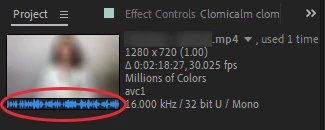
I have brought an MP4 file into my AE composition and no audio is present while previewing the video in AE or after rendering the comp. I can hear the audio in windows media player and see the waveform in the project dialogue preview (below).
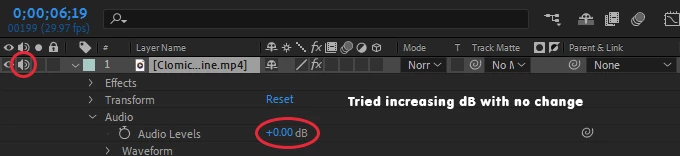
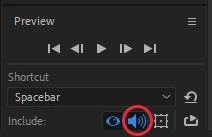
I have also tried increasing the audio's decibels in the timeline and have had no success. And, yes, audio is turned on for previewing. The same MP4 comes into PremierePro with audio, just not AE.
 

Any recommendations would be greatly appreciated!

This topic has been closed for replies.

1 reply

Ishan Y
Community Manager
Community Manager
March 22, 2023

Hey there,

Welcome to the community. I'm sorry to hear about this. Do you only see this issue with a specific file? Can you hear the audio from other media files? Could you go to Window > Audio to check if the panel is picking up the audio? Let us know. We're here to help.


Thanks,

Ishan

Participant
March 23, 2023

It's not only with this file but has happened with other files. I can't seem to find a rhyme or reason as to when it happens and when it doesn't.

No, the audio meter is not registering sound for that portion of my composition.

Ishan Y
Community Manager
Community Manager
April 3, 2023

For clarification, you see this issue occasionally with some files, but it does not always happen. Is that correct? Are you on Windows or macOS? When you see the problem again, could you go to Edit > Preferences > Audio and check if the default output device is set correctly? If that does not work, please try transcoding your media using Handbrake or ShutterEncoder and check if that helps.