As I said before, you cannot have bezier handles if you separate dimensions. It's just not possible because there have to be at least two points to generate a bezier handle. It's a mathematical impossibility.
It is also nearly impossible to adjust timing and maintain the motion path when you try and edit the value graph, even if Separate Dimensions are enabled. Move X and adjust the X value curve in the Graph editor, and you foul up the Y path, and the timing of Y. Adjust the curve for Y, and you change the X values over time. If you do finally manage to get your motion path where you want it, and you turn off Separate Paths, you will end up with a keyframe for both X, Y, and Z (if you are working in 3d) every place there is a keyframe in the separated dimensions. If you need to make further speed changes, things get a lot more difficult.
The only way to have precise control of the Motion Path is to adjust the path or copy a mask or shape layer path and paste it to a position property. Adjusting the Speed Graph is the only way to maintain the same path but change the timing. Change when a path gets to a Y position, and the X path has to change.
This is the same as it is in a 3D app or any other compositing app. If you want a precise pre-defined motion path, you need at least 2 points with a curve. Then you can control acceleration, timing, easing, or whatever the app calls the speed adjustments.
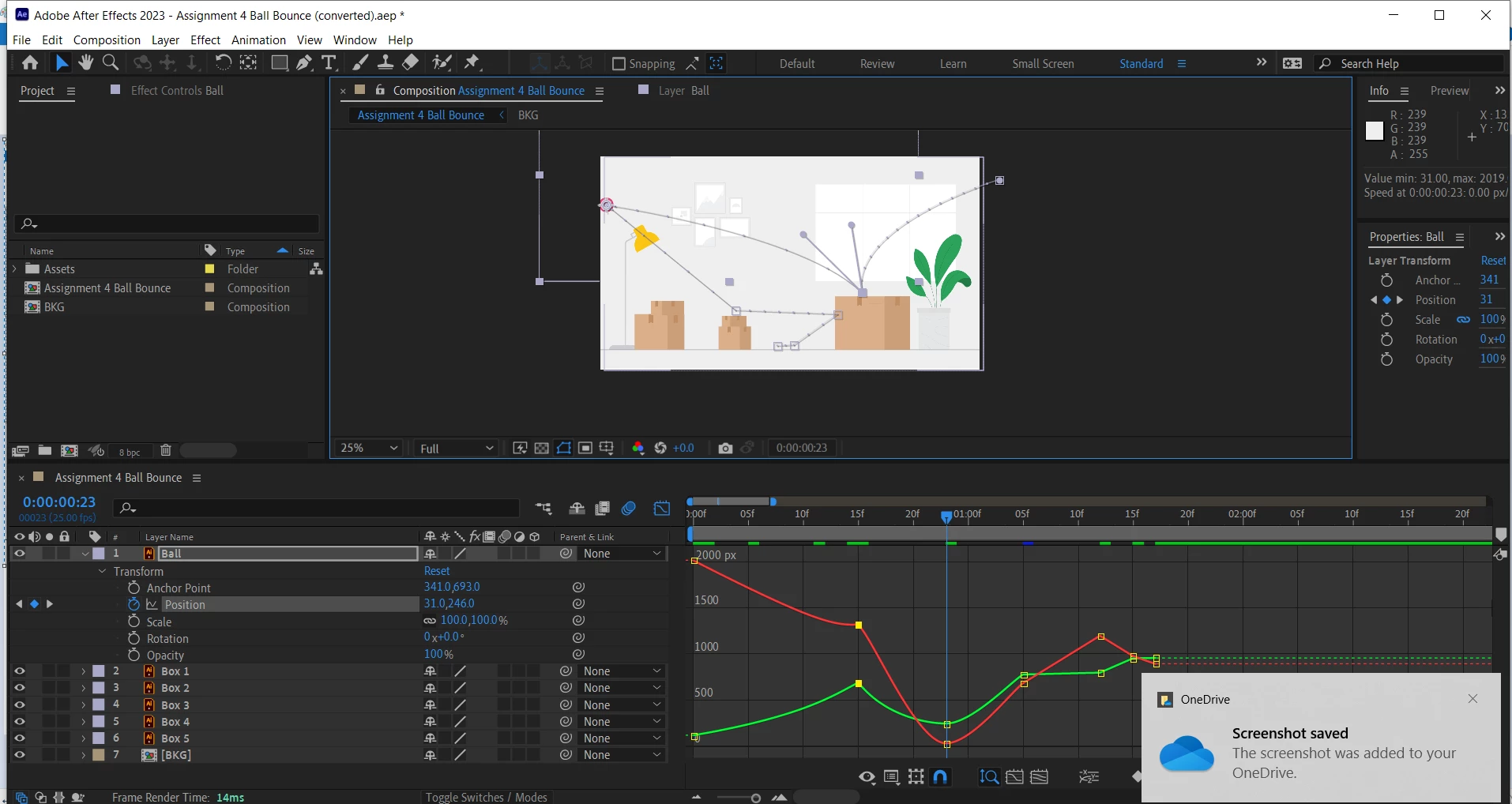
Perhaps I'm using the wrong term but whatever the handles are called (I thought they were called bezier handles) are available without seperating dimentions.
The issue I was having is that they are not visible until edited (which can be done by using the value graph after seperating dimentions and unseperating dimentions.
Anyway this thread is solved because it's simply a matter of selecting the pen tool then clicking and dragging on the key frame on the composition. This allows you to edit the path of the object using the handles (whatever they are called).
Thanks guys!

 AdChoices