
Participant
September 11, 2018
Question

Need help with exporting a zoomed in composition- How to?

  • September 11, 2018
  • 1 reply
  • 1405 views

I'm new to After Effects so this may be a basic question. I have a composition that I worked on while using the magnification ratio popup at 100% zoomed in.

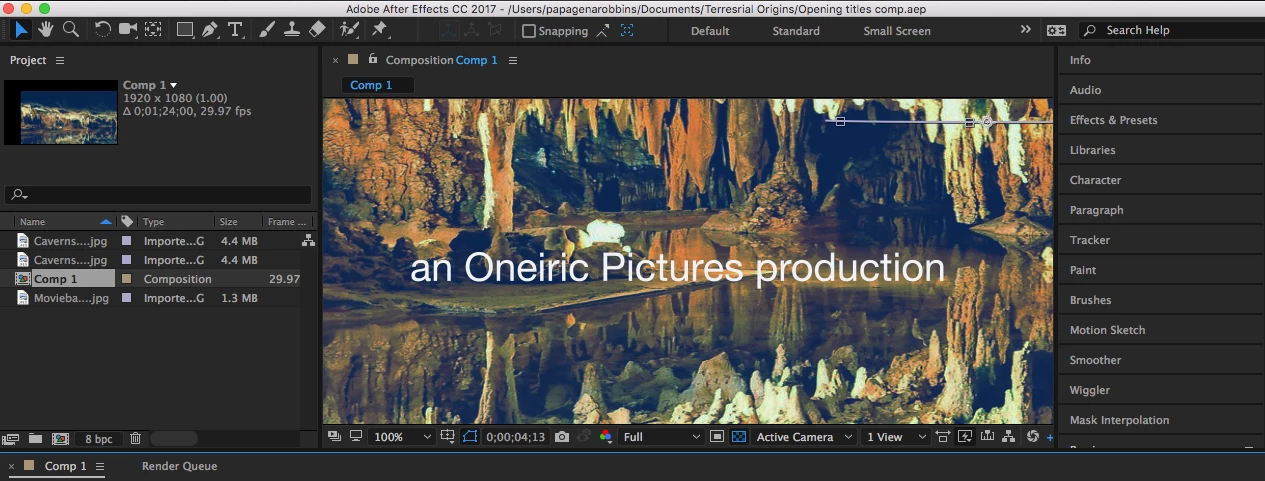
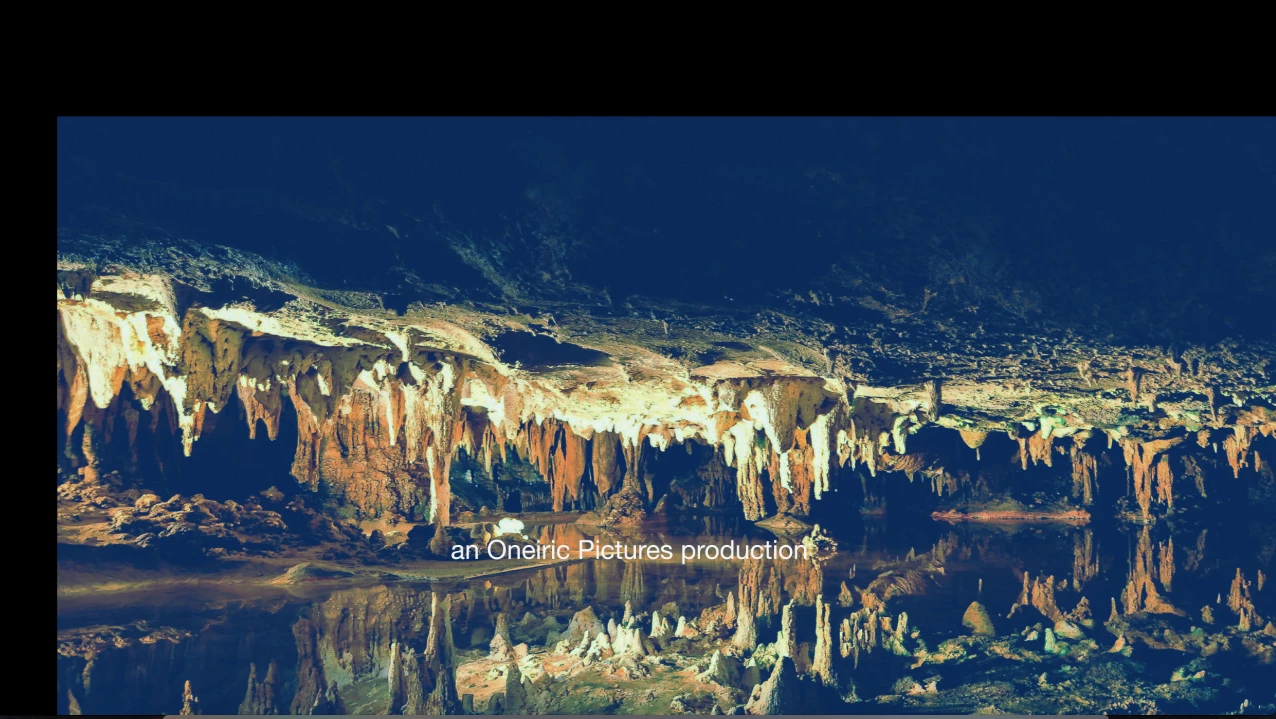
Its a title sequence for a film. I want to render and export the composition to the same 100% magnification. Like it is in the first pic. When I  rendered using PNG codec, Format Quicktime, I got the whole composition, not the zoomed in view I wanted. I did a test a few days ago on a different comp which worked but I can't figure out how I did it  I could have possibly exported with a different preset or aspect ratio. Any feedback would be very helpful. Thank you.  

The first pic gives an example of what i want the final export to look like. The second pic is what I got after exporting.
   

This topic has been closed for replies.

1 reply

dj.summitt
Inspiring
September 11, 2018

OK, so I sincerely recommend going through some beginners tutorials.

The 100% you see is saying that you are seeing it at 100% of its size. Your viewing window is not large enough to show you the entire piece. You've not cropped anything. You are just close to it. You need to press Control K (or CMD K) and change comp settings to be the desired size. Or press S on your highlighted layer and scale up.

matt6224Author
Participant
September 11, 2018

Ok, thanks for your reply Dj.summitt.  I can try that. Is there a preset in the composition settings that I can use that will scale down to the scale I desire?  Or maybe a resize option in lossless output render options? I exported the same composition before and it rendered and was scaled down to what I wanted but I forget the settings I used.

P.M.B
Legend
September 11, 2018

The non-destructive way would be to create a camera and use that to zoom in instead of the preview display.  Your final render will be what the camera sees. This is a more dynamic setup anyway as it leaves you the option to create a bit of movement in your title like a push-in or something.

Without the camera it simply renders the composition dimensions.

The quick but destructive way is to activate the region of interest tool pictured below and then just marquee drag a selection around what you want the entire composition to be (once you release the mouse you can drag the edges of the box if you need to).

Then go to menu Composition>Crop comp to region of interest.

This will set you compositions dimensions to whatever you dragged out.

It;s "destructive" because you lose your original work.  So if you don;t want to lose the original work save a copy before you crop it.  Or just use the camera method.

You should not use the comp display ratio popup for anything other than getting a closer look at what you're working on.   It's not meant to be a substitute for a camera and not meant to dictate final export.

BTW I also agree with dj's suggestion about the basics

~Gutterfish