
New To Editing, Need Advice On Creating Clean Border Around Review Video
Hey there,
So a little context here: Was just tasked with editing the review videos of my company's merchandise and I was wondering how to do something. I've put out two videos already, which they liked for taking my first swing at it, but after talking about what revisions to make I am finally stumped.
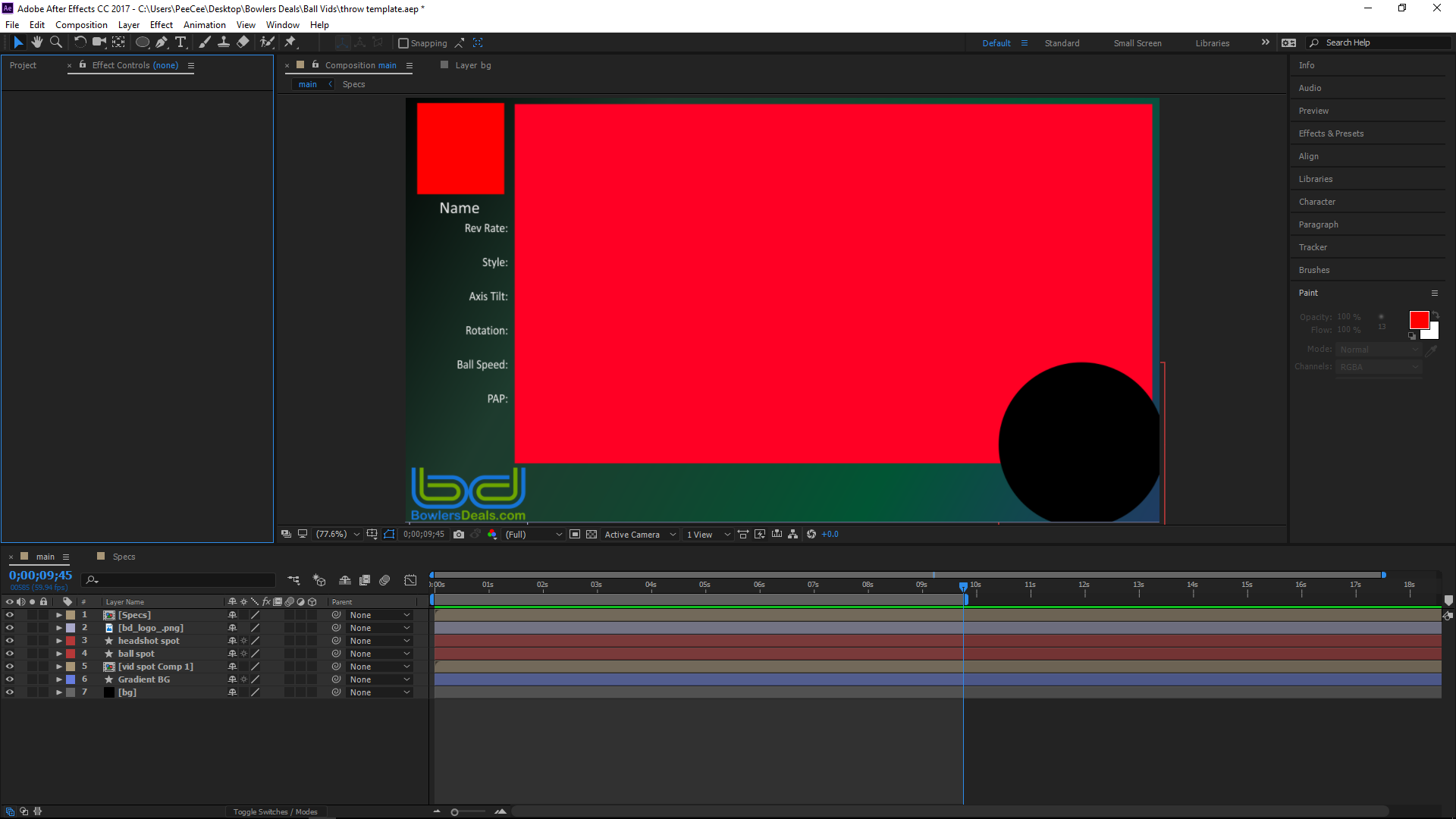
Here is a screenshot of the project I'm working on:
https://gyazo.com/6d67d78f6b354ad11b8a511a925e838e
This is a template in the works that I will use to more quickly put create videos. The big red rectangle is where I plan to put the actual footage of our staff testing the merchandise out in the field, and what they asked me to do was round off the border so that it doesn't look so "blocky" for just a more cleaner look.
I've tried adding a vignette just now and this is sort of I need but the problem is that has these sharp edges here: Gyazo - eebe262ce8b4815dec7e860d8b04debd.png
Basically, I'm trying to to the opposite of a vignette... Any help or tips on how to do something like this would be greatly appreciated!
Thanks
Mike
 AdChoices