
juliav11102175
Participant
February 8, 2017
Answered

No Audio on Adobe After Effects CC 2017 Playback ON ANY METHOD?

  • February 8, 2017
  • 3 replies
  • 109537 views

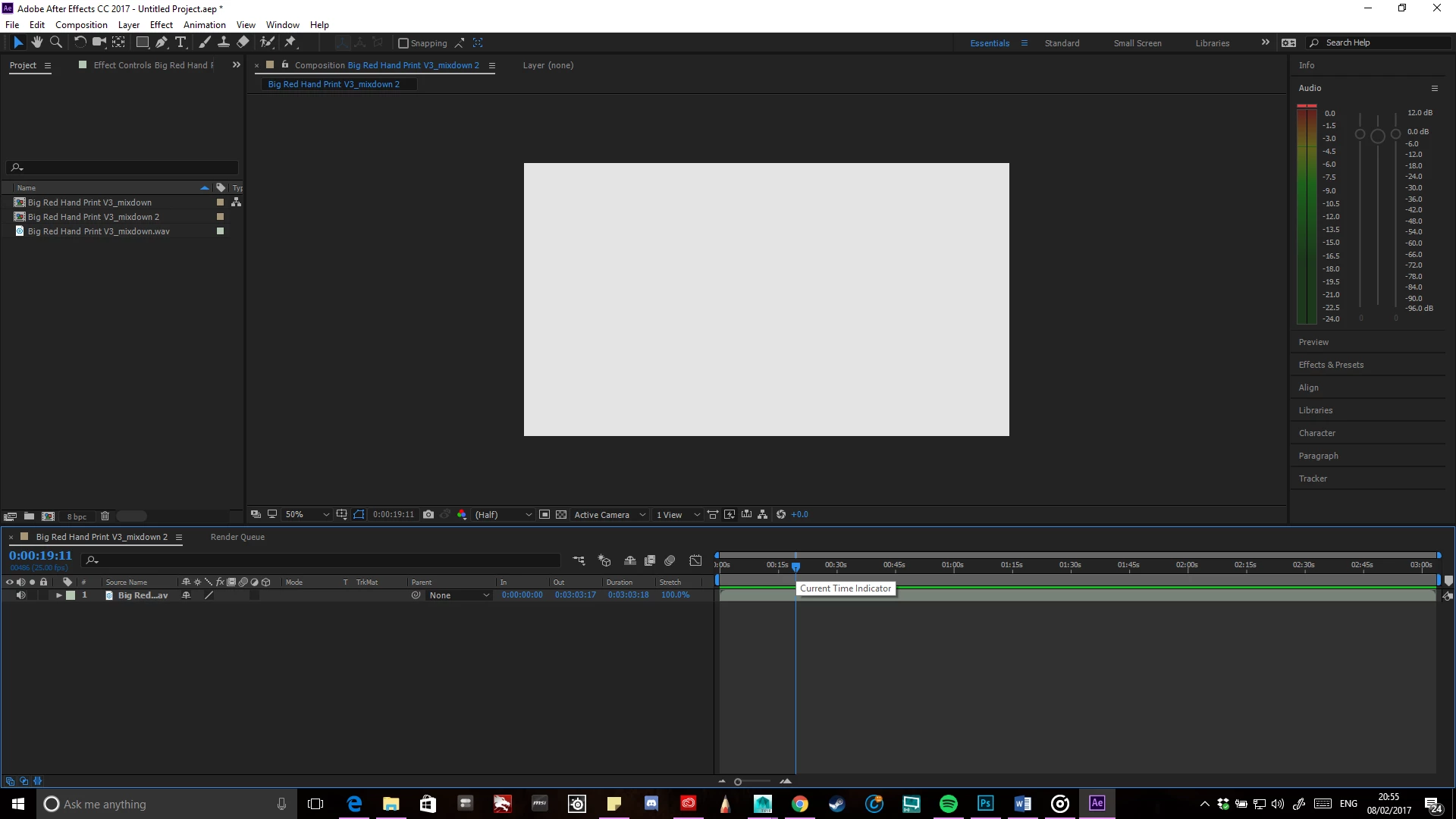
I've been trying my utmost best not to throw my laptop on the floor at this point. For the past two days, I have tried numerous clips, snippets and full on films to try and see why my AE CC 2017 WILL NOT PLAYBACK THE DAMN AUDIO. As far as I can tell all of the settings are by default and should work. I have imported many different files to test this and to no avail. I see the audio's green bar fill when I ctrl+scrub, nothing plays back or no green bar when I press space or (.), just the small red bar bleeping upon hearing the audio. The waveform is visible and all the sound icons are clearly not muted.I really need to get this to bloody work as I have less than 2 months to completed an Animatic and an Animation for my final year project. WHAT THE HECK SHOULD I DO!
[Moved from non-technical Forum Lounge to specific Program forum... Mod]

[Here is the list of all Adobe forums... https://forums.adobe.com/welcome]

This topic has been closed for replies.
Correct answer eikonoklastes

When you try to play the audio, do you see activity in the audio meters? If yes then:

Check your Preferences > Audio Hardware, and make sure that AE is outputting to the same device that your system is using, and that  it is not muted.

3 replies

Participant
July 18, 2018

I'm using After effects CC 2015. I had the same issue. Everything else was unmuted and correct as people mentioned. I couldn't find what was making the sound muted. I had to go under Preferences > Previews > uncheck "Mute Audio When Preview Is Not Real-time".

Participant
December 24, 2017

This hasn't helped everytime I try to open my settings it says it has to open something that takes a few minutes

eikonoklastesCorrect answer
Legend
February 9, 2017

When you try to play the audio, do you see activity in the audio meters? If yes then:

Check your Preferences > Audio Hardware, and make sure that AE is outputting to the same device that your system is using, and that  it is not muted.

Participant
June 4, 2017

I am experiencing this same thing and my Preferences > Audio Hardware is set to the correct speaker output. But when I try to play the video clip, I do not see any activity in the audio meters even though I can see the audio track and the waveform in the Comp.

Driving me crazy(er)...

TIA

Brian

Participant
June 4, 2017

I'm going to answer my own question: After a bit of extra digging, I found that the Audio was muted in Previews. To unmute it, I switched to the Essentials workspace, and then expanded the Preview section on the far right. In the Include: buttons, the Audio button was not clicked. Toggling it on (it turns blue) fixed my problem.