
Participating Frequently
August 2, 2018
Answered

No Frames in Exported Composition

  • August 2, 2018
  • 2 replies
  • 1551 views

I'm a newbie to After Effects so this may be a simpleton issue but I'm not finding a resolution:

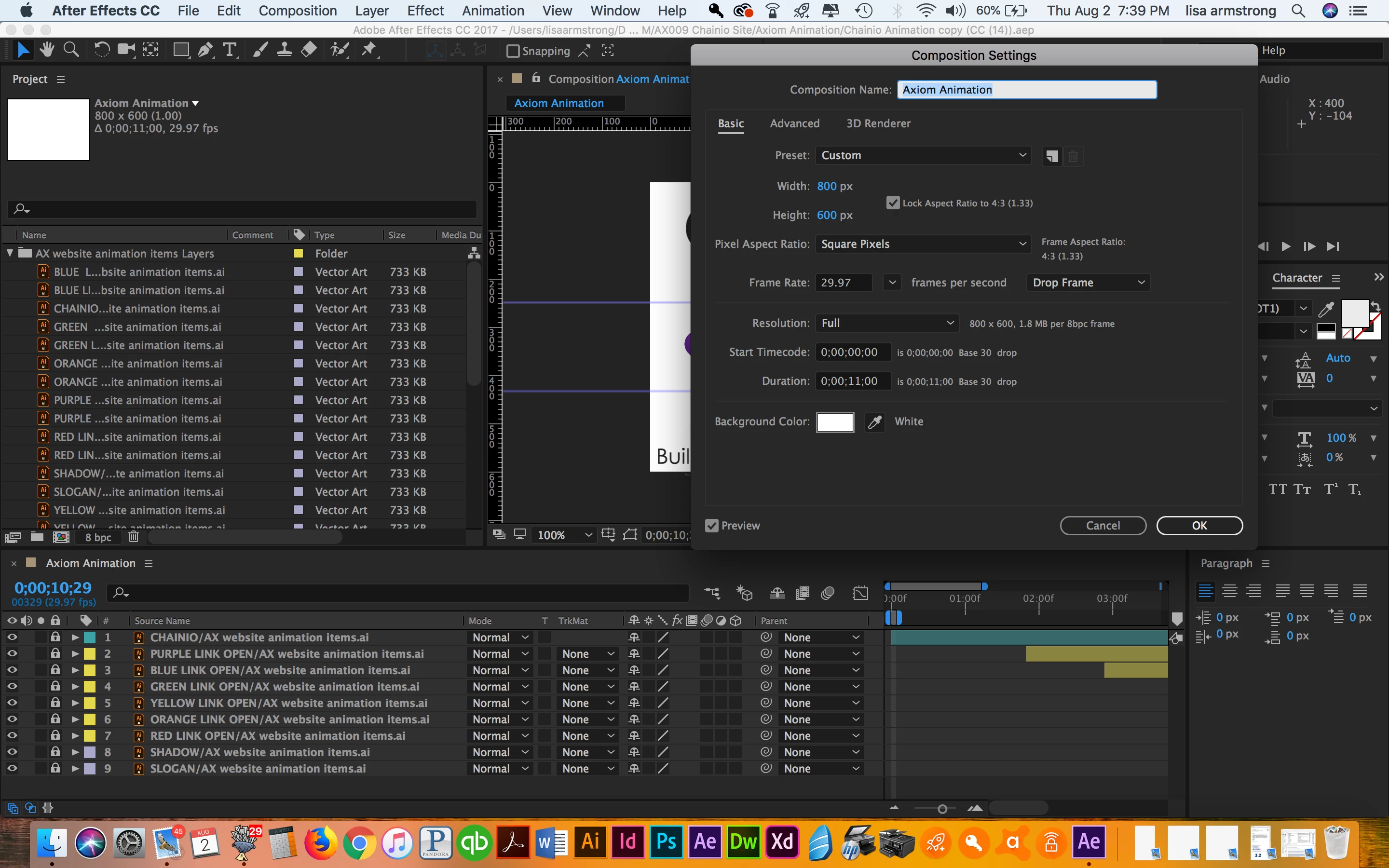
I created an animation but when I go to render it the resulting product has no frames. I've tried Adobe Encoder and Bodymovin, watch a number of videos but I can't resolve the issue. What am I overlooking?

* Correction: I've used After Effects before but  its been a long while so I feel like a newbie.
    This topic has been closed for replies.
    Correct answer Szalam


    Found the problem in that screenshot. Your work area is set to only be, like, a frame. Reset your work area to be the length of the whole comp and it'll render the whole comp.

    2 replies

    Dave_LaRonde
    Inspiring
    August 2, 2018

    That's not much to go on.  Darned little, in fact.  At this point, I can only tell you to check your comp for Guide Layers.  Guide layers don't render.  In the timeline, you'd see blue hashtag icons on the layers.  Toggle them off by clicking on there hashtags.

    Participating Frequently
    August 2, 2018

    Sorry, not intentionally being vague--just don't know what info to provide. Like I said, I'm using primarily default settings for everything (except its 10 seconds long). Have multiple layers and elements (about 8). When I go to render, say, with Bodymovin, it's just spinning looking for the images to export. When it finishes the exported animation is a black screen--not eve the white screen in my composition setting.

    Dave_LaRonde
    Inspiring
    August 2, 2018

    Sorry, I'm not familiar with Bodymovin... which leads me to believe it's the source of your woes.

    Participating Frequently
    August 2, 2018

    Also, I'm using the default composition settings.