
No Motion Paths on Shape Layer Object When Using Transform Position to Set Keyframes
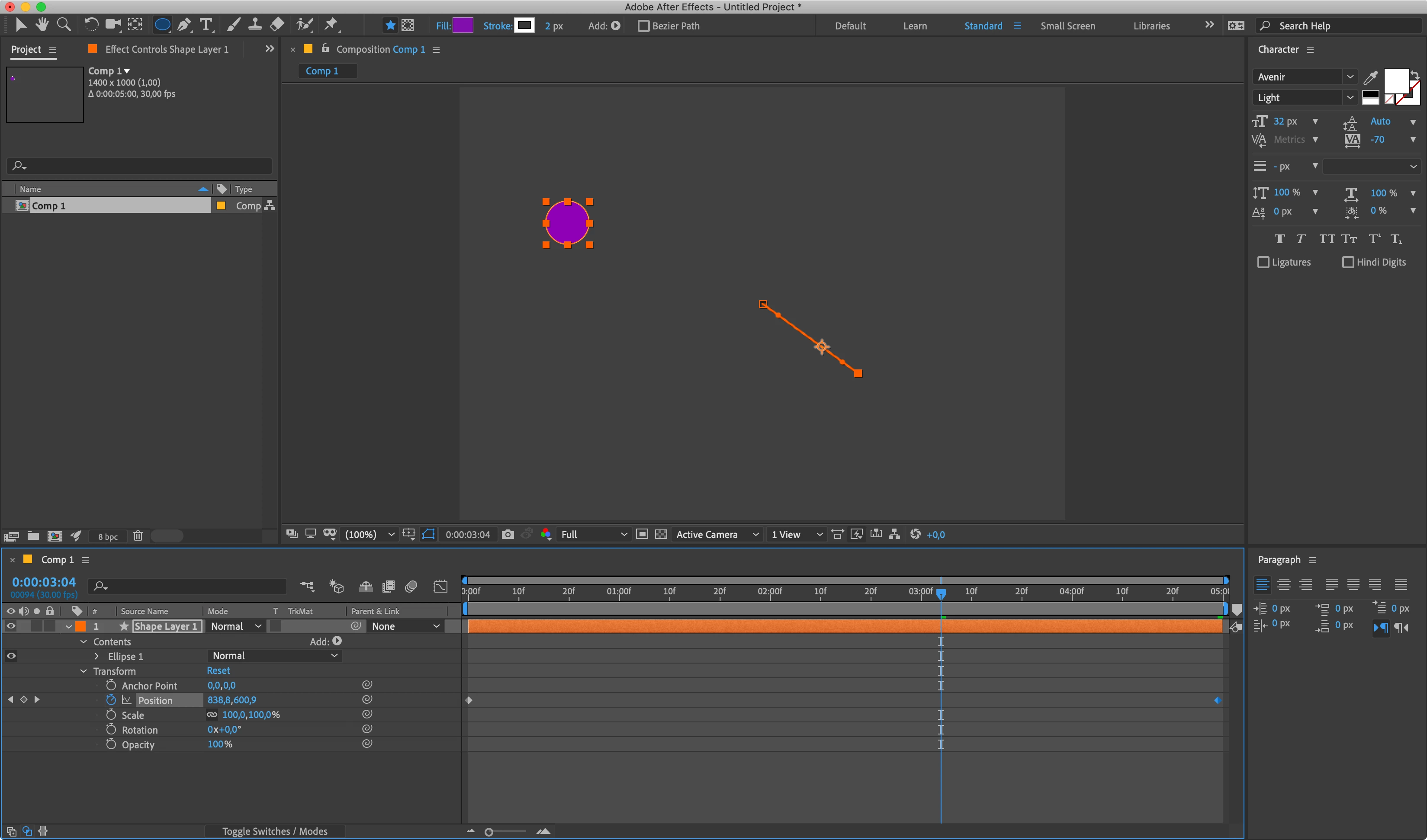
Hello. I am trying to alter the path of a shape object as its position moves through time. This should be easy, however, when I set keyframes for the positon of the object, there is no motion path, so I can't alter the Bezier handles that would typically be present. I have read a lot on the forums, and I have tried all of the suggestions to no avail. Perhaps somebody could point out where I am going wrong, or perhaps make a suggestion as to an option I might have configured incorrectly.
Here is the problem:
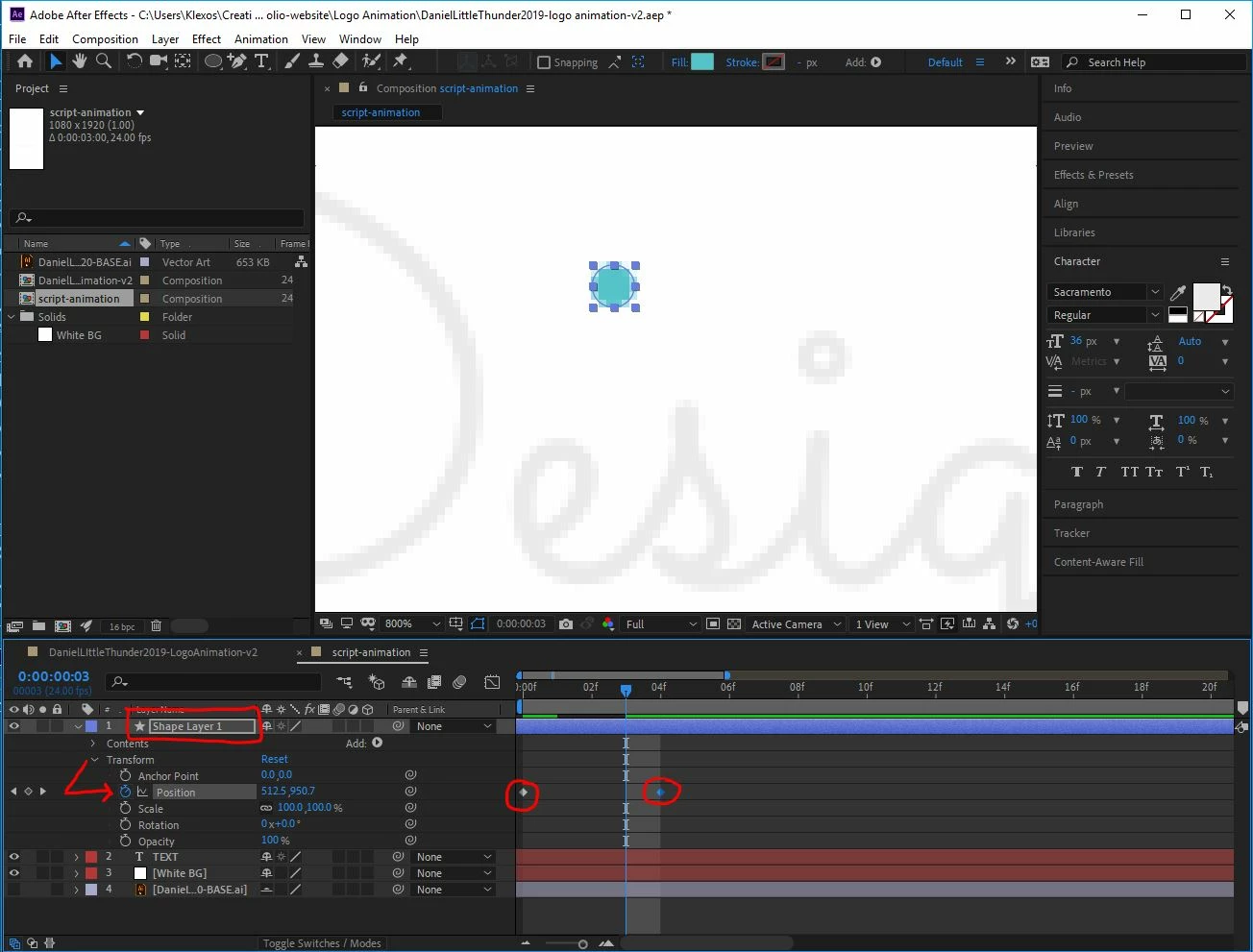
As you can see, I have a shape layer that has keyframes set for the Position property of the Transform controls. My playhead is positioned between the 2 keyframes, yet there is no motion path that I can manipulate using anchor points or Bezier handles.
Here are the proposed solutions I have tried:
Solution 1
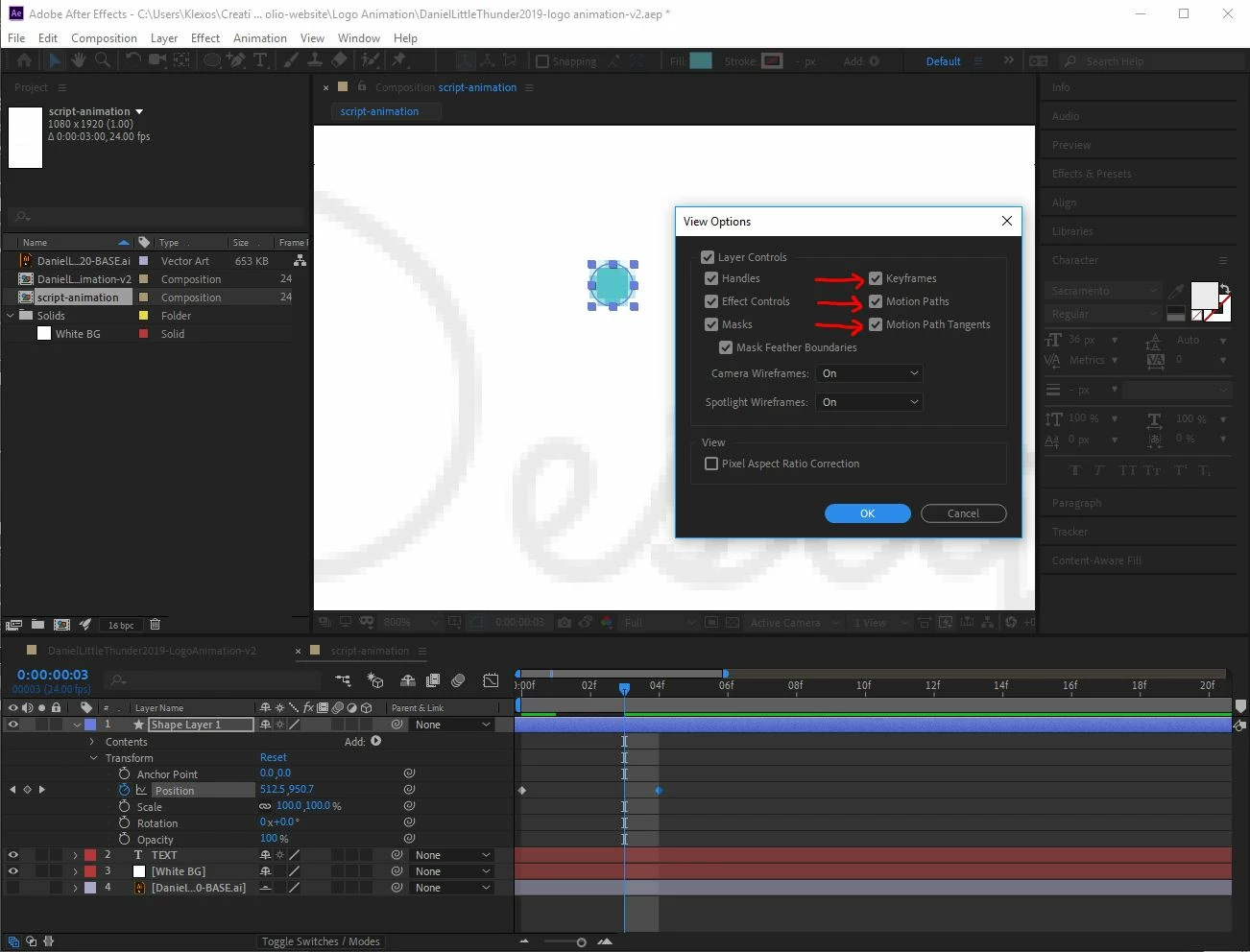
In the Composition panel, under Panel Options>View Options..., I have AE set to display Masks, Motion Paths, and Motion Path Tangents.
Solution 2
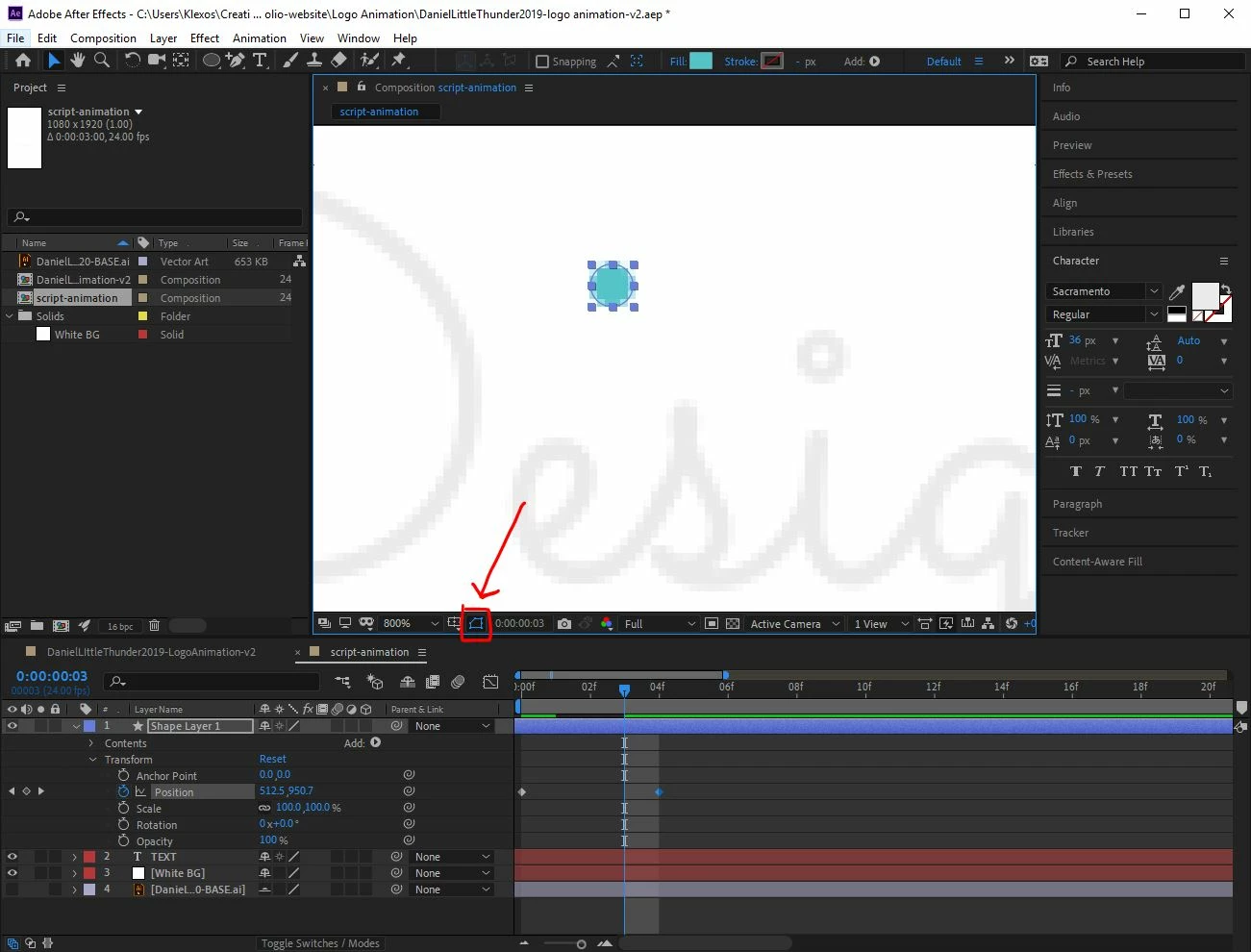
In the Composition panel I have also enabled Toggle Mask and Shape Path Visibility. This is evident because the path outline is showing up on the shape in the Composition panel, yet there is no Motion Path.
Solution 3
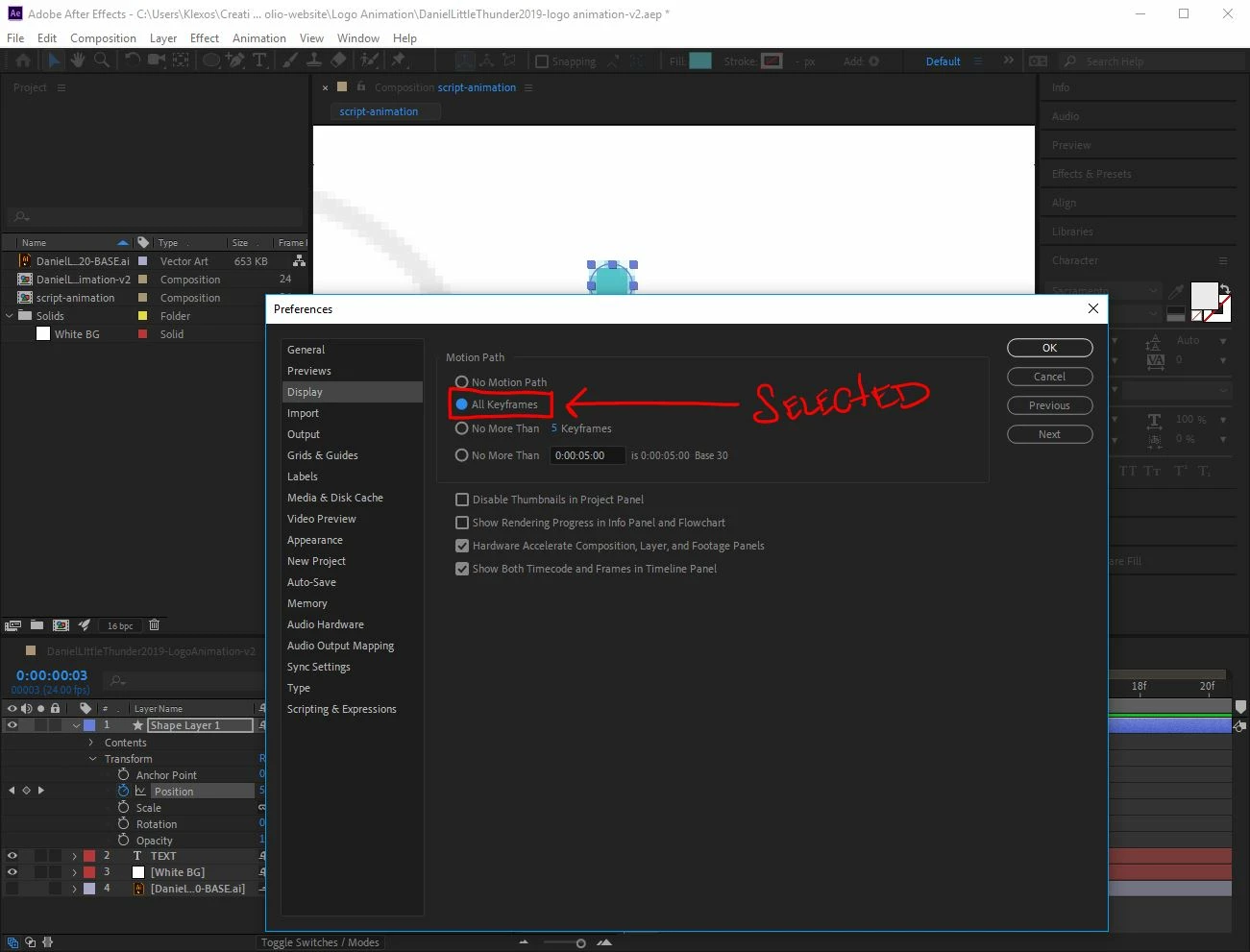
Under Edit>Preferences>Display I have selected the option for All Keyframes. Still no Motion Path.
I am at a loss as to where to go from here. When I use the pen to to create a shape, I can still create paths with handles, fills, and strokes, but even then, when I change the Position property of the Transform controls, I get no Motion Path.
Tech Specs:

Adobe After Effects Version 16.1.2 (Build 55)
No Creative Cloud updates available
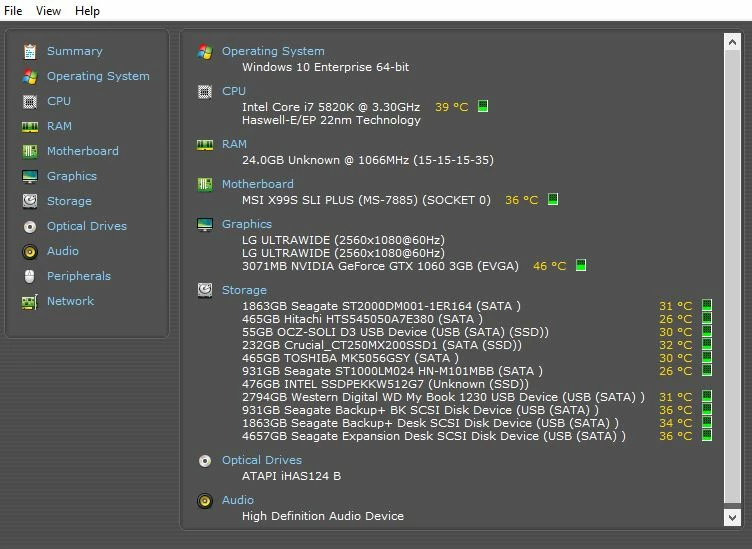
Windows 10 Enterprise 64-bit OS
Intel Core i7 Haswell-E/EP CPU
24GB DDR4 RAM
3GB EVGA NVidia GeForce GTX 1060 GPU
 AdChoices