
RiccaBucks
Participating Frequently
November 1, 2022
Answered

not seeing Green/blue pre render bars

  • November 1, 2022
  • 2 replies
  • 1441 views

Hello,
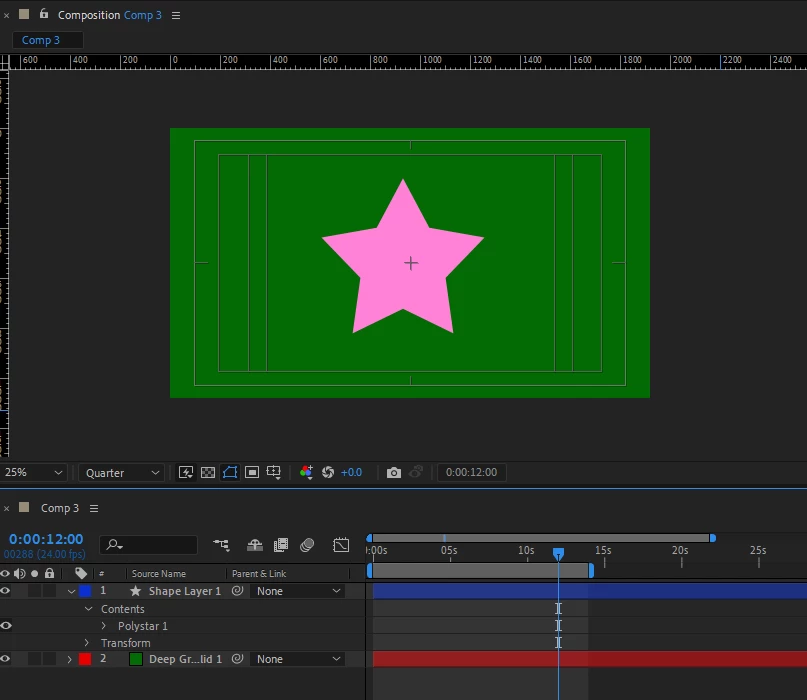
I'm not getting the blue/green pre render bar on either my 2022 or 2023 AE. it apears to be caching because when I purge cache it clears meda. But, its not showing the bars so im never sure what is caching and what is not. 
Steps already taken,
purge all caches,
set my cache to 150gb on ssd
set my rame to us all but 10 gigs. (i have 64 gigs in box)
restarted. AE
restarted machine

working on windows 11
intel i9
nvidia 3080


ive not seen this problem in my searching.
thanks


This topic has been closed for replies.
Correct answer nishu_kush

Hi RiccaBucks,


That's not ideal.

Have you tried resetting the preferences of After Effect? Here's how: https://community.adobe.com/t5/after-effects-discussions/faq-how-to-reset-trash-preferences-in-after-effects/td-p/10634342

Let us know if it helps.


Thanks,

Nishu

2 replies

Mylenium
Legend
November 1, 2022

The standard procedure would be to boot into safe mode, remove the graphics driver and upon rebooting let Windows reinstall and configure the driver it thinks is suited best for your system, which not necessarily is the latest one. Rinse repeat for other drivers if necessary like the storage device holding your disk caches. In the NVidia driver play with settings for desktop spanningvirtual desktops and in the advanced section stuff like hardware antialiasing, OpenGL level and so on. There's really no "Do this and that to fix the issue". The possible combinations are too manifold. Also delete the AE preferences to reset all settings and consider reinstalling AE.


Mylenium 

Mylenium
Legend
November 1, 2022

Boring as it sounds, this is just another manifestation of hardware acceleration issues. You may need to spend some time updating your graphics driver and straightening out the settings.


Mylenium 

RiccaBucks
Participating Frequently
November 1, 2022

ok, it's just strange im not finding any info on this problem anywhere.  My GPU drivers are all up to date. I honestly wouldn't even know where to begin. Any help would be appreciated.   

nishu_kush
Community Manager
nishu_kushCommunity ManagerCorrect answer
Community Manager
November 1, 2022

Hi RiccaBucks,


That's not ideal.

Have you tried resetting the preferences of After Effect? Here's how: https://community.adobe.com/t5/after-effects-discussions/faq-how-to-reset-trash-preferences-in-after-effects/td-p/10634342

Let us know if it helps.


Thanks,

Nishu