

deluciar2@gmail.com
Known Participant
November 10, 2021
Answered

Not utilizing CPU or GPU on rendering out.

  • November 10, 2021
  • 1 reply
  • 1283 views

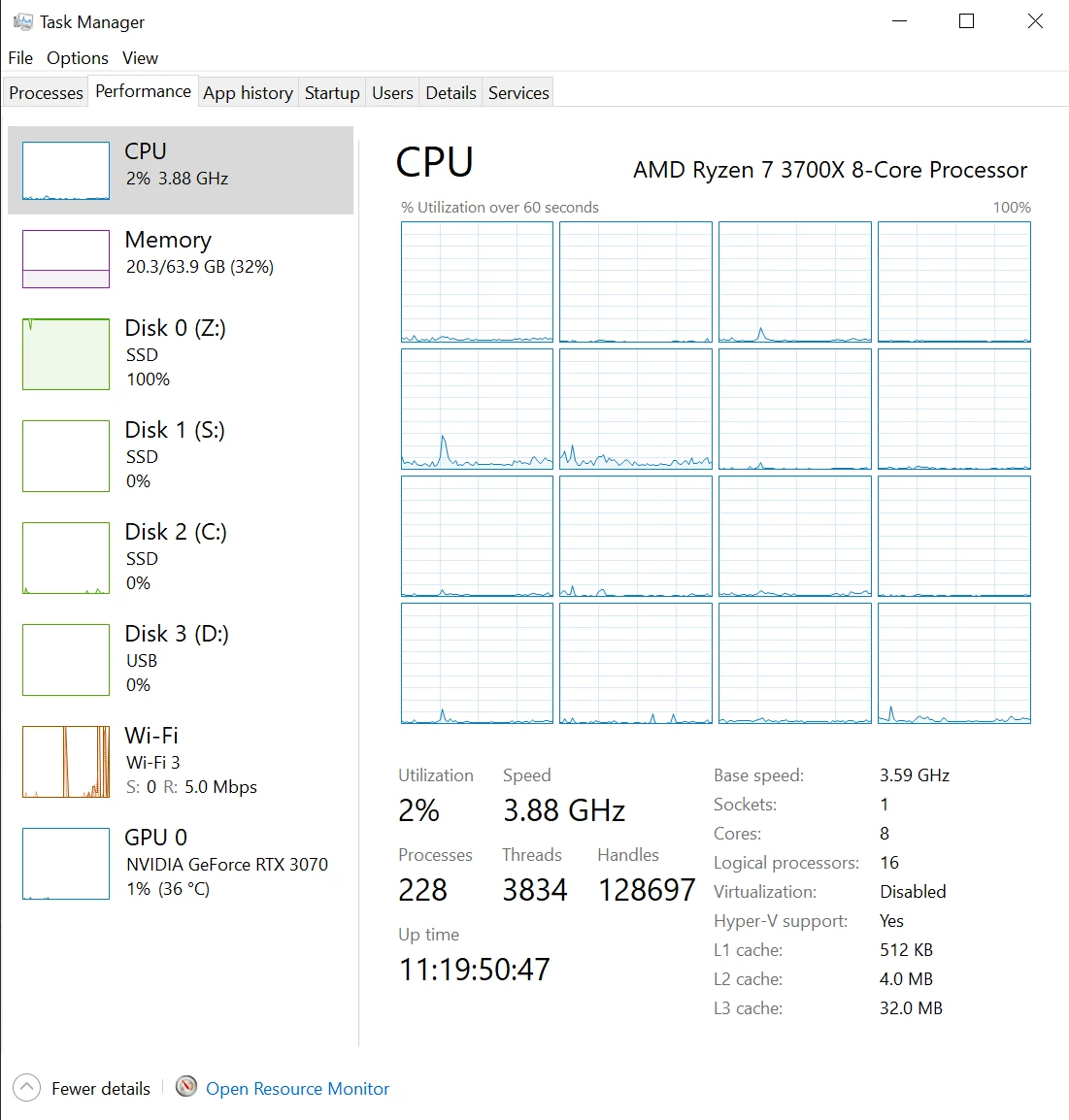
I am rendering a comp from After Effects through my Media Encoder queue, and it has almost no CPU or GPU utilization. It is primarily using the RAM and my Cache drive SSD. 


The comp is Blackmagic ProRes 422HQ, multi-layered with a chroma-key composite. (Keylight, Key Cleaner, and Spill Suppressor). The export is moving much slower than I would expect, and seems to not be utilizing my CPU or GPU, which I would hope it would. 


My system is:

Processor: AMD Ryzen 7 3700X 8-Core Processor, 3593 Mhz, 8 Core(s), 16 Logical Processor(s)

GPU: NVIDIA GeForce RTX 3070

RAM: G.Skill Trident Z 64GB (32x2)


I have attached a screenshot for reference.
This topic has been closed for replies.
Correct answer Mylenium

I would suggest you look up the millions "How to optimize performance" threads here on this forum alone for more detailed explanations. The behavior is more or less normal due to AE using linear processing and limited multithreading. None of your effects is GPU-based, anyway. You simply have wrong expectations and need to work on your understanding of how AE's internal processing works. That and of course Keylight for instance is one of the slowest and most memory-hungry effects, anyway.


Mylenium

1 reply

Mylenium
MyleniumCorrect answer
Legend
November 11, 2021

I would suggest you look up the millions "How to optimize performance" threads here on this forum alone for more detailed explanations. The behavior is more or less normal due to AE using linear processing and limited multithreading. None of your effects is GPU-based, anyway. You simply have wrong expectations and need to work on your understanding of how AE's internal processing works. That and of course Keylight for instance is one of the slowest and most memory-hungry effects, anyway.


Mylenium

deluciar2@gmail.com
Known Participant
November 18, 2021

Ok, way to be an ass about it. In case you missed it, the post WAS me trying to learn more about how it works. But maybe go find ways to get your happiness back instead of being condescending on help forums.

Mrtn Ritter
Participating Frequently
November 18, 2021

No need to get personal. We got such a post like yours once a week and all solutions are the same. The forum search and the internet is full of people starting with AE and wondering why their high-end hardware is hardly used.


They are all right, though. Adobe missed a lot here! Are you on the newest update? Multi-frame rendering got a comeback and there is a comp-analyser now, which shows you what effects are slowing down renderings.


If you are doing keying a lot you better change to DaVinci. It's way faster and knows how to utilize your system.


*Martin