
Odd yellow "smudge" in empty comp
So here's a weird one:
I'm not sure I'd call this a bug, since it really doesn't affect anything that I can see, but it is strange. I'm using AE 2021 (18.4.1) on Windows 10, and when I create a new 1920x1080 comp, I get a weird yellow smudge in the bottom right area of the comp.
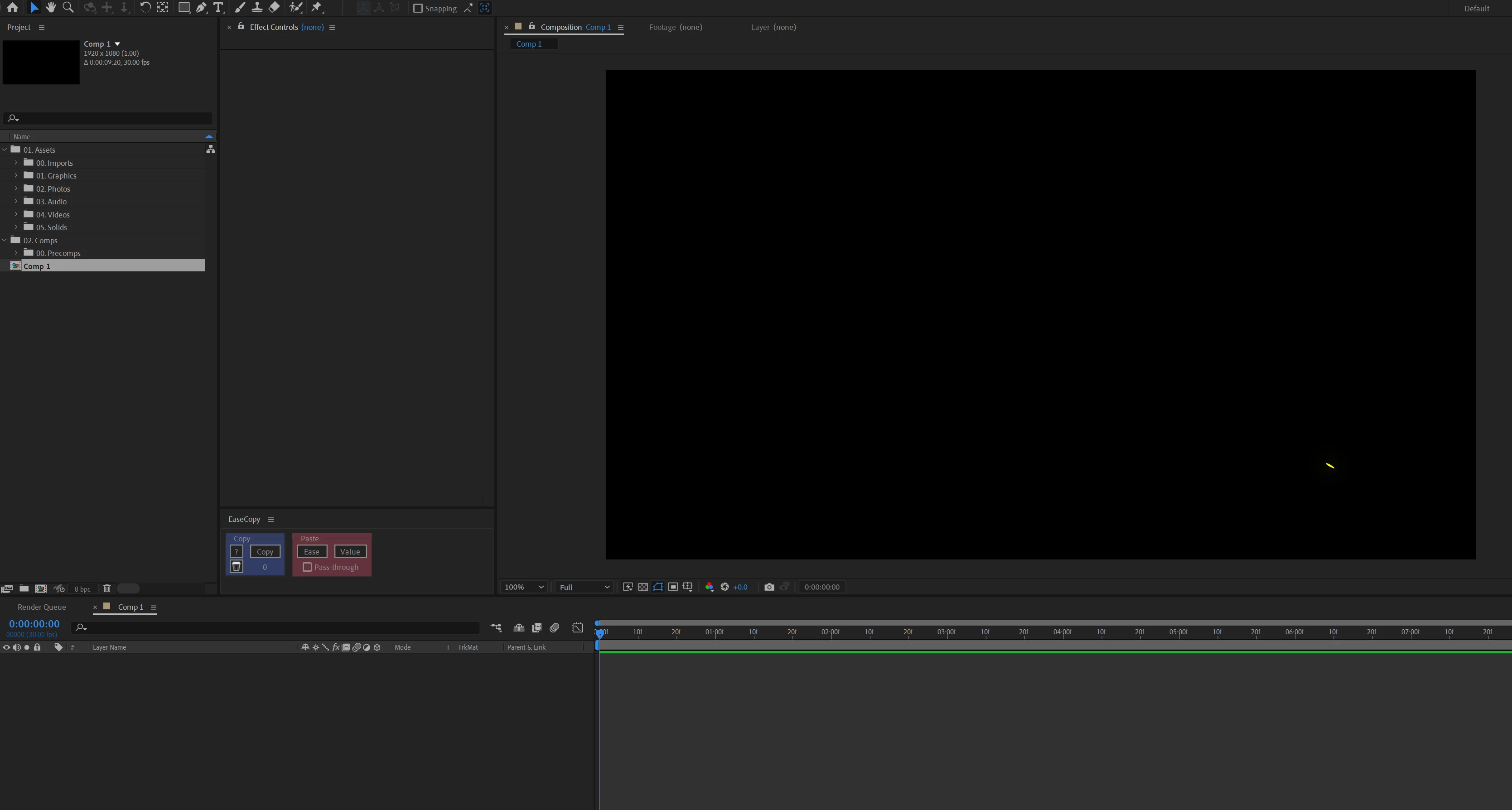
It only shows up when the comp is empty. I created a solid and masked it out so it wasn't overlapping the smudge, and doesn't show up. Now, I did try different frame rates for the 1080 comp, and it seems to be there in all of them. However, it does not show up for 720 or 4K comps.
I rendered an .AVI of the empty comp, and the smudge is there. Again, it doesn't seem to affect anything since it goes away when I add anything to the comp. Just thought it was weird. Hopefully it's not a precursor to something worse.
 AdChoices