
Participant
May 11, 2021
Question

Perspective Corner Pin Tracking Points/Bounding box offset from results?

  • May 11, 2021
  • 3 replies
  • 667 views

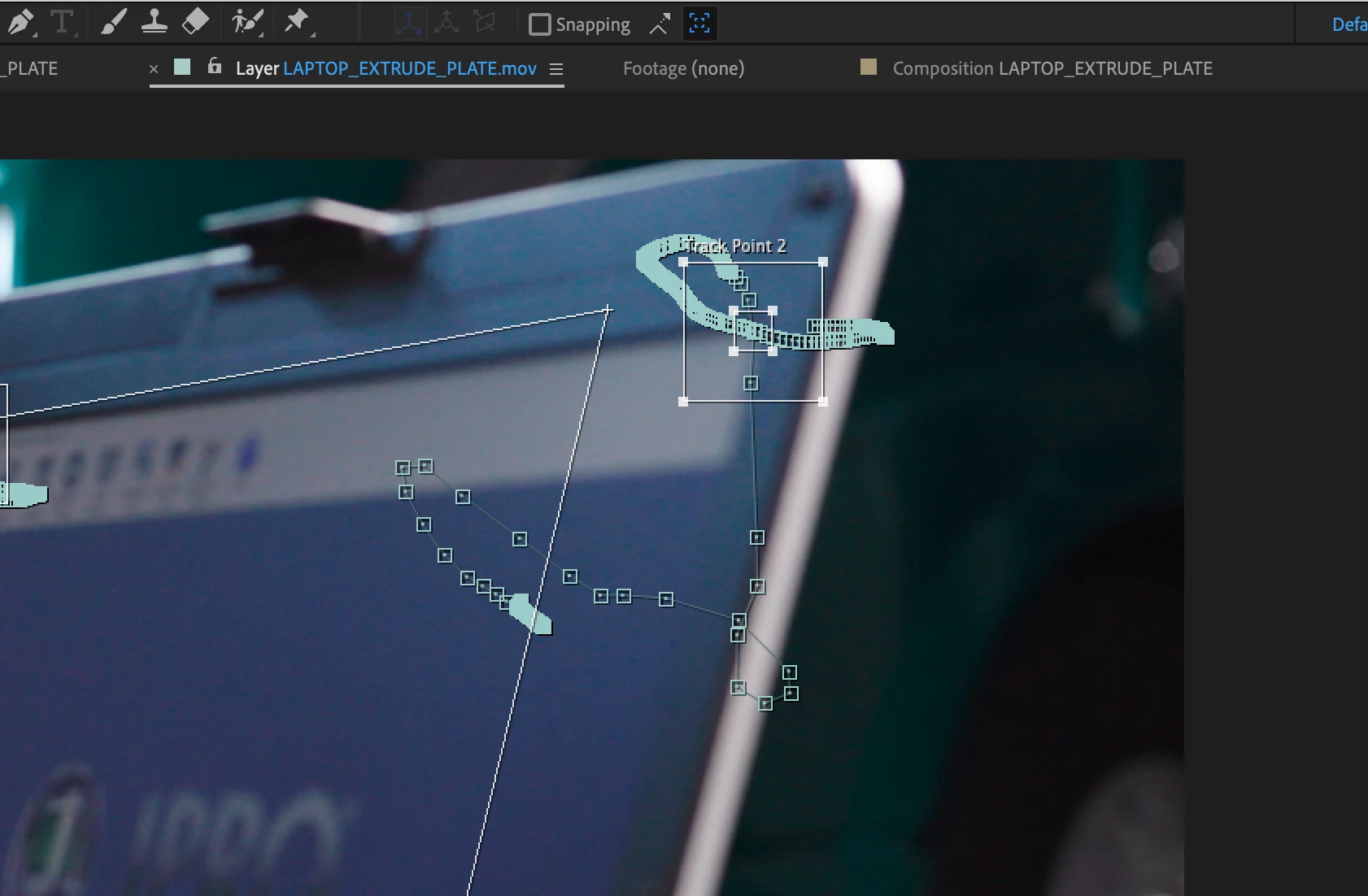
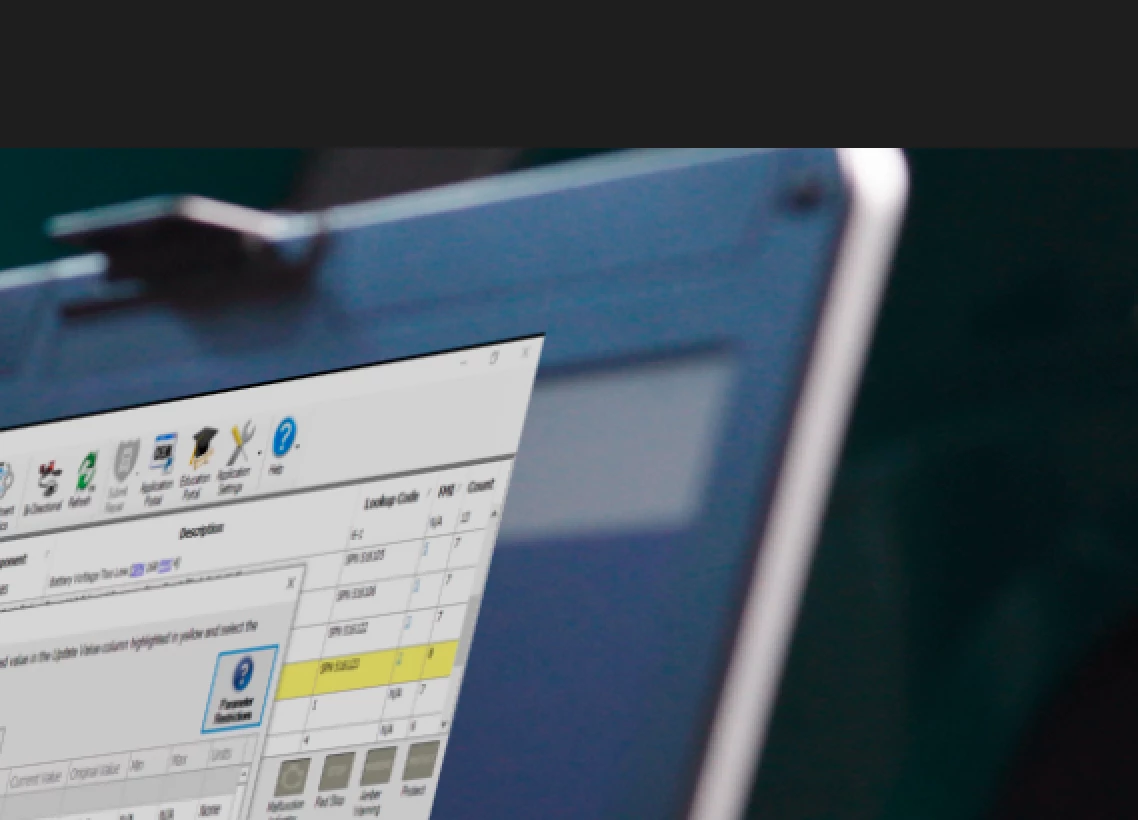
See screenshot. My tracking points are offset from the "perspective box" (if that's what you call it). I figured it was a display issue, however, after altering what I needed the changes in my main comp unfortunately reflect the "perspective box" and not the actual tracking points! Bug? I would really like to NOT redo all this work - but I may not have an option... ?
This topic has been closed for replies.

3 replies

Community Expert
May 13, 2021

If the layer that has Corner Pin applied is not the same size as the comp then the corners will not line up. My first guess is that your replacement screen layer should be fit to the composition using the Layer/Transform menu, then pre-composed before applying Corner Pin. Your screenshot also shows the Attach Point not lined up with the Feature Area. This is easy to do if you don't pay close attention to the cursor when you move the tracking area in the shot.


This is true for Mocha and AE's Corner Pin tracker. 

Kyle Hamrick
Community Expert
Community Expert
May 12, 2021

+1 for Mocha giving you a better result for a screen replacement. 

Without seeing more of your project, it's hard to answer definitively about the offset. 

Participant
May 13, 2021

Thanks for the suggestions for using Mocha. That may be viewed as a better tool to most, but it doesn't change the fact that a feature in AE is not working properly. It should be recognized that this is a bug. Unless you can verify that there is a legitimate feature in AE that makes the offset? I would guess not. In my attempts to redo it, I have triggered the same bug in different spots on the timeline. However, I was able to successfully do it by deleting the keyframes the bug started on and redoing from that point forward.

Jose Panadero
Community Expert
Community Expert
May 13, 2021

I don't think that woul be a bug. Looking at your image the problem is that you have moved the attach point (the little white cross) not the feature center (inner box)  and this is what is causing the problem. It is the incorrect use of the perspective tracker, not a bug.


Anyway the perspective tracker is a point tracker while the Mocha tracker is a planar surface tracker that will give you perfect result for this particular matter. 

Jose Panadero
Community Expert
Community Expert
May 11, 2021

Do you have modified any other parameter for this layer or do you have any mask associated? Any other modified property can affect the corner pin effect.


Anyway, I think you have a better option to do this in 5 minutes using the included Mocha AE plugin. Mocha has a better tracking analysis for planar surfaces like this and the corner pin works perfectly. You can view some tutorials on their website on how to insert screens (www.borisfx.com)