
j-foto
Participating Frequently
October 7, 2019
Question

Placeholder issues

  • October 7, 2019
  • 2 replies
  • 919 views

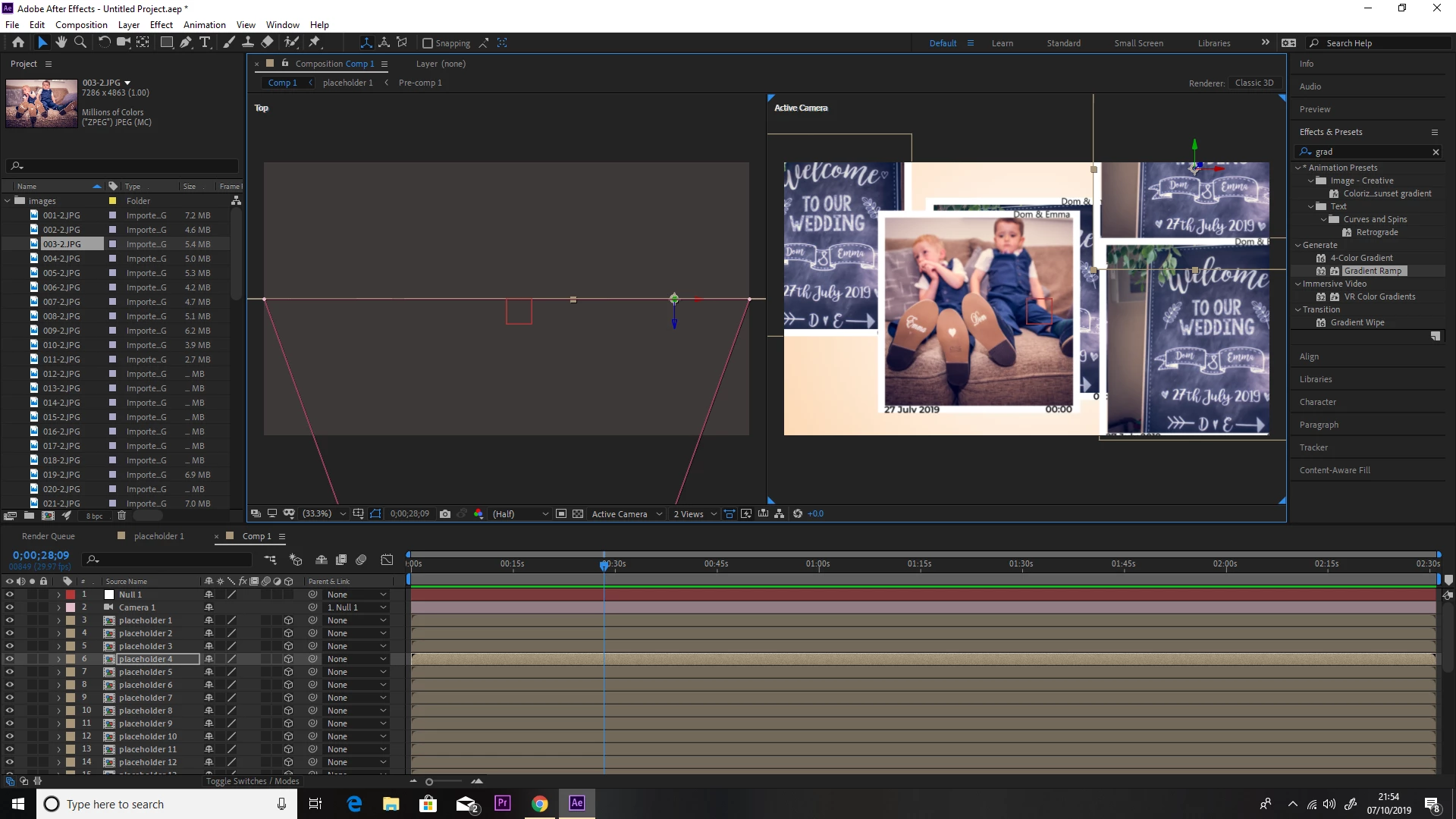
I am trying to creat a slide show with placeholders. The issue that keeps happening is that I alt and drag but when I go to the pictures they are all the same I have 32 photos and when I try to add them to the 3d slide they are all the same, is there anything i'm doing wrong...this is seriously doing my napper in now. 

See attached to see what I mean.

I really appreciated any bodies help.
    This topic has been closed for replies.

    2 replies

    Legend
    October 8, 2019

    Towerguy is correct, when you copy and paste a composition, you only ever make an instance of it. But whatever is inside the composition cannot be changed with Alt-drag, even if it was a truly unique copy. So you have two issues to deal with:


    1. All the layers in your main composition are undoubtedly just instances of the same sub-comp, and to make them act independently you have to duplicate them and everything in them; The easiest way to do that is with a script, such as this free one: https://www.vdodna.com/blog/true-layer-duplicator-script-for-after-effects/
    2. You are trying to Alt-drag an image into a layer, but that layer doesn't contain the image, it contains a composition. You will actually have to open each of those compositions, and Alt-drag the images into the correct layers within them. There are no one-click fixes for that!
    Participating Frequently
    October 7, 2019

    Hi. It sounds like when you created the placeholders you duplicated them in the layer panel (which means you have the same composition repeating). Duplicate the placeholder layer in the Project Panel (upper left top panel) and it will create individual compositions which are independent of each other. Is that it?