MahaB82A
June 8, 2022
Answered

Placing snapshot in a Composition

  • June 8, 2022
  • 1 reply
  • 896 views

This tutorial places a silhouette snapshot of a shark in a composition. After seaching google I got a silhouette snapshot of a shark and made it compatible (masking & mask feathering) with composition panel & place it. But it is not exactly same as in the tutorial, you can see boder line of the shark showing mask feathering. Is there any way to improve it?

The Many Uses Of Fractal Noise | Part 1

time 10.42
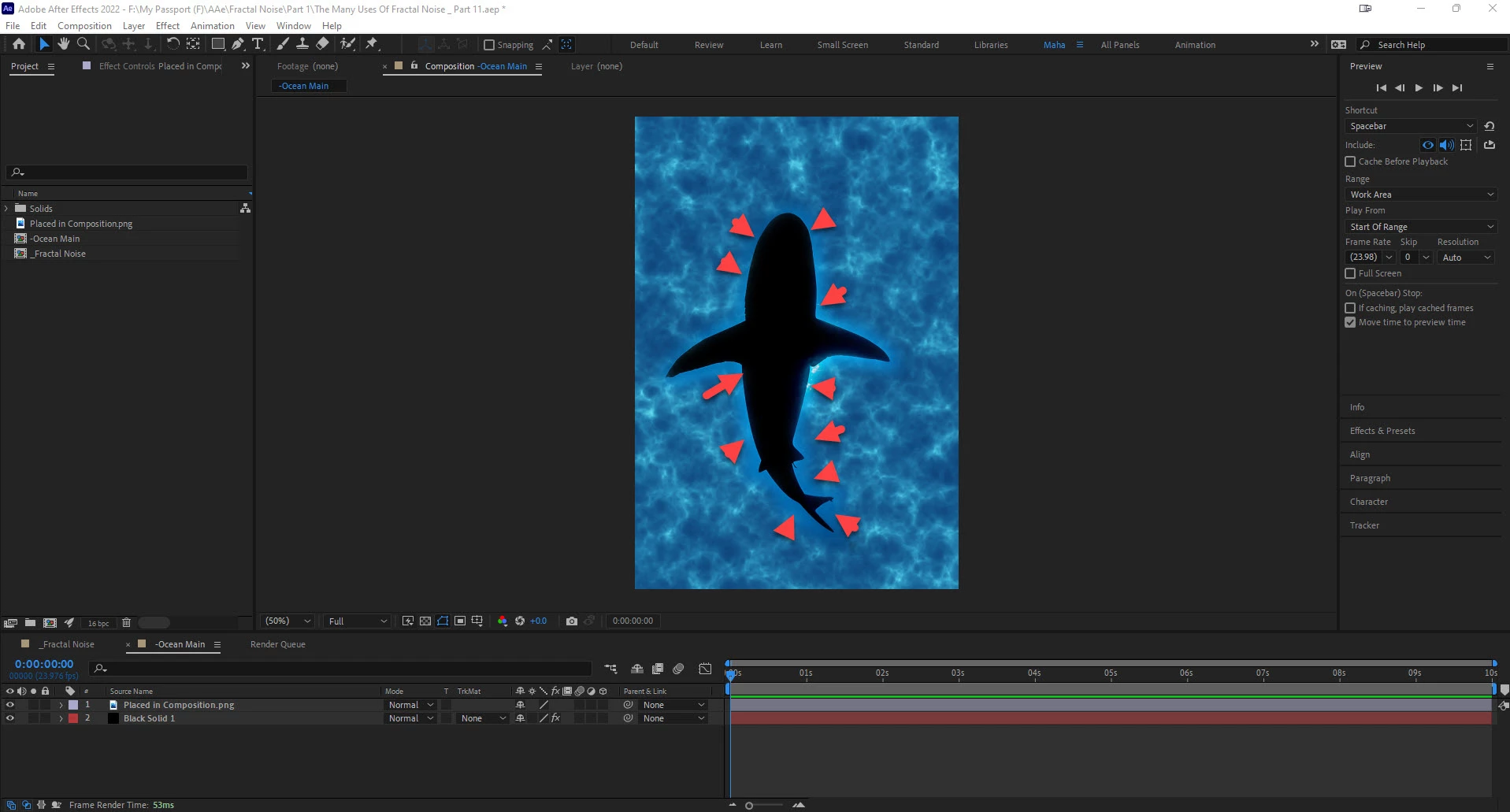


This topic has been closed for replies.
Correct answer Jqke

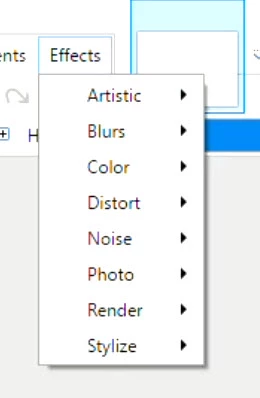
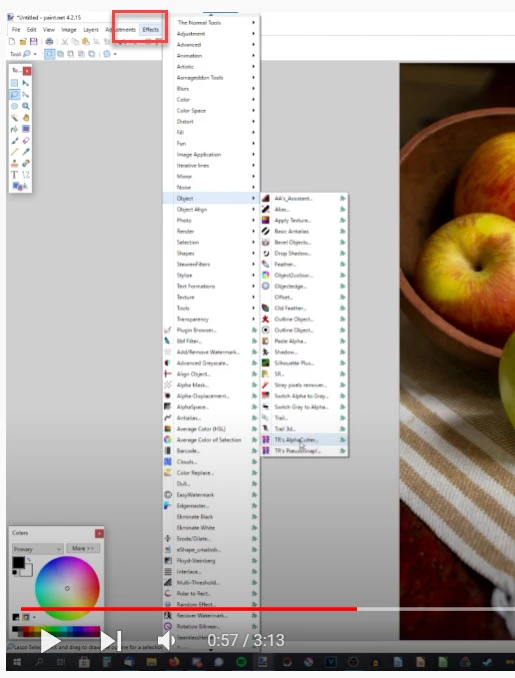
I downloaded Paint.NET but Effect option is limited. Also I watch a YouTube video whereas Effect has many options. How to get it?

My screenshot


YouTube screenshot


No problem 🙂 and all you gotta do is use the Magic Wand Tool (W on your keyboard), select the shark, press Ctrl + I, and hit delete! Then save the image as a PNG and import it to AE. 


If you want more effects, I recommend checking out this site


https://forums.getpaint.net/forum/44-plugin-packs/


Kris Vandermotten (VDM), boltbait, dpy, MadJik, and pyrochild have some good plugins. Most of them have installers. 

1 reply

Jqke
Legend
June 9, 2022

Well, what would be easier, is if you removed the background of the image in Photoshop, then import that as a PNG. Then you won't have to deal with masking/feathering.

~Jake
MahaB82A
MahaB82AAuthor
June 9, 2022

I do not have Photoshop installed.

Jqke
Legend
June 9, 2022

You can use a free image editing software like Paint.NET

~Jake