Inspiring
March 18, 2019
Answered

Prevent zooming in motion tracking ?

  • March 18, 2019
  • 4 replies
  • 2005 views

Hi,

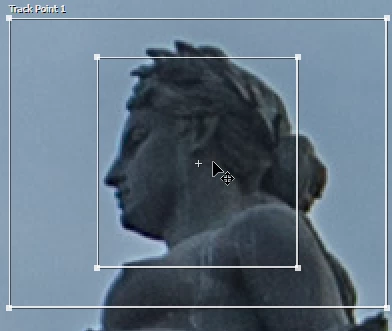
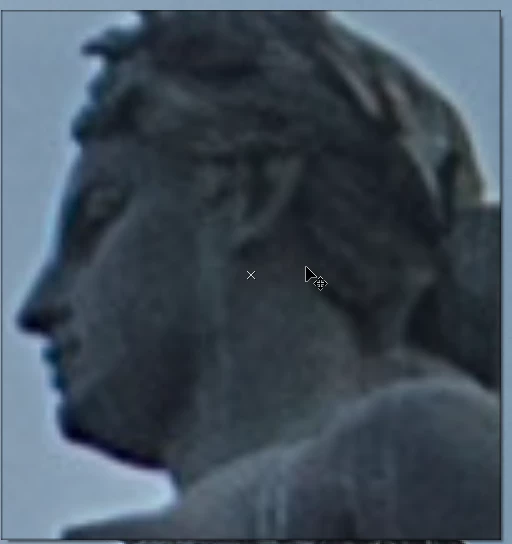
When I click onto the track point (see 1st picture) it automatically zooms in to help me move the tracking point (see picture 2), is there a way to prevent that ?
    This topic has been closed for replies.
    Correct answer cameronr72519725

    Hit the little 3 lines in the top left of the tracker panel and de-select "Magnify Feature When Dragging"

    4 replies

    ShiveringCactus
    Community Expert
    Community Expert
    September 4, 2021

    I think cameronr72519725 answered your question and as you have seen, you've provoked a bit of a debate. The zoom feature, when you get used to it does help you visualise the pattern/shape After Effects is looking for when it is tracking.  Given the image you're trying to track, it might be worth exploring the mask tracking options in the Motion Tracker too - this is a relatively recent tracking feature and in my experience involves less effort than the regular tracker.

    cameronr72519725Correct answer
    Participant
    June 26, 2020

    Hit the little 3 lines in the top left of the tracker panel and de-select "Magnify Feature When Dragging"

    Participant
    June 26, 2020

    Sorry, not top left. Top right

    Jose Panadero
    Community Expert
    Community Expert
    March 18, 2019

    The only way to prevent tht is to set the size of your Composition Panelto 400%, the exact same value that the tracker applies to help you to place the Attach Point. Anyway, as Rick says, it is a fantastic feature to assist you for a better placement of your tracker. This will not affect the scale of your tracking data.

    Community Expert
    March 18, 2019

    No, and I’m not sure why you would want to. I always want a better look at the feature region and the attach point.

    annap90227144
    Inspiring
    November 29, 2019

    Because you may have not that good source video wich is blured somewhat by itself so when 400% zoom in ocures you see nothing, at all - one do not need to be a genius to understand it + to find several other possible reasons as well. BTW it would be quite handy having option in Tracker options to enable/disable this ridiculous zoom functionality!
