
Participant
September 18, 2017
Answered

Preview error when in full resolution

  • September 18, 2017
  • 2 replies
  • 904 views

It's been a while that I'm getting a strange error during the full resolution preview on after effects.
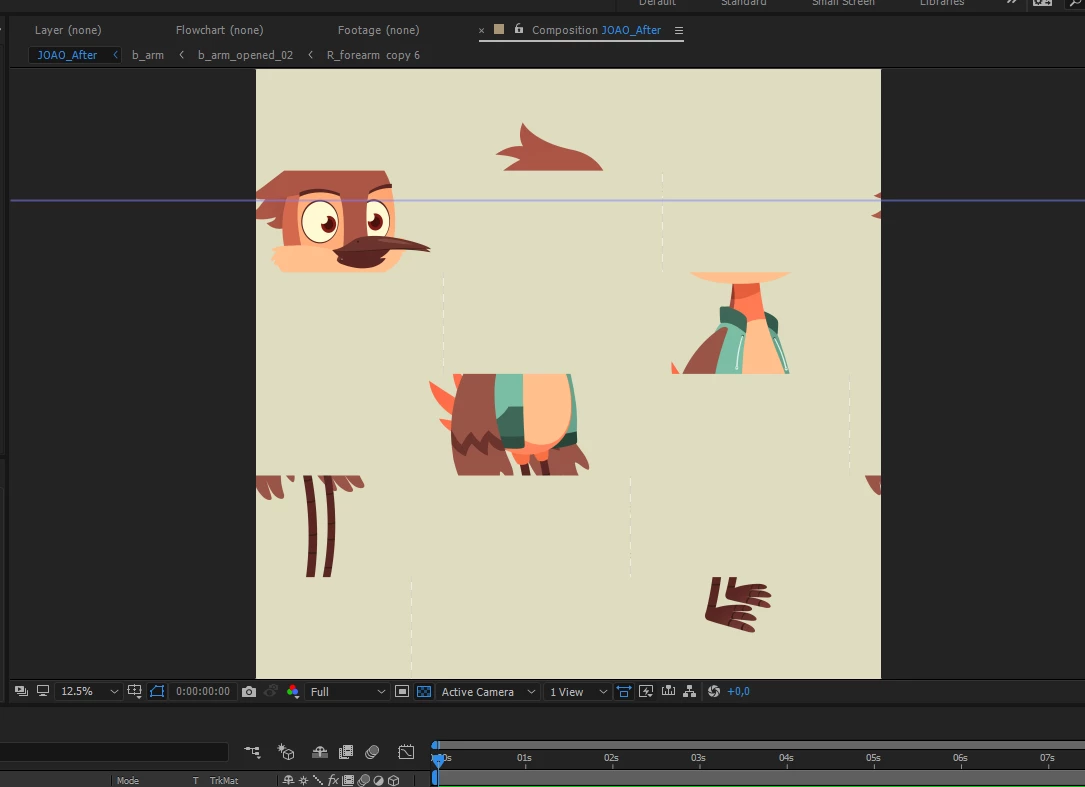
But when I set to "third", is shows as it should:
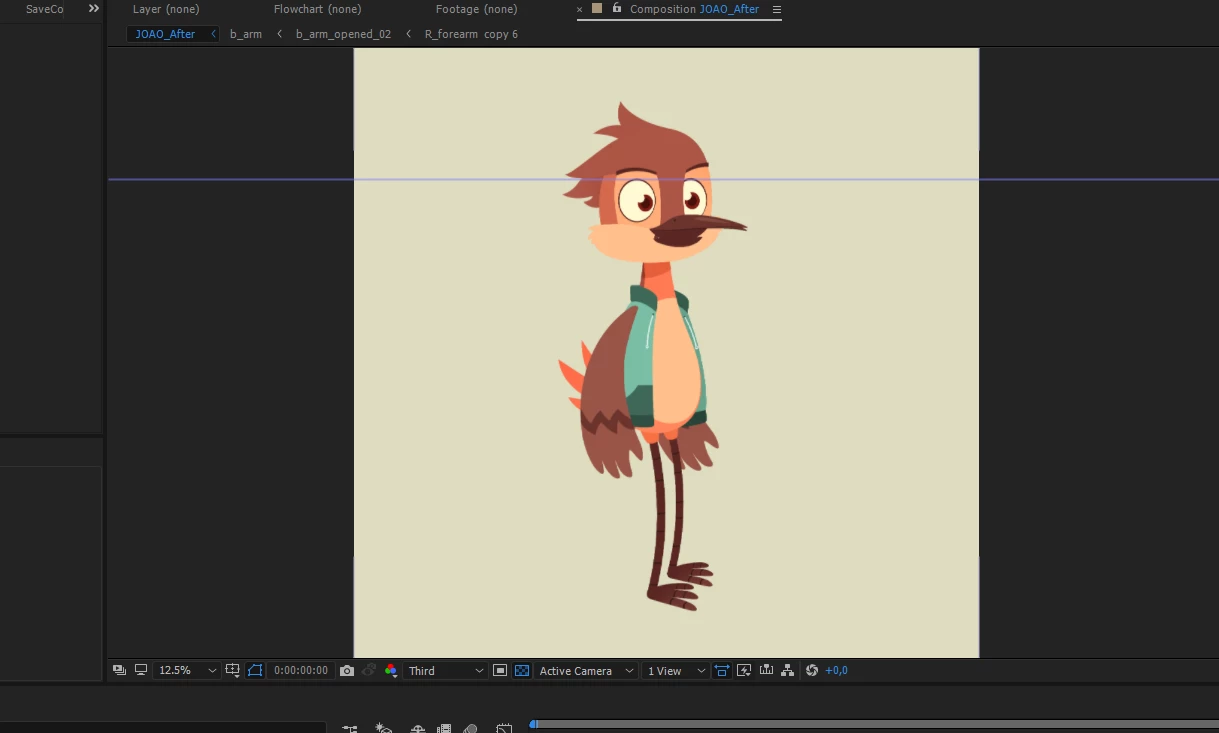
sometimes, changing to half fixes it, but sometimes only if I change to "quarter" or lower resolution previews. Is there a way to fix it?

I'm on windows 10. After Effects 2017.2 (Version 14.2.1.34)

Intel Core i7 6700

16gb RAM

AMD Radeon R9 380 Series 4gb

thanks in advance

This topic has been closed for replies.
Correct answer Rick Gerard

Your comp panel Magnification Factor is 12.5%. Resolution set to full is not only a waste of time, it does not show you anything you can't see in the comp panel if the resolution was set to Auto. It just takes longer to render previews and is likely to cause problems. I always work with Comp resolution set to Auto because it is more efficient and the UI works faster.

Having the resolution set to full with the magnification factor is less than 50% does not give you any more pixels to see in the comp panel, it just slows things down because there is more processing that takes place. You won't get a clearer picture. Setting the resolution to less than Full when the Magnification Factor is less than 100% will degrade the image. Using Auto gives you the best possible display no matter what the Magnification Factor is and saves a bunch of time generating previews.

2 replies

Szalam
Community Expert
Community Expert
September 18, 2017

If, however, you would rather keep it at full, if you turn off the "Hardware accelerate...panels" option in the preferences, it'll fix the problem too.

But I would recommend just setting the resolution to Auto as Rick suggests.

Rick GerardCommunity ExpertCorrect answer
Community Expert
September 18, 2017

Your comp panel Magnification Factor is 12.5%. Resolution set to full is not only a waste of time, it does not show you anything you can't see in the comp panel if the resolution was set to Auto. It just takes longer to render previews and is likely to cause problems. I always work with Comp resolution set to Auto because it is more efficient and the UI works faster.

Having the resolution set to full with the magnification factor is less than 50% does not give you any more pixels to see in the comp panel, it just slows things down because there is more processing that takes place. You won't get a clearer picture. Setting the resolution to less than Full when the Magnification Factor is less than 100% will degrade the image. Using Auto gives you the best possible display no matter what the Magnification Factor is and saves a bunch of time generating previews.