

Mocho Cinematic
Inspiring
November 19, 2016
Answered

Primatte Keyer sampler not working

  • November 19, 2016
  • 2 replies
  • 9874 views

So, since I updated to the new AE CC 2017 I have been having some problems, especially with my Red Giant plugins.

I have updated to the newest versions of Primatte Keyer, denoiser and Colorista.

With Primatte keyer I can't sample, when I do it doesn't sample the green or blue, it just creates artefacts.

In the picture bellow, I selected the green and that is as far as I get with it.
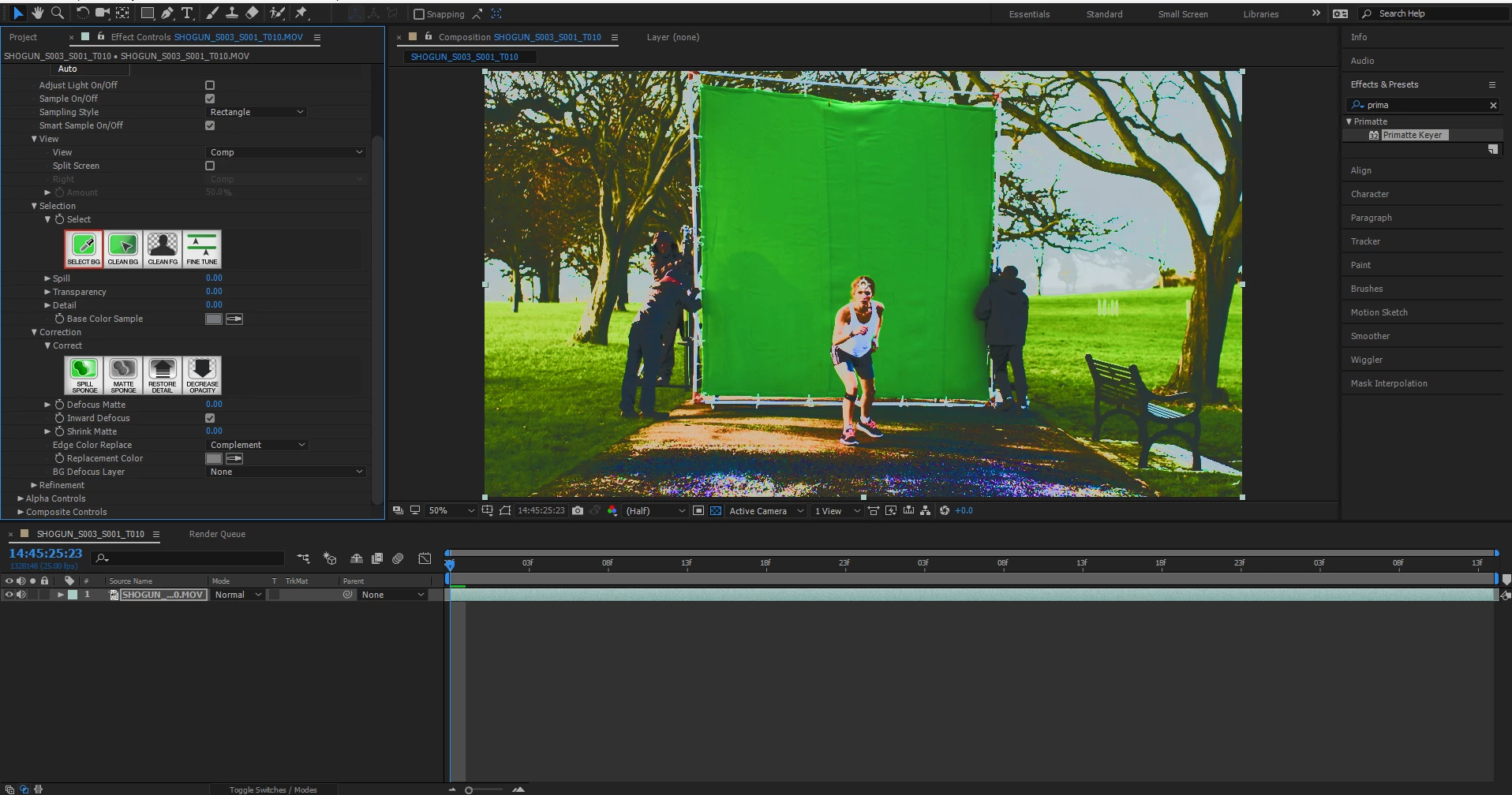
If I use the auto option and it does ok but as soon as I try to clean the BG or my subject it messes everything.

As for colorista and denoiser, I have issues when I use the sliders to change the values. It freezes everything for a few seconds then the mouse goes crazy. It happens every time. I have reinstalled AE, the plugins, cleaned the registry and so on.

Thanks.
This topic has been closed for replies.
Correct answer Mocho Cinematic

I'm getting a very similar color sample but it's keying just fine.

If you still have an earlier version of AE try the same clip there. I can't reproduce your problem on a Mac. I'd contact Red Giant if you have done so.


Hi Rick,

I solve my problem updating to windows 10.

It worked perfectly!

2 replies

Mocho Cinematic
Inspiring
November 20, 2016

Hi Rick,

I will contact Red Giant, I do not have an older version at the moment.

Thank you very much!

Community Expert
November 20, 2016

OS? I'm assuming the purple stuff in the foreground is the mess that's being created. Your clip is awfully contrasty..

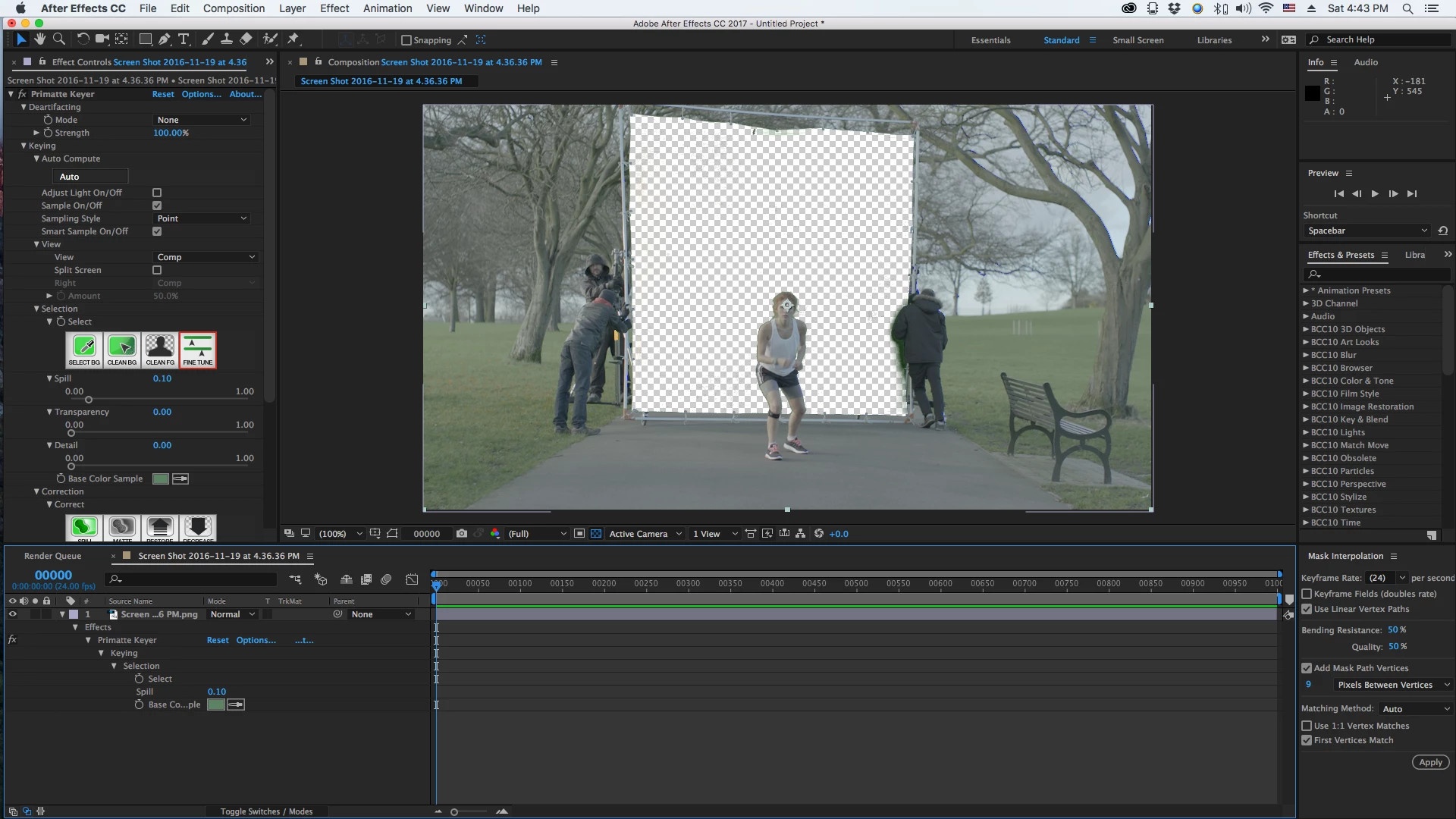
From a screenshot of your screenshot with all modified properties revealed. Just used the Select, Clean BG, Clean FG buttons. OS X 10.11.6, Mac Pro, AE CC 2017 14.0.1.5, Primate 5.1.3:

Pressed the U key twice to reveal all modified properties...

Mocho Cinematic
Inspiring
November 20, 2016

The look of the image is after I select the green. The original looks like this.

I am using windows 8.1, I have been using Primatte keyer for a few years, i only got these issues after the update.

when i use the select Background this is what i get

It samples a greyish instead of the green.

When i use the sample tool this is what i get

But once i try to use the Clean FG it messes up and goes crazy like the second pic.

Community Expert
November 20, 2016

I'm getting a very similar color sample but it's keying just fine.

If you still have an earlier version of AE try the same clip there. I can't reproduce your problem on a Mac. I'd contact Red Giant if you have done so.