

AndrejNastevski
Participant
January 2, 2020
Question

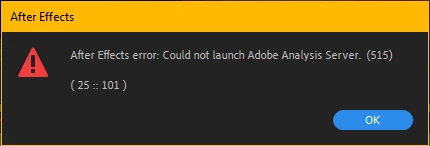
Problem with Camera Tracker. After Effects error: Could not launch adobe analysis server.

  • January 2, 2020
  • 2 replies
  • 5445 views

Hello, I tried using the Camera Tracker after 2 months and it didn't work.

So I drag and drop it on the composition in after effects with the same resolution and framerate as the clip.

Then I click on the camera tracker and apply it to the clip. I go to the Effects Control. and I click Analysis.

And it shows me this message: After Effects error: Could not launch adobe analysis server. (515) (25:: 101)

I tried updating after effects but it didn't work, I also tried it on an old version of After Effects and it didn't work one again. 

So if anyone could help me with this. I can't find anything on the internet about this. I also tried making a new project and restarting after effects and it did nothing. So if anyone could help please reply to this.


Thank you.

Andrej.
2 replies

Participant
March 23, 2020

I also facing same problem. 

In my pc after effects was working but when I updated it's into after effects cc 2017. After that it happened. Please suggest my what m I do? 

My pc enough to requirements of after effects application but I facing this problem "Adobe analysis server". 

Community Expert
January 2, 2020

This could be caused by the format of your video or a bunch of other seemingly unrelated things. Try this. Create a solid in a new HD comp that is about 4 or 5 seconds long, Make the layer 3D, Add the grid effect, animate the position and rotation of the layer, Pre-compose the layer making sure to move all attributes to the new comp, switch to the motion tracking workspace and run camera tracker on the pre-comp. 

If camera tracker works try replacing the solid in the pre-comp with your footage.


If that works then the problem is the format of the footage. 


If neither of these options works, your system is either out of resources, some other app is preventing the analysis server from running, your preferences are corrupt, or you have a corrupted install that needs the Adobe Cleaner app to fix it.

AndrejNastevski
Participant
January 2, 2020

Thank you, Rick

I really appreciate the help, but this method didn't work. 

I hope that I will find a solution 🙂


Andrej.

Community Expert
January 2, 2020

If the analysis server failed to launch using the pre-comp workflow then you are out of resources, a 3rd party app like virus controls or some other video app is preventing the background app (analysis server) from launching, you have corrupted preferences, or you have a corrupt install that can only be fixed by running the Adobe Cleaner app. You'll find instructions for the cleaner app here: Use the Creative Cloud Cleaner Tool to solve ... - Adobe